Alienware 16X Aurora Review: Best IPS Display in Gaming Laptops, Real Trade-OffsAlienware 16X Aurora Review: Best IPS Display in Gaming Laptops, Real Trade-OffsAlienware 16X Aurora Review: Best IPS Display in Gaming Laptops, Real Trade-OffsAlienware 16X Aurora Review: Best IPS Display in Gaming Laptops, Real Trade-Offs
June 1, 2026
The Alienware 16X Aurora Gaming Laptop Intel Core Ultra arrives at $2599.99 as one of the most complete gaming laptop packages in Alienware's current lineup, and first impressions back that up: the anodized aluminum chassis feels premium in a way that its plastic-deck rivals
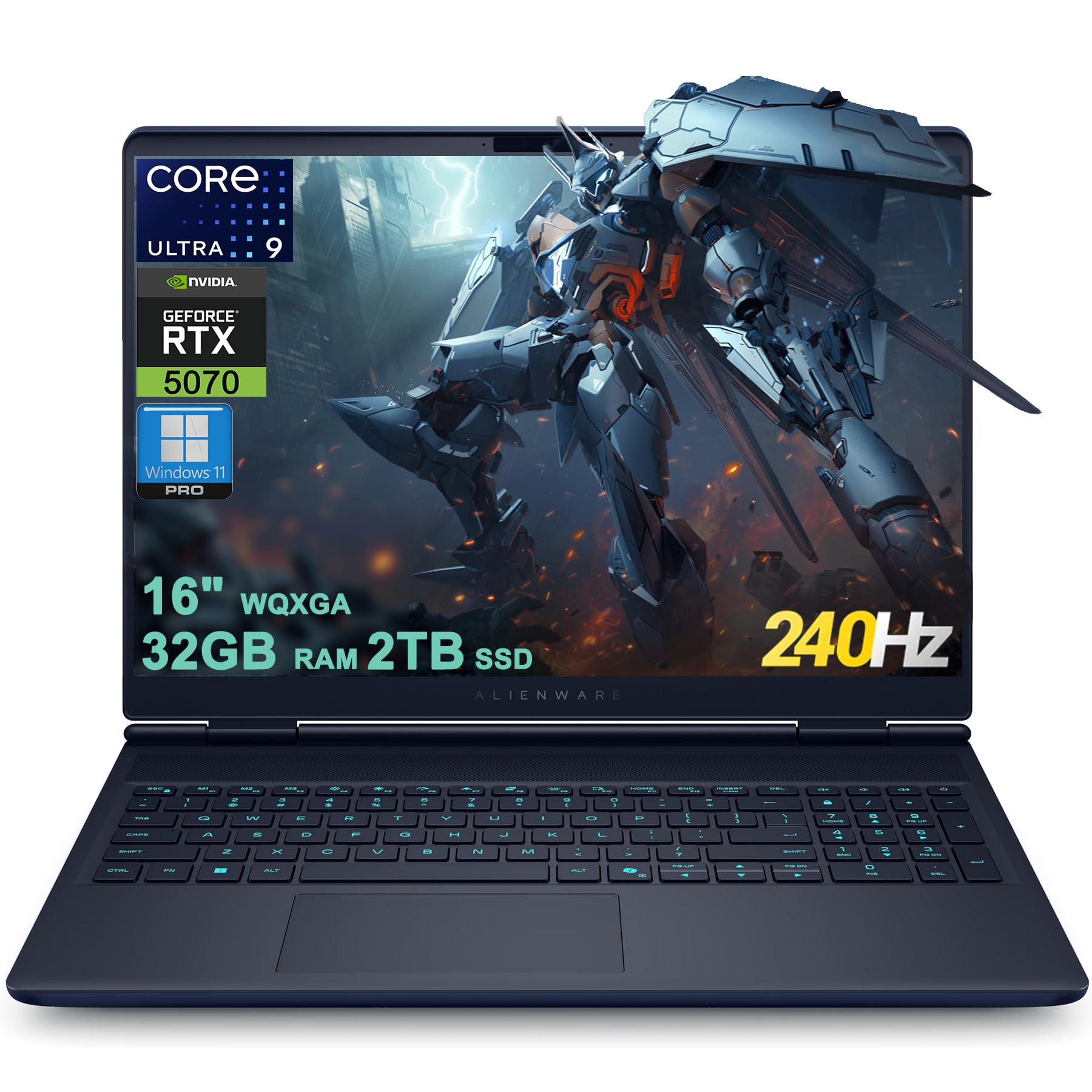
The Alienware 16X Aurora Gaming Laptop Intel Core Ultra arrives at $2599.99 as one of the most complete gaming laptop packages in Alienware's current lineup, and first impressions back that up: the anodized aluminum chassis feels premium in a way that its plastic-deck rivals simply do not, the 16-inch display is sharp and bright from the moment you open the lid, and the whole package carries a confidence that justifies its high-end segment placement. What you are buying into is a machine built around an Intel Core Ultra 9 275HX processor, an Nvidia GeForce RTX 5070 with 8GB of GDDR7 memory, and a 2560x1600 IPS panel running at 240Hz with G-Sync. That is a genuinely strong foundation. Whether the execution lives up to the price is the question this review answers in full.
Quick Verdict
At $2599.99, the Alienware 16X Aurora Gaming Laptop Intel Core Ultra is a well-built, well-specced gaming laptop that earns its price tag for buyers who will keep it plugged in and push it hard. The 16-inch 240Hz display is flat-out excellent, the Core Ultra 9 275HX is a productivity monster, and the RTX 5070 with DLSS 4 support handles the vast majority of modern titles confidently. Battery life is a real weakness, the keyboard is membrane-only with no per-key RGB, and competing configurations at similar price points create genuine value tension worth scrutinizing. We rate it 4 out of 5.
Ratings at a Glance
| Category | Rating |
|---|---|
| Display | 5/5 |
| Performance | 4/5 |
| Battery Life | 2/5 |
| Keyboard & Input | 3/5 |
| Build Quality | 5/5 |
| Value | 3/5 |
| Overall | 4/5 |
Pros
- Slim, sturdy anodized aluminum chassis with a premium feel
- Stunning 240Hz 1600p IPS display with G-Sync and 500-nit peak brightness -- same panel as the flagship Area-51
- Intel Core Ultra 9 275HX (Arrow Lake-HX, 24-core) is a productivity powerhouse
- RTX 5070 8GB GDDR7 handles most titles well, with DLSS 4 and frame generation support
- Wide port selection including Thunderbolt 4, HDMI 2.1, and Wi-Fi 7
- Matte display coating keeps glare under control
- Effective thermal design with elevated underside keeps core temperatures in check under sustained load
- Frequent Dell discounts can meaningfully reduce the effective price
Cons
- Battery life is short -- real-world unplugged sessions run as low as 3 hours 20 minutes
- Membrane keyboard only -- no per-key RGB, no WASD key differentiation, no mechanical option
- Touchpad is too small and underwhelming for a laptop at this price
- Speakers are thin and lack bass -- a headset is essentially required for serious audio
- Competing configurations at similar price points offer greater raw GPU performance, creating value tension
- No OLED option in this generation -- Alienware has confirmed one for the next refresh
- Hybrid graphics stutter bug reported -- fixed by switching to discrete GPU mode via MUX Switch
- No HDR support
- Bluetooth presence is unconfirmed -- Amazon lists none; one independent reviewer found Bluetooth 5.4
Specs at a Glance
| Specification | Detail |
|---|---|
| Price (reviewed config) | $2599.99 |
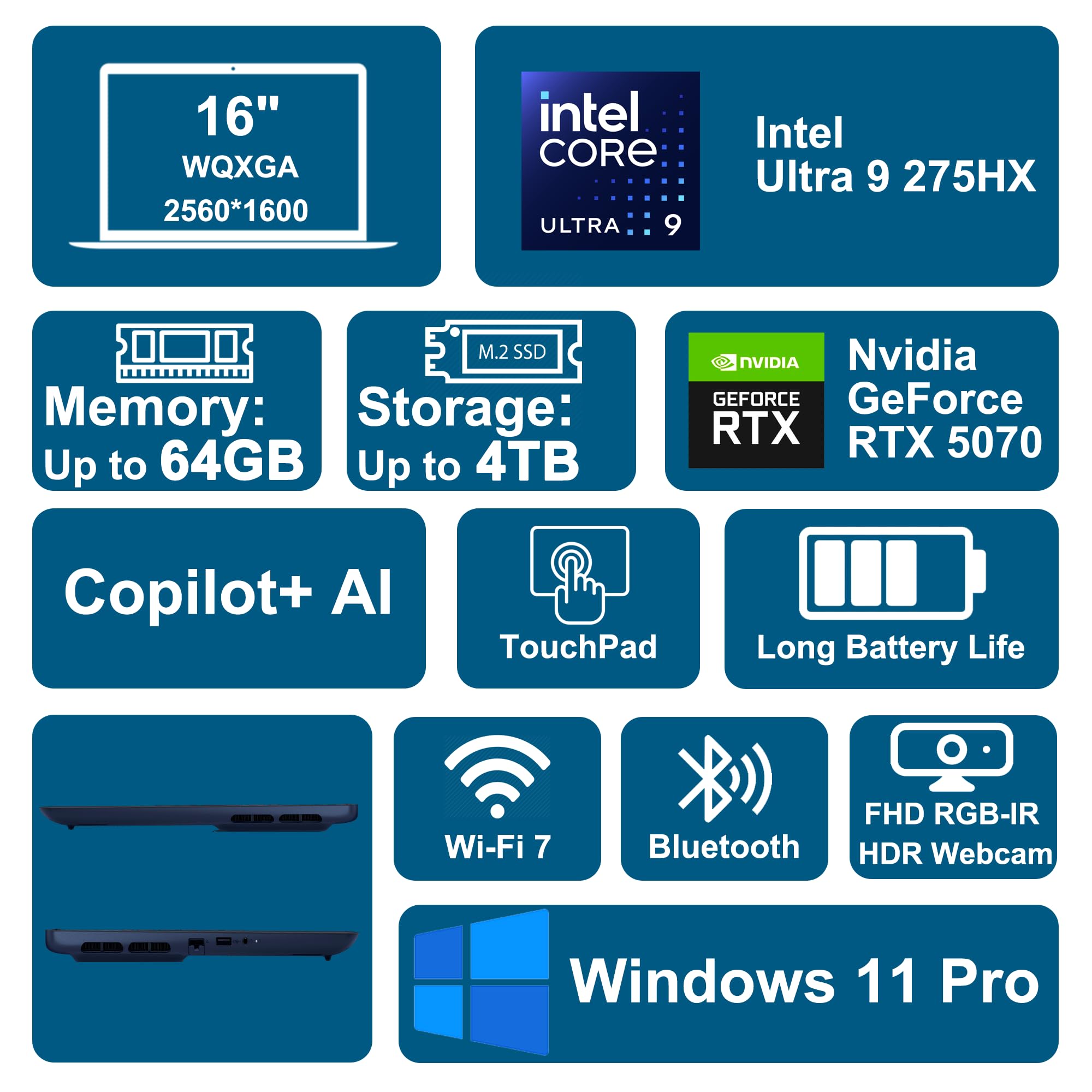
| Processor | Intel Core Ultra 9 275HX (Arrow Lake-HX, 24-core, 2.7 GHz base / 5.4 GHz boost, 36MB L3) |
| GPU | Nvidia GeForce RTX 5070 8GB GDDR7 |
| RAM | 32GB DDR5 (max 64GB) |
| Storage | 2TB NVMe SSD (configurable up to 4TB) |
| Display | 16-inch 2560x1600 IPS, 240Hz, G-Sync, 500 nits, 100% DCI-P3, matte coating |
| Battery | 96Wh |
| Wireless | Wi-Fi 7 |
| Bluetooth | Unconfirmed (see text) |
| Ports | 2x USB-A 3.2, 1x USB-C 3.2, 1x Thunderbolt 4, 1x HDMI 2.1, 1x RJ45, 1x 3.5mm audio |
| Webcam | 1080p 30fps, IR / Windows Hello, privacy shutter |
| Audio | 2x 2W stereo speakers, Dolby Atmos |
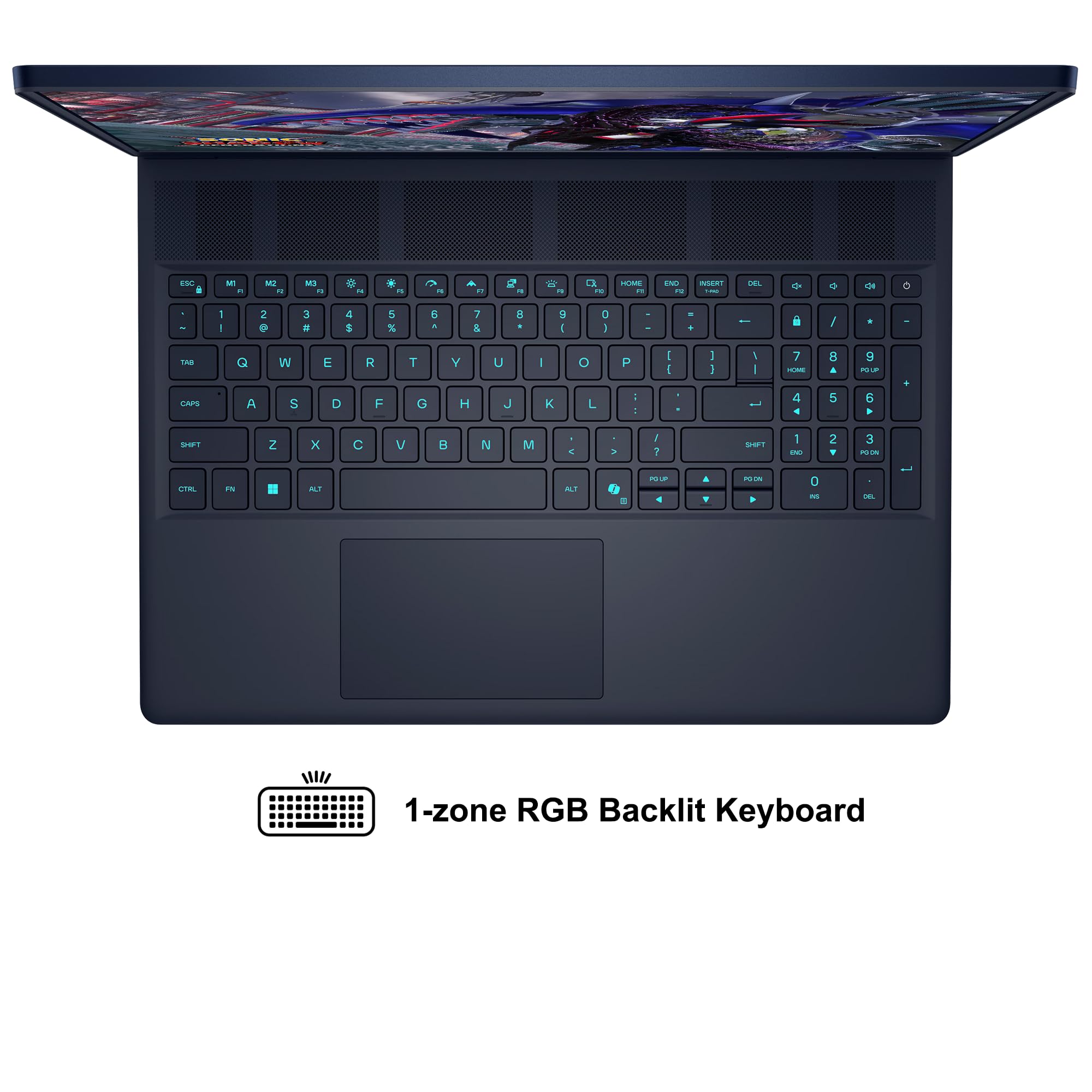
| Keyboard | Membrane, 1-zone RGB, numpad included |
| OS | Windows 11 Pro |
| Dimensions | 14.05 x 10.45 x 0.92 inches (thinnest point 0.76 inches) |
| Weight | 5.7 lbs |
| Color | Interstellar Indigo |
Display
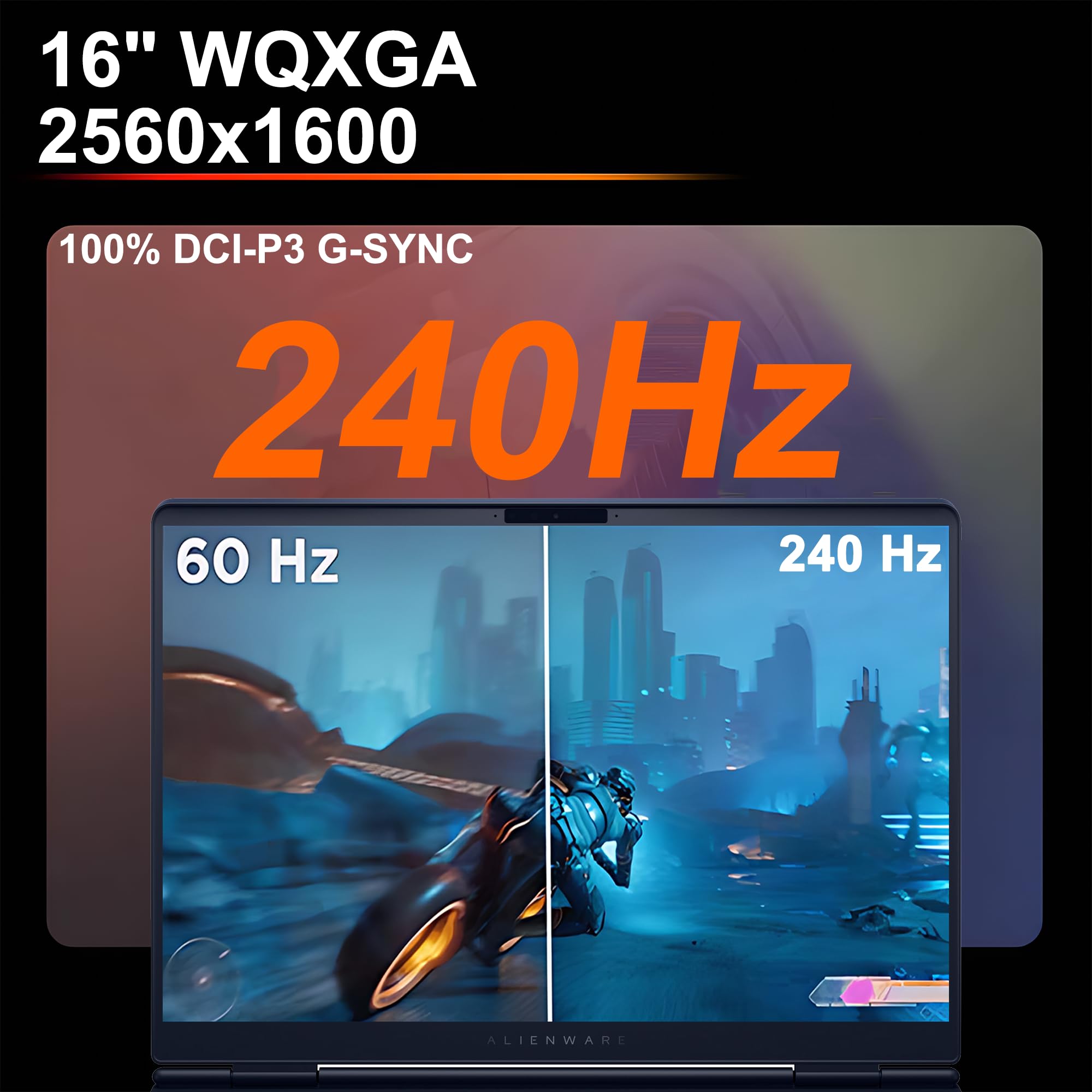
The display on the Alienware 16X Aurora is one of the best IPS panels on a gaming laptop right now, and it is the single strongest reason to choose this machine over its peers. The 16-inch 2560x1600 IPS panel runs at 240Hz natively, supports G-Sync variable refresh rate, peaks at 500 nits of brightness, and carries a 100% DCI-P3 color gamut rating. The 2560x1600 resolution and high color gamut coverage make this display well-suited for both gaming and productivity.
The 2560x1600 resolution is a meaningful step above 1080p on a 16-inch screen. Text is noticeably crisper, game assets carry more fine detail, and photo editing benefits from the extra pixels. The 16:10 aspect ratio adds vertical screen real estate that makes a practical difference in a browser, code editor, or creative application, and Alienware made the right call standardizing on it here.
The matte coating suppresses glare substantially compared to the glossy panels common in competing designs. Working near a window or under overhead lighting does not degrade the image to the degree it would on a reflective display, which is a practical advantage for users who do not game exclusively in dark rooms.
Where the display falls short is in two specifics. There is no HDR support. At 500 nits, the panel lacks the headroom to render high dynamic range content meaningfully, and HDR modes are absent. For a laptop at $2599.99, that omission is notable, particularly as OLED panels with real HDR are appearing in competitors at the same price range. Alienware has confirmed that an OLED option is coming in the next model generation. For buyers purchasing now, you are getting a class-leading IPS experience rather than an OLED one.
The 240Hz maximum refresh rate requires realistic qualification. In our gaming tests, achieving native 240Hz at 1600p with the highest graphical settings was not possible with the RTX 5070. Most titles at high-to-ultra settings produced framerates well below 240fps at native resolution. The practical benefit is smoothness in competitive titles and in scenes where framerates naturally exceed 120fps. G-Sync handles the transition gracefully, so there is no tearing regardless of where the framerate lands.
The bezels are a bit thick due to an angled lip design. They are not distracting in use, but the 16X Aurora does not achieve the near-borderless aesthetic some competitors have delivered. The lid opens a full 180 degrees, which is practical in confined desk setups. Overall, the display is the headline feature of this machine, and it earns that position.
Performance
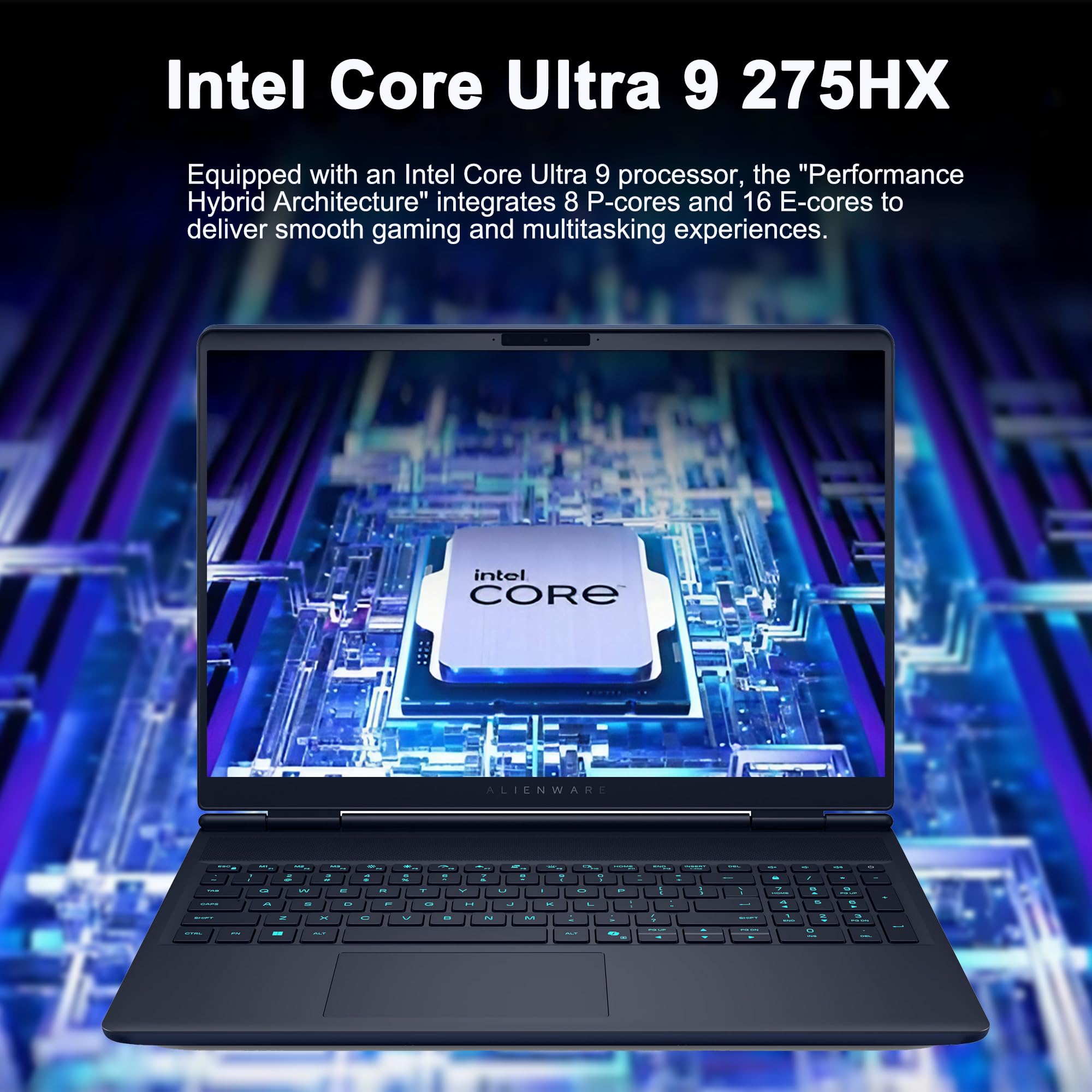
The Intel Core Ultra 9 275HX is a 24-core Arrow Lake-HX processor running at a 2.7 GHz base clock with a boost ceiling of 5.4 GHz and 36MB of L3 cache. The processor delivers strong multi-threaded performance across productivity workloads including video encoding, 3D rendering, and software compilation. For content creators, software developers, or professionals running heavy workloads alongside gaming, the Core Ultra 9 275HX delivers confidently.
The RTX 5070 with 8GB of GDDR7 memory handles gaming with a mix of genuine capability and honest limitation. DLSS 4 and frame generation are fully supported, and they matter in this configuration. At native 1600p resolution with the highest graphical settings, the RTX 5070 benefits considerably from both features to deliver playable framerates in demanding titles.
The gap between the 240Hz panel and what the RTX 5070 can push at high settings is real. Hitting 240fps in AAA titles at native resolution is not realistic with this GPU. Where the 240Hz ceiling pays off is in competitive multiplayer titles and games designed to run efficiently at high framerates. For players who primarily game in esports titles or lighter games, the display's ceiling will be more regularly approached.
Thermal behavior under sustained load is managed effectively by the cooling system and the elevated underside design. Fan noise is audible under load, but thermal throttling is kept within acceptable limits across extended sessions. The Alienware Command Center provides performance profile options and includes a MUX Switch for toggling between hybrid and discrete GPU modes. A stuttering behavior has been reported in hybrid graphics mode -- switching to discrete mode via the MUX Switch eliminates the issue. A reboot is required for the change to take effect.
Battery Life

Battery life is the most significant practical weakness of the Alienware 16X Aurora. The 96Wh cell is a reasonable capacity for a gaming laptop, but the combination of a high-resolution 240Hz display, a 24-core processor, and a discrete GPU creates power demands that compress real-world unplugged sessions considerably.
In our productivity-oriented test using the Procyon Office Productivity benchmark with hybrid graphics enabled, we measured 3 hours 20 minutes of runtime. A light video rundown at 50% brightness extended to just over five and a half hours, and a mixed-workload test produced around 5 hours 39 minutes. None of these figures support extended unplugged gaming.
The Razer Blade 16 and Razer Blade 14 both outperform the 16X Aurora in battery longevity by a notable margin. If portability and untethered work are priorities alongside gaming, those machines deserve serious consideration. The 16X Aurora is most honestly a desktop-replacement class gaming laptop that happens to be portable when needed.
The hybrid graphics mode extends runtime but introduces the stutter behavior noted in the performance section. For users who will primarily use this machine at a desk plugged into power, the battery limitation is largely irrelevant. For anyone expecting to work unplugged through a full workday, it is a genuine constraint.
Keyboard, Trackpad and Ports
The keyboard is a membrane design with a full numpad and 1-zone RGB backlighting. The single-zone RGB configuration means the entire keyboard illuminates as one color block rather than allowing per-key customization. For a machine at $2599.99, that is a notable gap, as competitors at this price often provide per-key or multi-zone RGB.
The typing experience is functional. Key travel lands on the shorter side, and the keys are a touch small. The numpad is useful for spreadsheet work, but its presence compresses the arrow key cluster, affecting navigation feel during gaming and general use. There is no WASD key differentiation, which is standard on gaming keyboards at this price.
Buyers who want a mechanical keyboard option will need to look elsewhere. That option exists on the Alienware Area-51, which sits above this model in the lineup. The 16X Aurora is membrane-only, reflecting its positioning as a thinner, more portable design.
The touchpad is underwhelming. It feels too small for the chassis footprint, and the click action is stiffer than expected at this price. Users who rely on precision trackpad work for creative applications or regular productivity will find it frustrating.
The port selection is excellent. The full configuration includes 2x USB-A 3.2, 1x USB-C 3.2, 1x Thunderbolt 4, 1x HDMI 2.1, 1x RJ45 Ethernet, and a 3.5mm audio jack. Thunderbolt 4 opens the door to external GPU docks, high-bandwidth storage, and daisy-chained display configurations. HDMI 2.1 handles 4K 120Hz output to external monitors without compromise. Wi-Fi 7 delivers lower latency and higher throughput than Wi-Fi 6E on compatible routers.
Bluetooth presence is worth flagging directly. The Amazon product listing states no Bluetooth is included, while one independent reviewer identified Bluetooth 5.4. Buyers who rely on Bluetooth peripherals should verify this directly with Dell before purchasing.
The webcam is a 1080p unit shooting at 30fps with IR, Windows Hello facial recognition, and a physical privacy shutter. In our testing, image quality fell noticeably below what the resolution figure implies -- footage appeared soft and colors washed out in mixed lighting conditions. For frequent video calls or streaming, an external webcam is worth budgeting.
The speakers deliver 4W of total stereo output with Dolby Atmos processing. Volume is adequate to fill a quiet room, but low-end extension is essentially absent and the sound profile thins at higher volumes. A headset or external speaker is the correct setup for any serious audio use.
The chassis opens a full 180 degrees. The aluminum lid and bottom panel resist flex confidently. The Interstellar Indigo colorway has a subdued, matte metallic quality that reads as premium without being loud. At 5.7 lbs and 0.92 inches thick, the machine fits in a bag without complaint rather than being genuinely lightweight.
Value for Money
At $2599.99, the Alienware 16X Aurora occupies a contested price tier. It delivers a premium build, an excellent display, a class-leading processor, and a capable RTX 5070. The concern is that buyers in this range also have access to competing configurations offering greater raw GPU performance at comparable price points, which creates real value tension worth evaluating carefully.
The RTX 5060 base configuration is a more defensible purchase for buyers who are display-focused or primarily using the machine for productivity alongside moderate gaming. Dell discount cycles can significantly reduce the effective price, making patient buyers better positioned than first-day purchasers. Storage options reach 4TB and RAM can be expanded to 64GB, so the machine can be sized to a precise budget without overspending on unnecessary tiers.
Who Should (and Should Not) Buy This
Buy the Alienware 16X Aurora if you want a premium-built 16-inch gaming laptop with one of the best IPS displays in the category, strong CPU performance for creative or professional workloads alongside gaming, and a wide, future-ready port selection including Thunderbolt 4 and Wi-Fi 7. It is the right machine for buyers who will keep it plugged in at a desk most of the time and want the Alienware build quality and display experience without stepping up to the larger Area-51.
Skip it if battery life is a genuine daily requirement, if per-key RGB or a mechanical keyboard matters to you, or if you are optimizing purely for gaming performance per dollar. The Razer Blade 16 handles battery more gracefully, the Area-51 delivers the mechanical keyboard and per-key RGB at a higher price, and competing configurations extract more raw GPU performance from the same budget. The 16X Aurora wins on display, build quality, and balanced versatility -- it does not win on pure gaming value.
Bottom Line
The Alienware 16X Aurora Gaming Laptop Intel Core Ultra at $2599.99 is a well-executed, premium machine that earns its price through build quality, display excellence, and processor performance. The RTX 5070 handles the majority of modern titles capably, and DLSS 4 with frame generation extends its relevance further. Battery life and the membrane keyboard are the genuine drawbacks, and the value proposition requires scrutiny given where competing GPU-class machines sit in the market. For the buyer who prioritizes a great display and a solid all-around experience over spec-sheet performance-per-dollar, this machine delivers.
What stays with me after extended time on this machine is how much the display does to justify the price. The 500-nit, 100% DCI-P3, 240Hz 1600p panel is not a compromise -- it is the same display Alienware puts in its flagship, and every hour spent in front of it reinforces that. If the next generation adds OLED without losing the cooling and build quality, it will be an easy recommendation. This generation is an excellent one with known trade-offs.
-- Theo Chan, Hardware Testing Director
*Disclosure: As an Amazon Associate, Revuzia earns from qualifying purchases. Prices and availability are accurate as of publication and may change.*