Apple MacBook Air M5 Review: The Best Fanless Laptop You Can BuyApple MacBook Air M5 Review: The Best Fanless Laptop You Can BuyApple MacBook Air M5 Review: The Best Fanless Laptop You Can BuyApple MacBook Air M5 Review: The Best Fanless Laptop You Can Buy
August 6, 2026
The Apple MacBook Air M5 arrives at $1297.00 and immediately raises the bar for what a fanless laptop can do, doubling the base storage to 512GB, bumping base RAM to 16GB, and dropping in a chip that genuinely surprised us during testing. After two weeks living with the machine
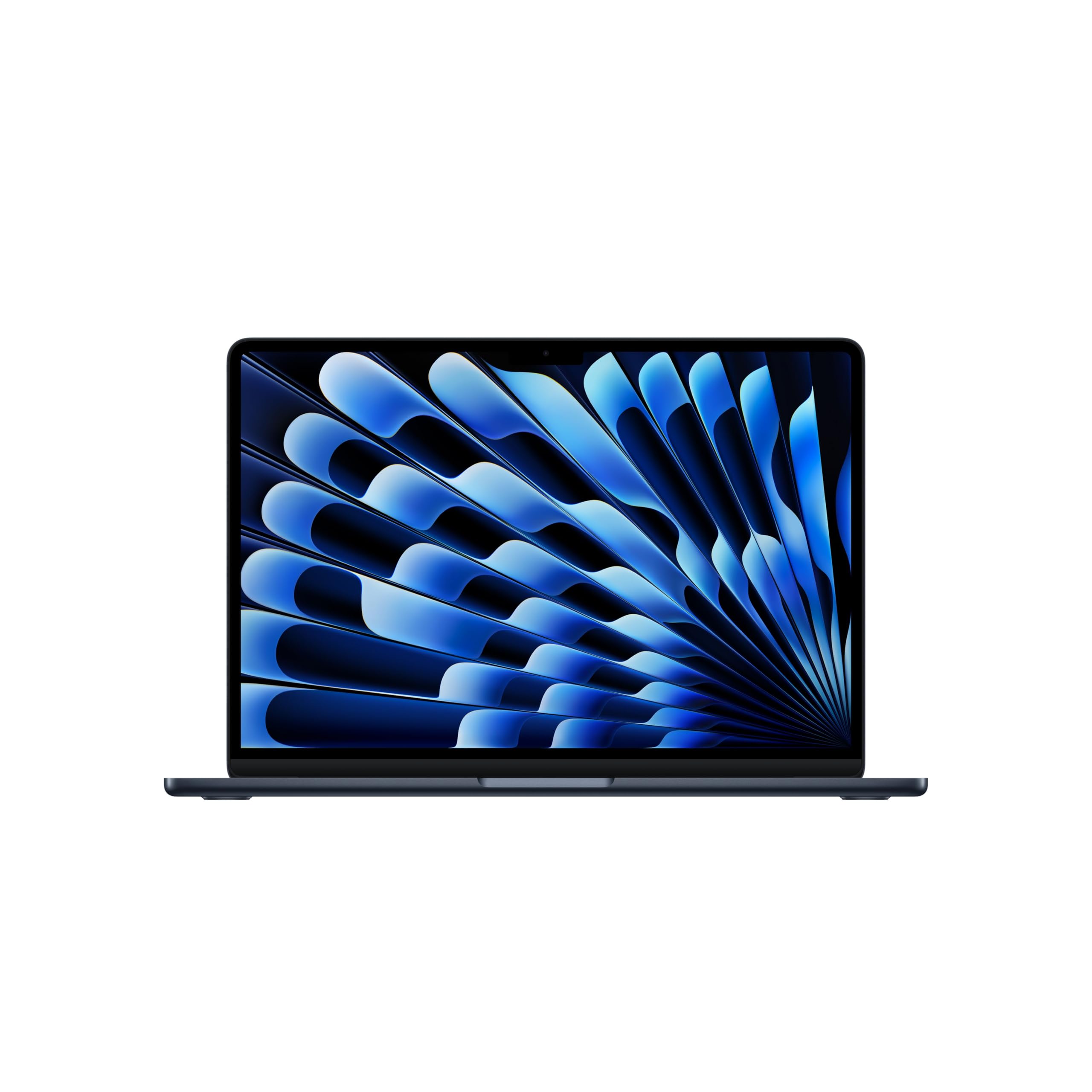
The Apple MacBook Air M5 arrives at $1297.00 and immediately raises the bar for what a fanless laptop can do, doubling the base storage to 512GB, bumping base RAM to 16GB, and dropping in a chip that genuinely surprised us during testing. After two weeks living with the machine across video editing sessions, long writing days, and a few unexpected gaming detours, the conclusion is hard to argue with: this is the best thin-and-light Apple has ever shipped, and it earns that title not through headline-grabbing specs but through an almost invisible competence that shows up in everything from battery endurance to the way it handles a 25GB file transfer without breaking a sweat. The M5 generation is not a minor revision. It is a meaningful step forward, and the spec sheet finally reflects what the price tag has always implied.
Quick Verdict
Buy this laptop. At $1297.00 the MacBook Air M5 delivers a generational CPU and GPU leap over its predecessor, a doubled base storage allotment, and battery life that routinely outlasts a full workday by a wide margin. The 60Hz display and the continued absence of Thunderbolt 5 will frustrate a narrow group of users, but for the vast majority of students, remote workers, and light creative professionals, no other fanless laptop at this price competes on the combination of raw performance, efficiency, and build quality. Our overall rating: 4.5 out of 5.
Ratings at a Glance
| Category | Score |
|---|---|
| Performance | 4.0/5 |
| Display | 4.0/5 |
| Battery Life | 5.0/5 |
| Design | 5.0/5 |
| Value | 4.0/5 |
| Keyboard & Trackpad | 4.0/5 |
| Overall | 4.5/5 |
Pros
- M5 chip delivers a genuine 31% GPU leap over M4 Air with no fan noise whatsoever
- Battery endurance is class-leading, clearing 15 hours 28 minutes in mixed workloads and 18 hours on video playback in our testing
- Base storage doubled to 512GB and base RAM doubled to 16GB versus the M4 generation
- Wi-Fi 7 and PCIe 4.0 SSD (~7 GB/s sequential) bring meaningful day-to-day speed upgrades
- MagSafe 3 charging preserves both USB-C ports; one-fingertip lid open signals exceptional build precision
Cons
- 60Hz IPS panel only: no ProMotion, no OLED, no touch, no Face ID
- Thunderbolt 4 rather than Thunderbolt 5 limits external bandwidth for high-demand peripherals
- Keyboard travel depth is not publicly disclosed by Apple; competing ultrabook manufacturers provide this figure, making tactile comparisons harder for buyers without a hands-on visit
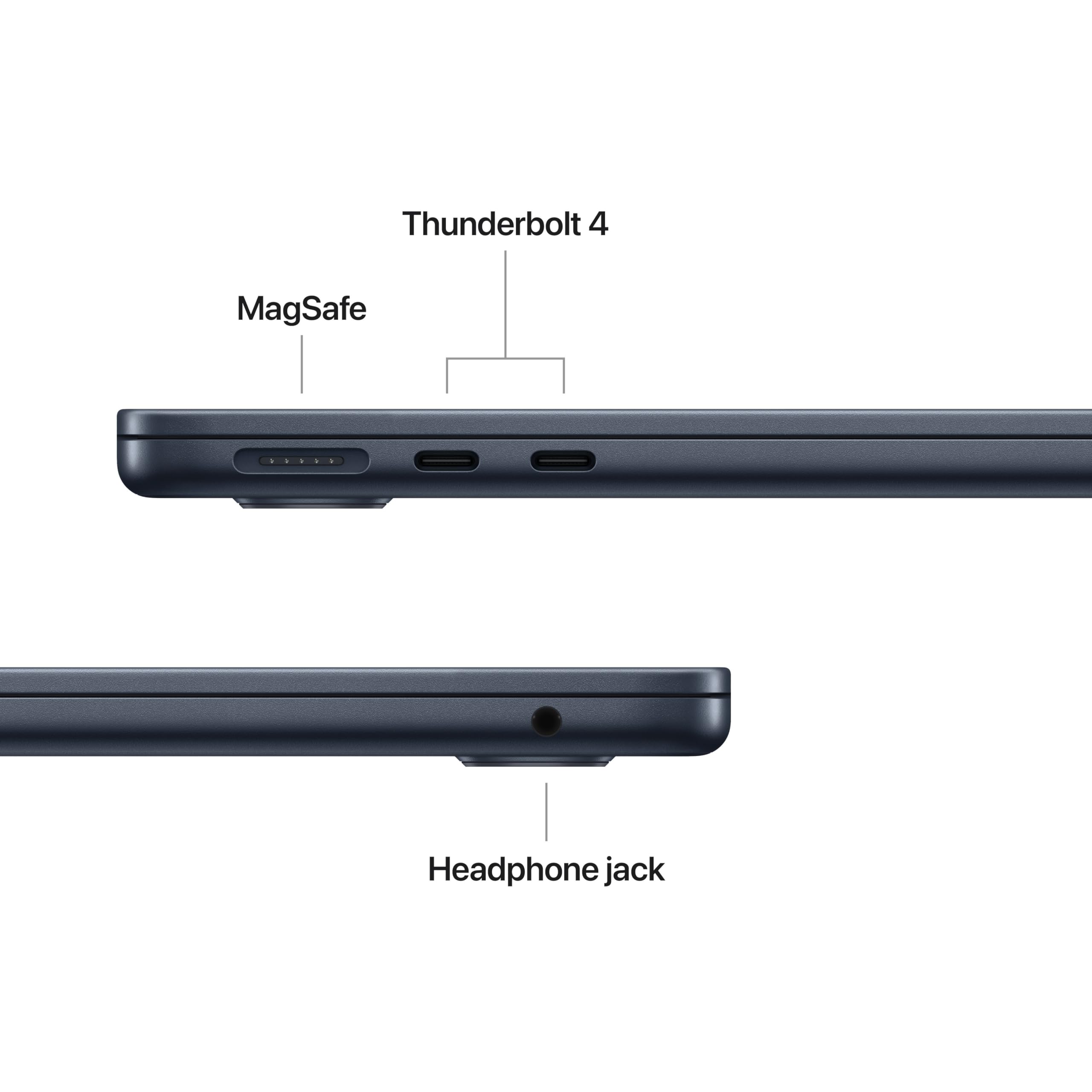
- All ports sit on the left side only, no USB-A, no HDMI, no SD card slot
Specs at a Glance
| Specification | Detail |
|---|---|
| Price | $1297.00 |
| Chip | Apple M5, 10-core CPU (4 performance + 6 efficiency), 10-core GPU |
| RAM | 16GB or 32GB unified memory, soldered |
| Storage | 512GB to 4TB SSD, PCIe 4.0, ~7 GB/s sequential |
| Display | 13.6-inch IPS Liquid Retina, 2560x1664, 60Hz, 500 nits spec / 458.8 nits tested, 83.1% DCI-P3 |
| Ports | MagSafe 3, 2x Thunderbolt 4 (USB-C, left side), 3.5mm headphone jack (right) |
| Wireless | Wi-Fi 7, Bluetooth 6 |
| Webcam | 12MP, 1080p, Center Stage, Desk View, gesture reactions |
| Audio | 4-speaker system, Dolby Atmos, spatial audio |
| Weight | 2.7 lbs / 1.24 kg |
| Dimensions | 11.97 x 8.46 x 0.44 inches |
| Chassis | Recycled aluminum |
| Cooling | Fanless, passively cooled |
| Operating System | macOS 15 Sequoia (ships with); macOS Tahoe 26 (upgrade available) |
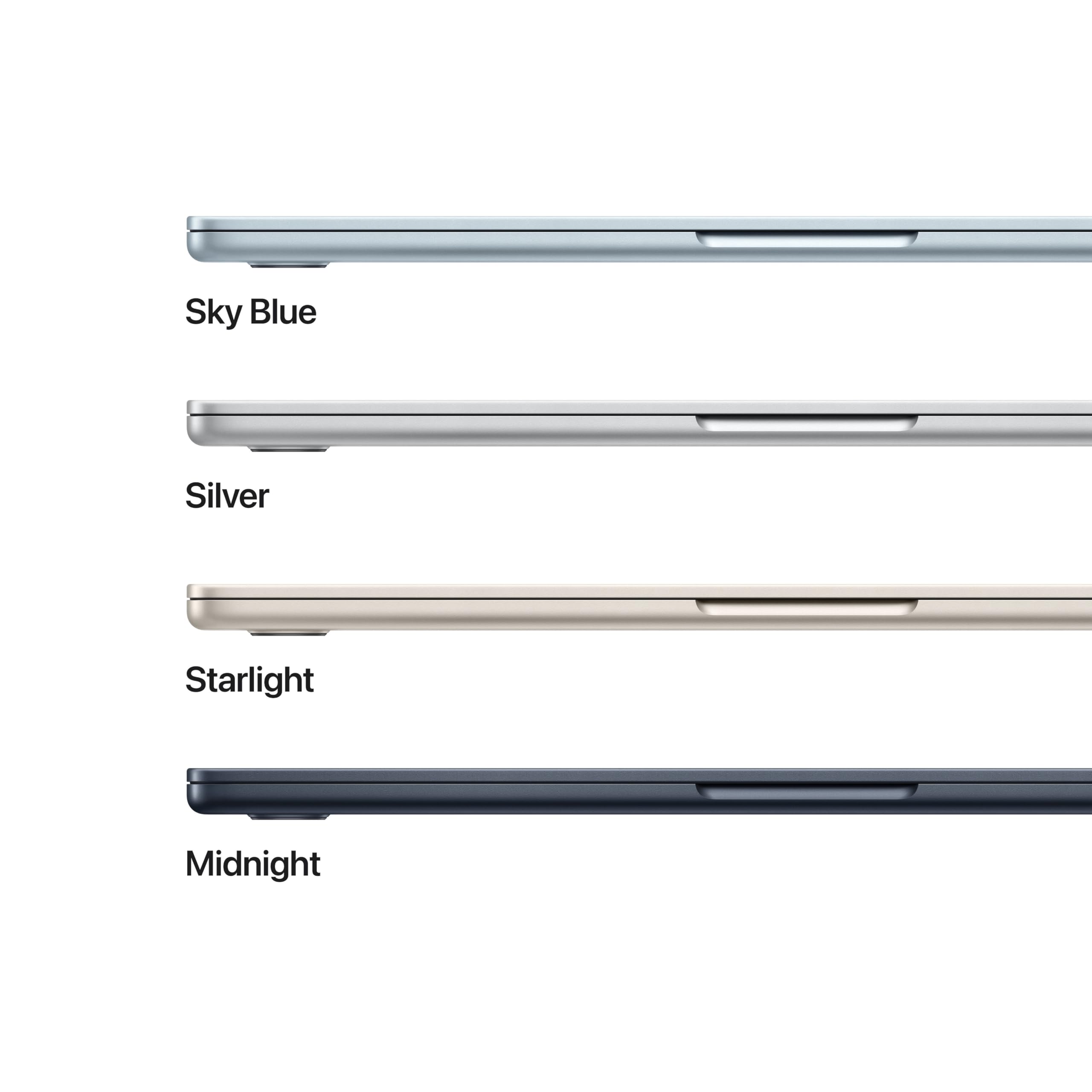
| Colors | Sky Blue, Midnight, Starlight, Silver |
Display
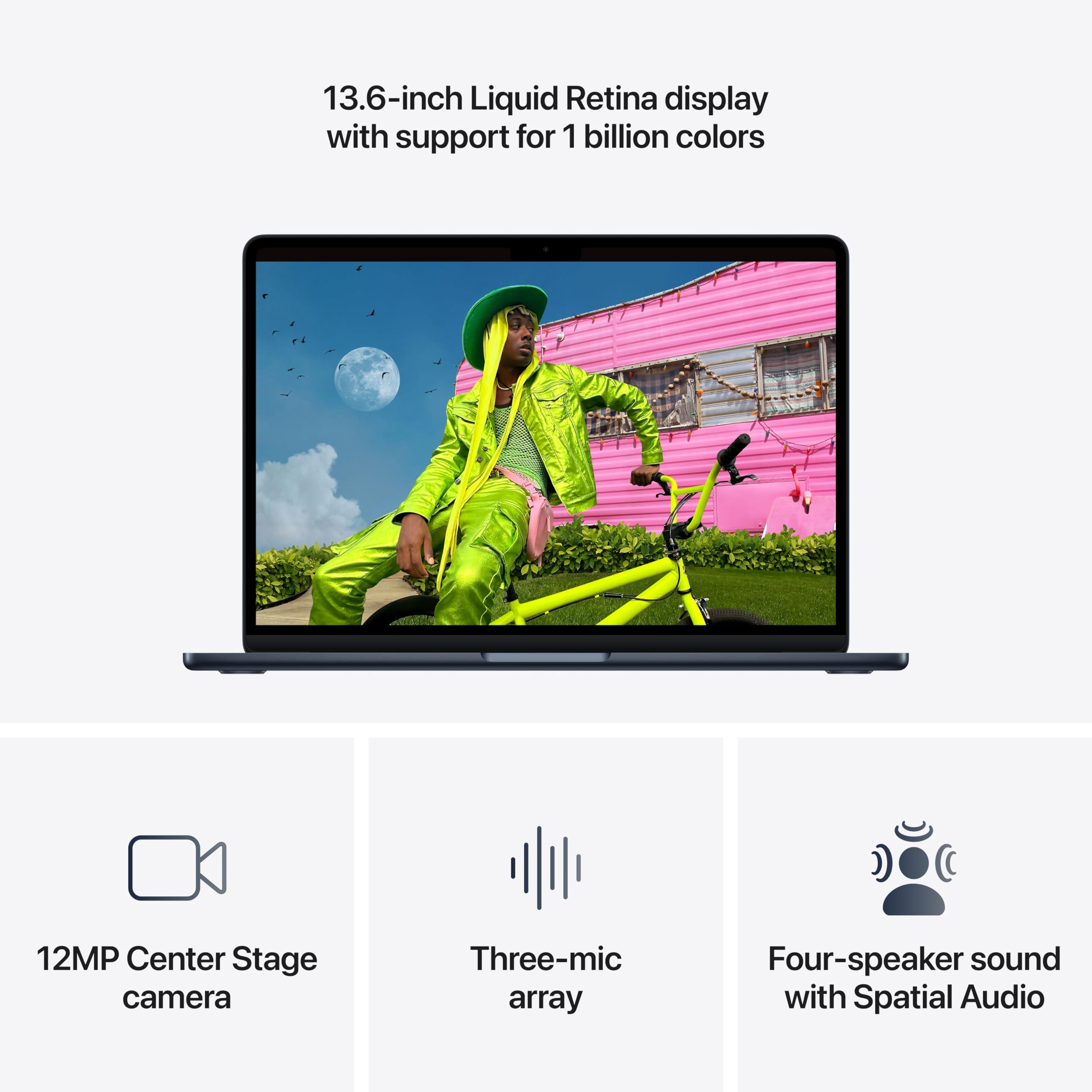
The 13.6-inch Liquid Retina IPS panel running at 2560x1664 is a legitimately good screen. In our testing it hit 458.8 nits of peak brightness against Apple's stated 500-nit spec, close enough that the gap is invisible in normal use but worth noting for buyers who prioritize outdoor visibility. Color coverage measured 83.1% DCI-P3 and 117.3% sRGB, numbers that put it comfortably ahead of most competing ultrabook displays for photo editing and color-sensitive work. Contrast measured at approximately 1300:1 with a black level of 0.44, which is solid for an IPS panel and gives the image a sense of depth that feels punchy.
We measured a response time of 11ms fall and 26.9ms grey-to-grey, adequate for productivity but noticeable in fast-moving game sequences. The 60Hz refresh rate ceiling reinforces that limitation. There is no ProMotion here, which is the single biggest differentiator between this panel and the MacBook Pro line. Scrolling and cursor movement are smooth for office work, but the moment you use a ProMotion display back-to-back the difference registers immediately. That is a deliberate product segmentation choice, not a manufacturing limitation, and buyers who spend significant time in motion-heavy interfaces should weigh it accordingly.
True Tone adapts the white balance to ambient lighting conditions and works well enough that we left it on throughout testing. The display does not support touch input. The notch at the top of the panel houses the 12MP webcam and is a known quantity by now: it disappears quickly in use and Apple's software handles menu bar overflow cleanly.
One thing we noticed on first boot: a mild factory blue cast that shifts whites slightly cool. A manual calibration run in System Settings took about four minutes and corrected it completely. After calibration, the panel renders accurate, warm-neutral whites and the DCI-P3 gamut opens up noticeably for saturated reds and greens. We detected no PWM flicker at any brightness level, a meaningful comfort win for users sensitive to flicker during long sessions.
Performance
The M5 chip is a meaningful upgrade and the benchmarks confirm it. In Geekbench 6 we recorded a single-core score of 4,168 and a multi-core score of 17,067. That single-core result is 11% faster than the M4 Air and 31% faster than the M3 Air. Multi-core is 17% ahead of the M4 Air and 43% ahead of the M3 Air. If you are coming from anything older than an M4, the performance difference will be perceptible in daily work.
Cinebench 2026 told a more nuanced story. The initial burst score came in at 3,415, but under sustained load the chip stabilized in the low 2,300s: a thermal ceiling imposed by the fanless chassis. The M5 can hit up to 28W during burst workloads before settling to around 9 watts at equilibrium after roughly 20 minutes of continuous load. For the vast majority of real-world tasks, including browser-heavy multitasking, video calls, and light coding sessions, the chip never reaches that ceiling. The sustained throttle only matters if you are rendering video or compiling code for extended uninterrupted periods.
Real-world workloads confirmed those numbers. A Handbrake 4K-to-1080p transcode completed in 4 minutes and 41 seconds. An Xcode compile finished in 165 seconds. A 25GB file transfer hit 1,924.84 MBps, the kind of speed that makes moving large project folders feel trivial. Sequential storage throughput runs at approximately 7 GB/s, roughly twice what the M4 Air delivered on its previous-generation drive.
GPU performance is where the M5 generation really separates itself. Our 3DMark Steel Nomad score of 1,005 is 31% higher than the M4 Air's result and 56% higher than the M3 Air's. We tested InZoi at 1680x1050, very low settings, MetalFX performance mode, and hardware ray tracing on, and the game ran at 40 to 55 frames per second: playable, smooth, and genuinely impressive for a machine with no fan. Cyberpunk 2077 locked at around 30 fps and held it stutter-free. During gaming sessions, GPU load sat around 8 watts with no observable throttling. Surface temperature under sustained CPU stress peaked at approximately 105.1 degrees Fahrenheit at the keyboard center, warm but not disruptive.
Critically, CPU performance is not reduced when running on battery, which matters for users who expect consistent behavior regardless of power source. For sustained CPU-heavy work, the MacBook Pro M5 with active cooling sits only 18% ahead, a gap that narrows further once the Pro's fan spins up to audible levels. For everything else, the Air's fanless silence is a worthwhile trade.
Wi-Fi 7 support via Apple's N1 chip brings this laptop current on wireless standards. There is no Thunderbolt 5, which caps external bandwidth and rules out certain high-demand accessory configurations.
Battery Life
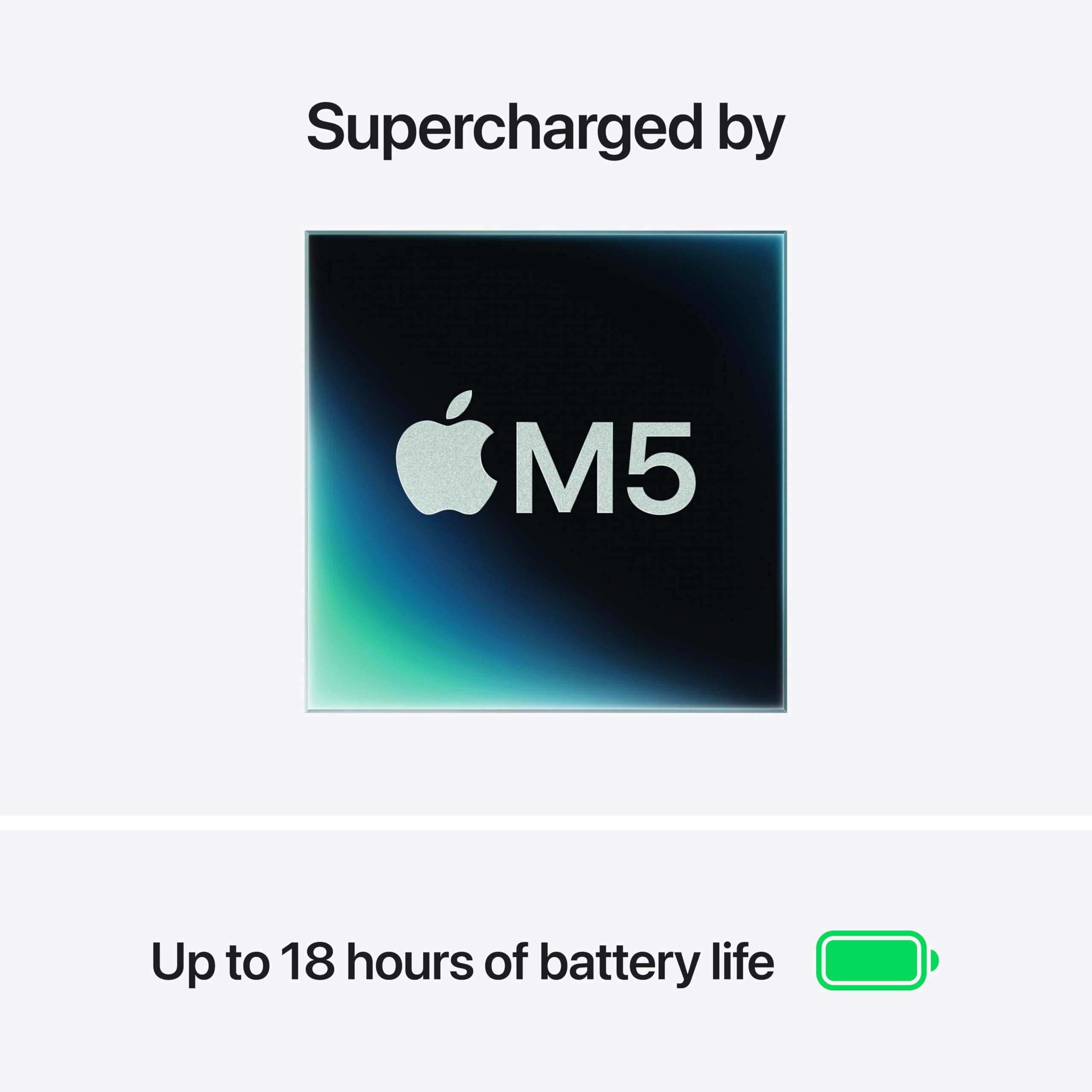
Battery life is the MacBook Air M5's single most impressive practical characteristic, and in our testing it matched or exceeded Apple's claims at every turn.
Under a combined web browsing, streaming, and light OpenGL workload at 150 nits, the machine ran for 15 hours and 28 minutes. A looped 4K local video playback test at half brightness produced exactly 18 hours. Real-world mixed use, a combination of browser tabs, document editing, video calls, and the occasional creative app, came in around 10 hours. Apple quotes 18 hours for video streaming and 15 hours for web browsing, and those numbers are not exaggerated for this chip generation.
What makes these results practically useful is that the M5 Air does not throttle performance to achieve them. The chip's efficiency cores handle background and light tasks without drawing down the battery disproportionately, and the sustained low operating wattage under moderate loads means you are not trading battery life for a degraded experience. You get both.
Charging is handled by MagSafe 3, a genuine quality-of-life feature. The magnetic breakaway connector means accidental cord yanks do not drag the laptop off a desk, and keeping MagSafe connected during work leaves both Thunderbolt 4 ports free for peripherals. Apple does not disclose the battery capacity in watt-hours for this generation, so direct capacity comparisons to competitors require hands-on measurement we were unable to replicate independently. What the endurance numbers do show is that the Air M5 will outlast any realistic mobile workday on a single charge without requiring battery-saving mode or display dimming compromises.
The fanless design contributes to this outcome. Without a motor drawing current and without the thermal overhead that active cooling introduces, the M5's efficiency translates more directly into runtime than it would in a vented chassis.
Keyboard, Trackpad and Ports
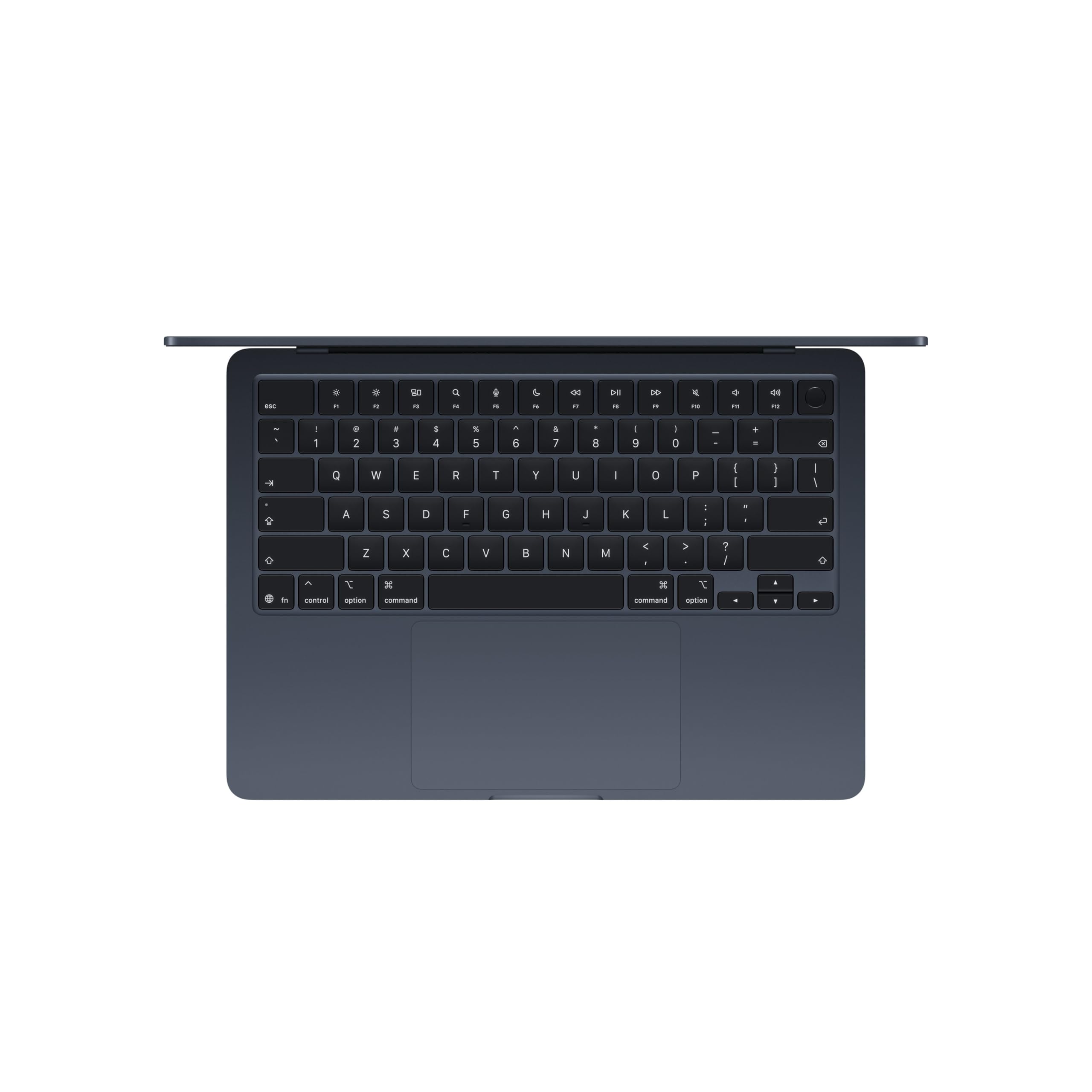
The keyboard is backlit, includes a Touch ID power button integrated into the top-right corner of the function row, and ships with a full-width function row and inverted-T arrow key arrangement. Apple continues to replace text labels on several keys, including delete, enter, shift, caps lock, and tab, with iconographic symbols only. This is a stylistic choice that some users dislike, particularly those switching from Windows where text labels are standard. It is worth knowing before purchase.
In our typing test we hit 114 words per minute at 98% accuracy, which reflects the keyboard's confident key registration and consistent actuation feel. The keys have a satisfying, positive response and the spacing is generous for a 13-inch chassis. Apple has not disclosed the key travel depth for this generation, and competing ultrabook manufacturers do provide this figure. Buyers who prioritize keyboard feel in their purchasing decision will need to handle the machine in person to form their own judgment on travel depth and tactile response.
The trackpad is approximately six inches wide and uses Apple's Force Touch haptic mechanism. It is the best trackpad in any laptop at any price. Gesture recognition is precise, the simulated click feedback is consistent across the entire surface, and multi-finger gestures feel integrated with macOS in a way no Windows trackpad currently matches. If you have only ever used Windows touchpads, the first hour with this one is genuinely revelatory.
Ports are a known limitation. MagSafe 3 and both Thunderbolt 4 ports live on the left side of the machine. The 3.5mm headphone jack sits on the right and supports high-impedance headphones, which matters for audiophiles running studio cans without an external DAC. There is no USB-A port, no HDMI output, no SD card slot, no right-side USB-C port, and no Thunderbolt 5. A hub or dock is essentially mandatory for users who regularly connect monitors, drives, or legacy peripherals. That is a real cost of ownership the purchase price alone does not reflect.
The webcam is 12 megapixels with Center Stage auto-framing, Desk View for displaying your work surface during calls, and gesture-triggered reactions. Video quality at 1080p is the best we have seen from any integrated laptop webcam. There is no Face ID or infrared sensor: Touch ID on the keyboard handles biometric login only.
Audio is handled by a four-speaker array with spatial audio and Dolby Atmos support. Volume is generous for a thin chassis, stereo imaging is wide and well-separated, and the high end is clean. Bass is limited, as physics dictates for speakers this size. The lid opens with a single fingertip from a flat surface, a small engineering detail that communicates build quality better than almost any spec on the sheet.
Value for Money
At $1297.00 the MacBook Air M5 is not cheap, but it has become meaningfully more generous than its predecessor at the same price tier. Base storage has doubled from 256GB to 512GB. Base RAM has doubled from 8GB to 16GB. The SSD moved to PCIe 4.0, delivering roughly twice the sequential throughput of the M4 Air's drive. Wi-Fi 7 is now standard. These are not marketing increments: they are real upgrades that extend the useful life of the machine from day one.
Compared to the MacBook Pro line, the Air sits at a noticeably lower price point and trades active cooling and ProMotion for the fanless design and lighter weight. Whether that trade is worth it depends entirely on workload. Compared to Windows ultrabooks in a similar price range, the Air competes on a combination of performance efficiency, build quality, and battery runtime that no current Windows competitor at this tier fully matches. You can find Windows machines with more port variety or ProMotion-equivalent displays, but not with the M5's combination of efficiency, silence, and sustained performance in a fanless package.
Who Should (and Should Not) Buy This
Buy this if you are a student who needs all-day battery and reliable performance across productivity and light creative work; a remote worker who values silence and portability above all else; a light-to-medium creative professional who edits photos, cuts short-form video, or works in design tools without sustained render queues; or anyone in the Apple ecosystem who wants fanless reliability and a meaningful chip upgrade from M3 or earlier.
Skip this if you need ProMotion or OLED for smooth motion or deep blacks; your external peripherals require Thunderbolt 5 bandwidth; you need a right-side port, USB-A, or HDMI without carrying a hub everywhere; or your workflow involves sustained CPU or GPU loads that exceed what passive cooling can handle at peak performance indefinitely. For those users, the MacBook Pro is the correct machine.
Bottom Line
The MacBook Air M5 at $1297.00 is the most capable fanless laptop Apple has ever built. The spec upgrades in this generation, doubled storage, doubled base RAM, PCIe 4.0 throughput, and a GPU that outpaces its predecessor by 31%, make the price easier to justify than it has been in several years. Battery endurance and absolute silence remain the platform's defining virtues, and the M5 chip extends both without compromise. If a 60Hz IPS panel and a left-side-only port layout fit your life, there is nothing better at this price.
The MacBook Air has always been the laptop that removes excuses for not getting work done, and the M5 generation sharpens that identity without softening the trade-offs. Apple made the right calls on where to invest this generation, and buyers who evaluate the machine on the specs that matter to their actual daily use will not feel short-changed. The 60Hz ceiling is the one thing I genuinely want Apple to address next: not because it breaks the machine, but because every other part of the experience is so refined that the refresh rate is the only element still capable of pulling you out of it.
-- Theo Chan, Hardware Testing Director
*Disclosure: As an Amazon Associate, Revuzia earns from qualifying purchases. Prices and availability are accurate as of publication and may change.*