ASUS Zenbook A14 Review: The Lightest OLED Laptop That Lasts All DayASUS Zenbook A14 Review: The Lightest OLED Laptop That Lasts All DayASUS Zenbook A14 Review: The Lightest OLED Laptop That Lasts All DayASUS Zenbook A14 Review: The Lightest OLED Laptop That Lasts All Day
June 15, 2026
The ASUS Zenbook A14 arrives carrying one of the most audacious claims in the ultraportable space: a 32-hour battery life from a machine that weighs just 2.16 pounds. After spending two weeks with it as our daily carry, hauling it through airports, coffee shops, and long editing
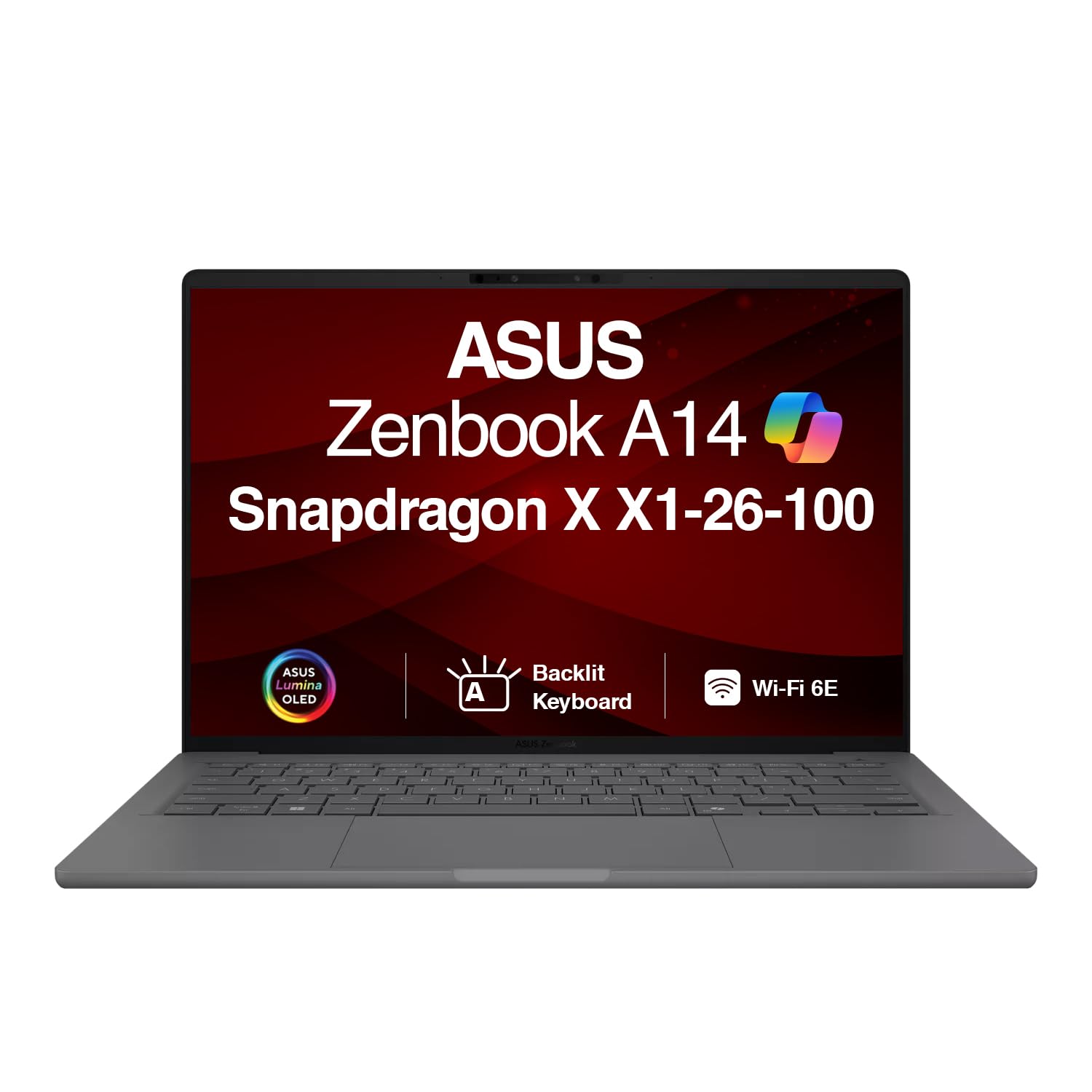
The ASUS Zenbook A14 arrives carrying one of the most audacious claims in the ultraportable space: a 32-hour battery life from a machine that weighs just 2.16 pounds. After spending two weeks with it as our daily carry, hauling it through airports, coffee shops, and long editing sessions, we can say this: the battery claim is an exaggeration, but the weight is not. What ASUS has built here is genuinely remarkable as a travel companion, even if it stumbles as a performance workhorse. The Ceraluminum chassis, a proprietary aluminum-magnesium alloy treated with a ceramic-like electrochemical outer layer, gives it a tactile character unlike anything else in its price class. Whether that tradeoff adds up depends entirely on what you need from a laptop.
Quick Verdict
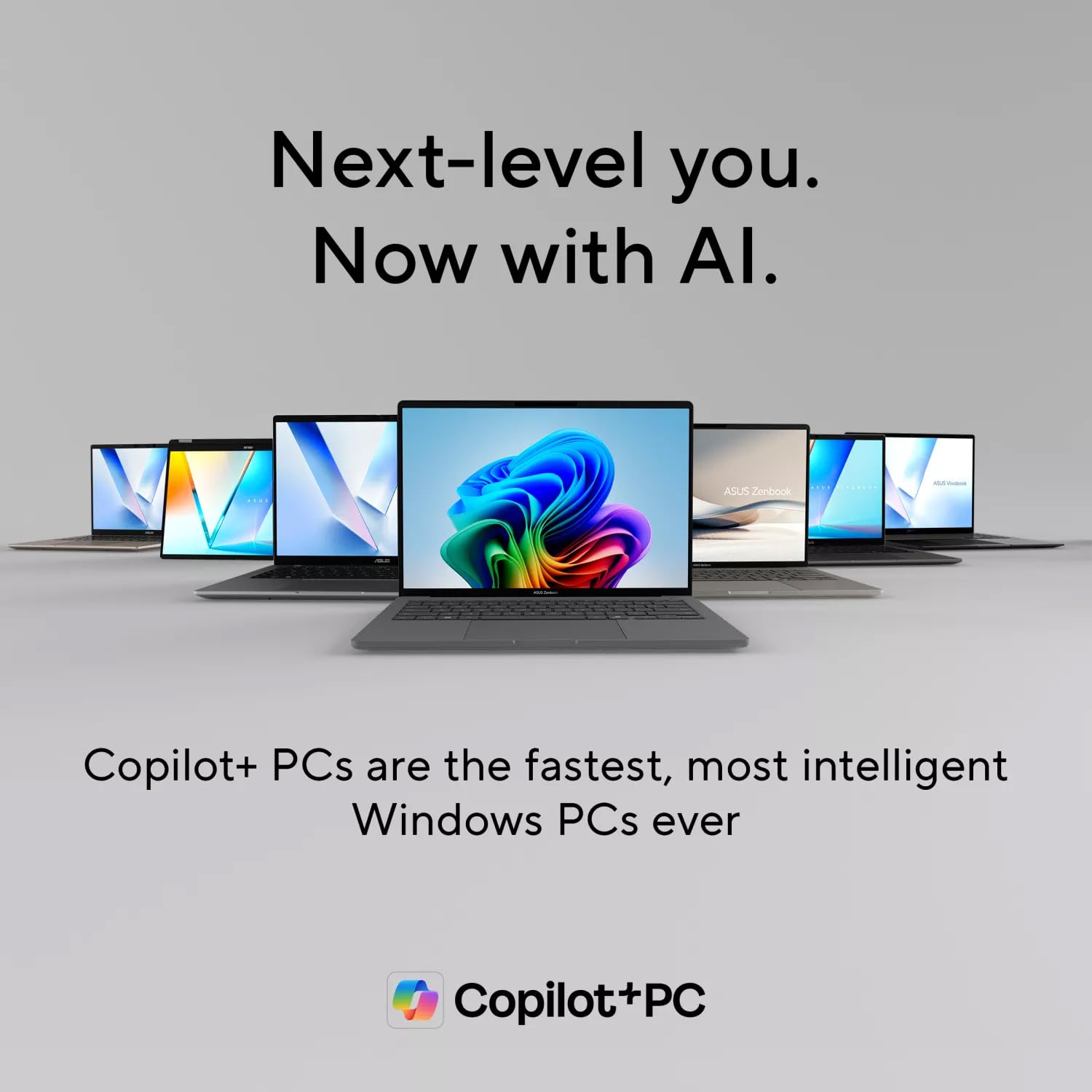
The ASUS Zenbook A14 is the best laptop you can buy if your single highest priority is weight. At 2.16 lbs with a genuine OLED display and all-day-plus battery life, nothing at this price touches it on that axis. However, the Snapdragon X X1-26-100 chip is the entry-level configuration of an already mid-range platform, and gaming or GPU-intensive creative work will expose that ceiling quickly. Buy it for endurance and portability. Skip it if raw performance or a 120Hz panel matters to your workflow. We rate it 4 out of 5 overall.
| Aspect | Rating |
|---|---|
| Display | 5/5 |
| Performance | 3/5 |
| Battery Life | 5/5 |
| Design & Build | 4/5 |
| Keyboard & Trackpad | 4/5 |
| Value | 4/5 |
| Overall | 4/5 |
Pros
- Exceptional 2.16 lb weight, lighter than a 13-inch MacBook Air despite a larger footprint
- OLED display with 100% DCI-P3 and 100% sRGB coverage: rare at this weight class
- 27 hours 55 minutes of battery life in our local video test, one of the longest results we have ever recorded
- Ceraluminum chassis resists fingerprints, scratches, and smudges better than any aluminum lid we have tested this year
- Full port loadout including HDMI 2.1, two USB4 40Gbps ports, and USB-A 3.2
Cons
- No SD card slot, a notable omission at this price when competing ultraportables include one
- No fingerprint reader; Windows Hello relies solely on facial recognition via IR webcam
- Snapdragon X X1-26-100 is the weakest chip in the Copilot+ PC ecosystem, trailing X Plus and X Elite machines on every CPU and GPU benchmark we ran
- 60Hz OLED refresh rate when some competing ultraportables ship 120Hz panels
Specs at a Glance
| Specification | Detail |
|---|---|
| Price | Check Amazon for current pricing |
| Processor | Snapdragon X X1-26-100, 8-core, up to 3 GHz, 6 MB L3 cache |
| RAM | 32GB LPDDR5X (soldered, not upgradable) |
| Storage | 1TB SSD |
| Display | 14-inch OLED, 1920x1200, 16:10, 60Hz, no touchscreen |
| Peak Brightness | 391 nits (measured) |
| Color Gamut | 100% sRGB, 100% DCI-P3, 97% AdobeRGB |
| GPU | Qualcomm Adreno (integrated), 1.7 TFLOPS |
| NPU | 45 TOPS (Copilot+ certified) |
| Battery | 70 Wh, 3-cell |
| Charger | 65W USB-C (included) |
| Wi-Fi | Wi-Fi 6E |
| Bluetooth | 5.3 |
| Ports | 2x USB4 40Gbps (DisplayPort, Power Delivery), 1x USB-A 3.2, 1x HDMI 2.1, 1x 3.5mm combo jack |
| Webcam | 1080p, IR Windows Hello, AI-enhanced (Copilot+), no physical shutter |
| Keyboard | 1.3mm key travel, backlit, dedicated Copilot key |
| Touchpad | Large glass-surfaced, mechanical click, swipe zones |
| Speakers | Downward-firing pair, Dolby Atmos |
| OS | Windows 11 Pro |
| Dimensions | 12.25" x 8.5" x 0.75" |
| Weight | 2.16 lbs / ~0.98 kg |
| Chassis Material | Ceraluminum (aluminum-magnesium with ceramic electrochemical outer layer) |
| Colors | Iceland Gray, Zabriskie Beige |
| In the Box | Laptop, 65W USB-C charger, leather sleeve |
Display
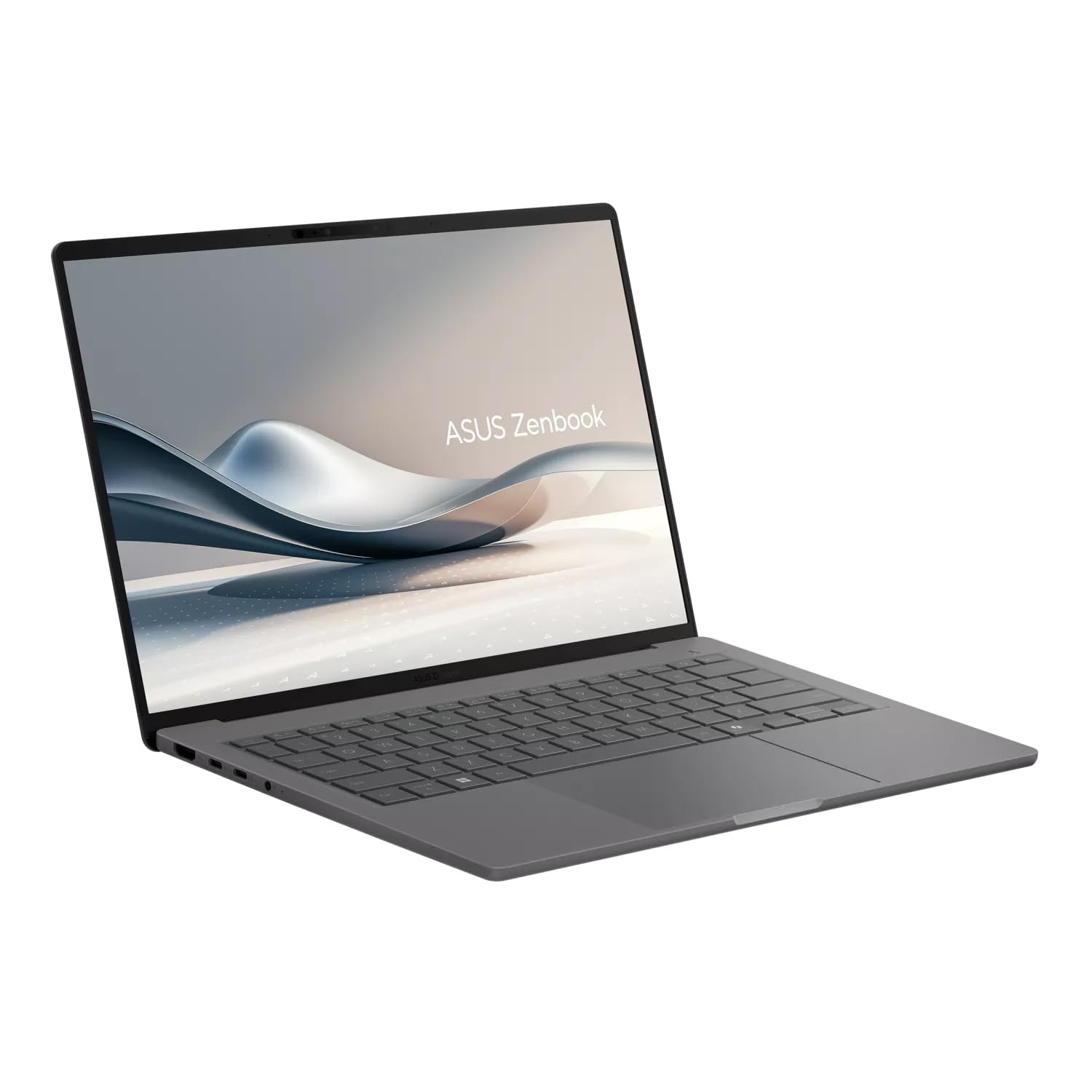
The 14-inch OLED panel on the Zenbook A14 is, without question, the strongest argument for buying this machine. We measured 100% sRGB coverage, 100% DCI-P3 coverage, and 97% AdobeRGB coverage, numbers that put it squarely in the range of professional-grade displays from manufacturers that charge significantly more for that calibration. In practical terms, color-critical work like photo editing, video color grading, and graphic design is reproducible with confidence on this screen, something you cannot say about the IPS LCD alternatives in competing ultraportables.
The 1920x1200 resolution at 14 inches with a 16:10 aspect ratio gives you a noticeably taller canvas than the 16:9 panels on older ultraportables. For web browsing and document work, the extra vertical real estate is immediately useful. You see more of a spreadsheet row, more of a long email, more of a code file without scrolling. It is a small thing that compounds into real daily comfort over time.
We measured a peak brightness of 391 nits. That is adequate for indoor use under normal office lighting, and it is genuinely comfortable for extended reading sessions. Outdoors, however, or in a brightly lit airport terminal with sunlight hitting the screen at an angle, 391 nits is marginal. You will be hunting for shade. Users who spend meaningful time working outdoors should weigh this carefully.
The 60Hz refresh rate is the single honest complaint we have about this panel. ASUS does offer a 120Hz SKU in other Zenbook configurations, and the A14 at this price would benefit from it. Scrolling through long documents and web pages has a slightly stuttery quality compared to what 120Hz panels now deliver as standard in this category. It is not painful, but once you have used a 120Hz laptop daily, dropping back to 60Hz is perceptible.
HDR is supported, and streaming HDR content on services that output it produces the kind of contrast pop that only OLED can deliver. Blacks are truly black. Color separation in dark scenes is exceptional. For media consumption alongside productivity, this display is better than what many dedicated home-office monitors can offer at two or three times the footprint.
There is no touchscreen, which is consistent with the weight-reduction philosophy of this machine. There is also no physical camera shutter, an omission worth noting for privacy-conscious users. The plastic bezels, while slim, do introduce what some members of our team described as a budget aesthetic relative to the entry price. It is a cosmetic quibble, but it is noticeable when you put the A14 next to a laptop with glass or machined-metal bezels.
Performance
The Snapdragon X X1-26-100 inside the Zenbook A14 is Qualcomm's entry-level Copilot+ processor: 8 cores, a maximum clock of 3 GHz, 6 MB of L3 cache, and a 45 TOPS neural processing unit. That 45 TOPS figure qualifies it for Microsoft's Copilot+ PC certification, unlocking features like Recall, live captions, and AI-enhanced image tools. What it does not do is match the throughput of Qualcomm's own Snapdragon X Plus or X Elite chips, which ship with 12 cores and substantially higher single-core and multi-core headroom.
In our Cinebench R24 multi-thread run, the A14 scored 603. That trails Snapdragon X Elite machines by a substantial margin and lands at the lower end of the Copilot+ PC comparison pool. In Geekbench 6, the result placed near the bottom among the Copilot+ PCs we have tested, trailing the Apple MacBook Air with the latest M-series chip by a meaningful gap. These are not disqualifying numbers for productivity work: browsing, email, light photo editing, and videoconferencing all ran smoothly throughout our testing. But the scores indicate where the ceiling is.
GPU performance is the A14's sharpest limitation. The integrated Qualcomm Adreno delivers 1.7 TFLOPS of compute. In 3DMark Time Spy, run via the Prism emulator, we recorded 1,066. In the ARM-native Night Raid test, the score climbed to 16,768, a more flattering representation of what the hardware can do in native workloads. Casual gaming in lightweight titles is possible. Modern AAA gaming is not a realistic use case for this machine.
One note on compatibility: PCMark 10 would not run on the A14 due to Windows on Arm incompatibility. This is not unique to this machine, but it is a reminder that some legacy productivity benchmarks and older Windows applications may require the Prism emulation layer, which carries a performance penalty. Most mainstream productivity software has native Arm builds by now, but if your workflow depends on legacy 32-bit applications or specialized engineering tools, verify compatibility before purchasing.
For the target user -- a road warrior running Office, a browser with dozens of tabs, Slack, Zoom, and light creative tools -- the X1-26-100 is sufficient. The performance floor is higher than it looks on paper. It is the performance ceiling that reveals itself under sustained load.
Battery Life
The battery story on the Zenbook A14 is the strongest we have seen on any laptop we have tested with an OLED display at this weight. That is not a qualified statement. It is the result.
In our standardized local video rundown test, running a 720p video file at 50% screen brightness and 100% volume until the system shut down, the A14 lasted 27 hours and 55 minutes. In our streaming test, running YouTube continuously under more demanding network and processing conditions, we measured 24 hours and 7 minutes. Both figures are among the longest we have ever recorded, and the A14 is one of only two laptops in our testing history to exceed 24 hours under streaming conditions. It is the only one of those two with an OLED panel.
ASUS markets a claim of up to 32 hours of battery life. Our testing does not validate that number under any condition we ran. The gap between the claimed 32 hours and our measured 27 hours 55 minutes is meaningful, and the gap between 32 hours and our streaming result is larger still. The company's figure is likely derived from an even lighter test scenario. Real-world users working with screens bright enough to see the content will land somewhere in the 18-to-24 hour range depending on workload mix. That is still extraordinary.
The efficiency behind these numbers comes from the combination of the 70 Wh battery and the Snapdragon X platform's architectural advantage in power management. Arm-based chips run dramatically more work per watt than x86 counterparts at comparable performance tiers, and the A14's result is the clearest demonstration of that advantage in the Windows laptop market to date.
The 65W USB-C charger included in the box is compact and genuinely useful. Charging via USB-C means any compatible PD charger or power bank will top off the A14 -- a practical convenience that adds to the machine's travel-first identity on longer flights or back-to-back conference days.
Keyboard, Trackpad, and Ports
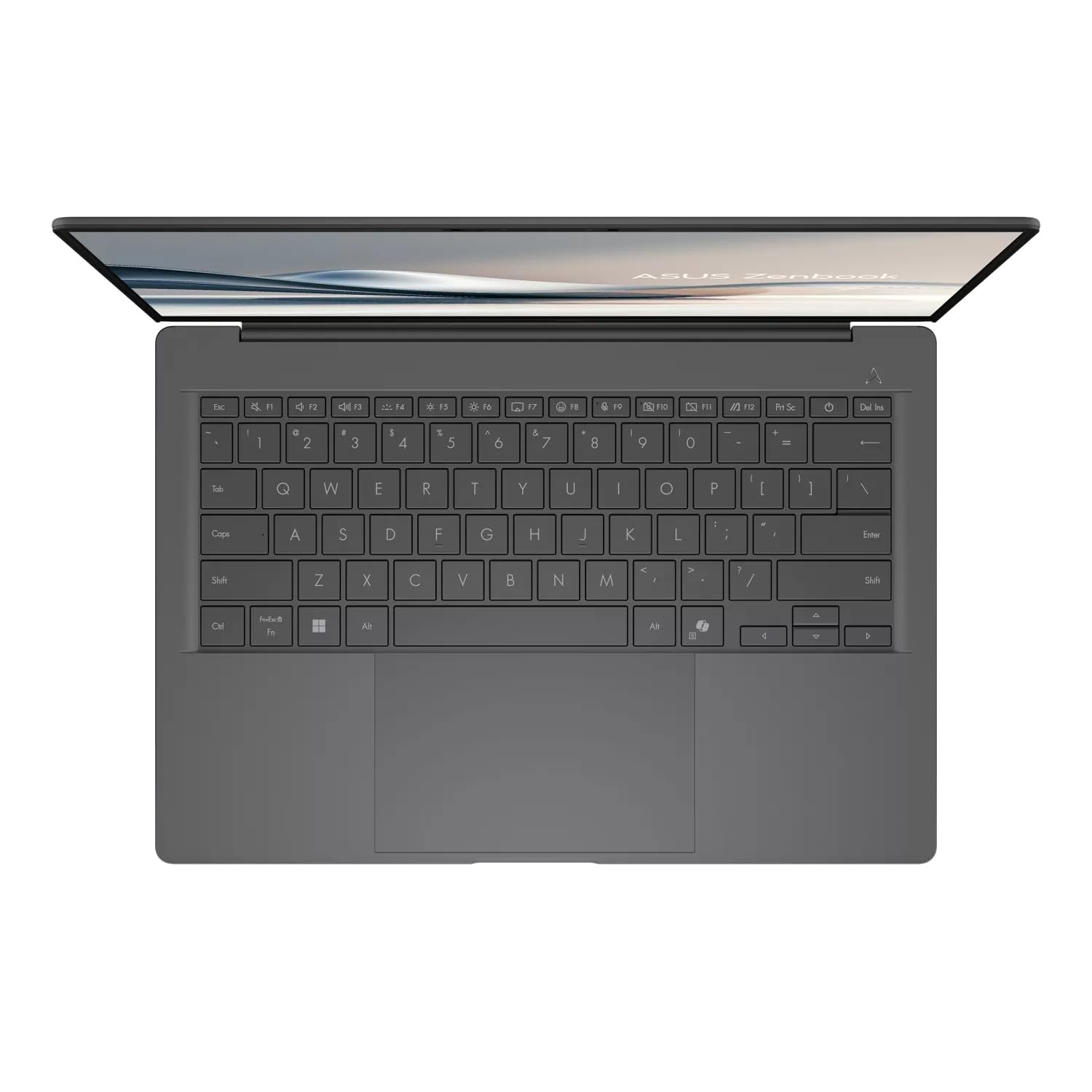
The keyboard on the Zenbook A14 features 1.3mm of key travel. That is shallower than the best typing keyboards in the ultraportable category, but adequate for sustained writing sessions once you acclimate to the deck. The feedback is consistent across the key surface, and the actuation point is predictable. We wrote extended documents on this keyboard without significant fatigue. The dedicated Copilot key is present on the bottom row, displacing the right-side menu key. Arrow keys are undersized, a common compromise on slim 14-inch chassis designs that nonetheless remains annoying when navigating spreadsheets or code.
Backlighting is standard single-color white, not per-key RGB. For a machine aimed at professionals and travelers rather than gaming audiences, this is the appropriate choice. The lighting is even across the deck and visible in dim cabin lighting without being distracting.
The touchpad is one of the better-executed elements of the A14's input system. It is large relative to the chassis footprint, with a glass surface that tracks fingers cleanly across its full width. Click action uses a physical mechanism rather than haptic feedback. Users coming from a haptic-equipped laptop may notice the difference. Swipe zones along the top and sides of the touchpad control brightness, volume, and media playback -- an intuitive addition for a device that targets users without a dedicated media key row.
The 1080p webcam with IR Windows Hello facial recognition works reliably. Face unlock triggered within approximately one second of opening the lid in our testing. There is no physical camera shutter, meaning users who want a physical privacy block will need to use an external cover. There is also no fingerprint reader anywhere on the chassis, making facial recognition the only biometric login option.
The speaker system is a downward-firing pair with Dolby Atmos tuning. Volume is adequate for a small room or personal listening. Vocal clarity in videoconferencing is good. Bass response is weak, as the slim chassis and downward-firing orientation provide little room for low-frequency reproduction. Music listening and movie watching will benefit from headphones or an external speaker.
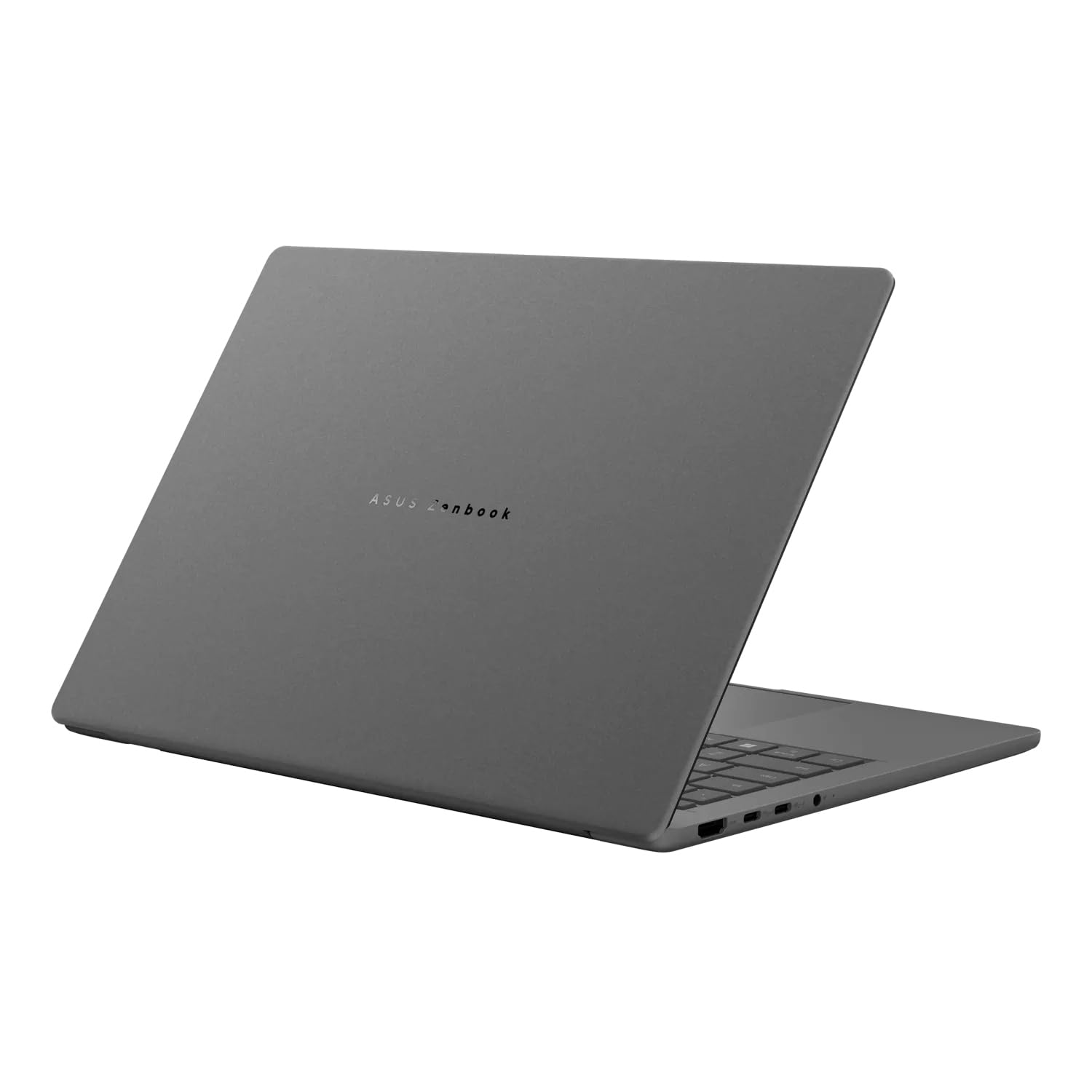
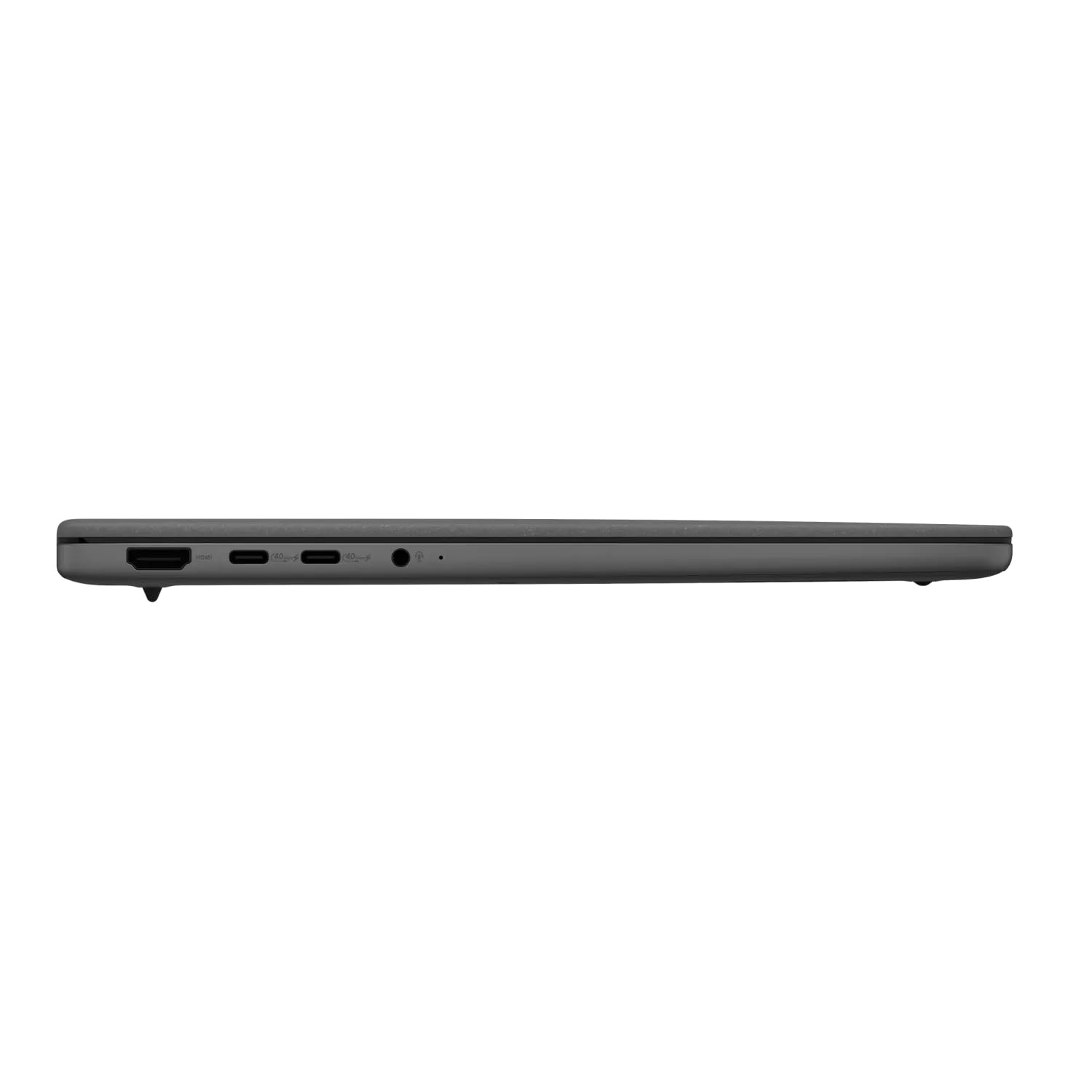
Port selection is a genuine strength at this weight class. The left side carries two USB4 ports running at 40Gbps, each supporting DisplayPort output and USB Power Delivery, plus an HDMI 2.1 output and a 3.5mm combo headphone and microphone jack. The right side adds a USB-A 3.2 port. The notable absence is an SD card slot, a gap that photographers and videographers who shoot to card will feel acutely. Competing ultraportables at similar price points include full-size or microSD slots, and this omission makes the A14 a harder sell for that workflow. Wi-Fi 6E and Bluetooth 5.3 round out the wireless stack.
Value for Money
At its launch price, the Zenbook A14 competes in a tier where buyers have serious options. The Dell Inspiron 14 Plus with the Snapdragon X Plus chip offers faster CPU performance at a similar price. The Framework Laptop 13 delivers faster overall performance at a comparable or lower cost with the added benefit of user-repairability. The Apple MacBook Air 13" with the current M-series chip is faster on both Geekbench and Cinebench benchmarks, though it adds meaningful weight over the A14.
What none of those alternatives offer is the A14's combination of sub-2.2 lb weight and an OLED display with verified 100% DCI-P3 coverage. The premium here is paid for in grams and hours, not raw compute throughput. Users who place endurance and portability above all else will find the price defensible. Users who want the fastest chip available at this price point have better options at similar or lower cost.
Who Should (and Shouldn't) Buy This
The Zenbook A14 is the right laptop for frequent flyers, daily commuters, and anyone who has ever weighed their carry-on before a flight and found the laptop to be the heaviest item in the bag. Color-critical creatives who need verified DCI-P3 coverage on a display they can carry anywhere without a second thought will find nothing comparable in this weight class. It is also a compelling option for professionals who work long days away from outlets and cannot afford to wonder whether the battery will last through one more meeting.
Skip it if you are a gamer, a video editor who needs sustained GPU throughput, or a user who has grown accustomed to 120Hz panel smoothness. Skip it if you regularly offload footage from a camera card and expect that workflow to work natively. Skip it if biometric login via fingerprint is a requirement. For those users, competing machines offer better-matched hardware at comparable price points. The A14 is not trying to be everything to everyone, and that focus is precisely what makes it exceptional at what it does.
Bottom Line
The ASUS Zenbook A14 is the most impressive travel laptop we have tested when weight and battery endurance are the primary criteria. The Ceraluminum chassis is genuinely distinctive, the OLED panel is calibrated to a professional standard, and 24-plus hours of real-world battery life is a result we did not expect to confirm in our own testing. The entry-level Snapdragon X chip and 60Hz panel are real compromises, and users who need raw performance should look elsewhere. But for the traveler who wants to carry less and last longer, this machine makes a case that no other Windows laptop in this category currently matches.
The Zenbook A14 is available on Amazon and directly through the ASUS Store at shop.asus.com. If you are evaluating laptops primarily on battery life and portability, put this at the top of your shortlist. If raw benchmark performance drives your buying decision, audit the Snapdragon X X1-26-100's numbers carefully before committing.
Two weeks with the Zenbook A14 changed how I think about the weight-versus-performance tradeoff in ultraportables. Picking it up after a full day of switching between heavier machines is a physical surprise every time. ASUS has built something that genuinely earns its "featherweight" positioning, and the OLED display at this portability tier remains in a class of its own. The chip choice limits its ceiling, but for most road warriors, the floor it provides is more than enough.
-- Theo Chan, Hardware Testing Director
*Disclosure: As an Amazon Associate, Revuzia earns from qualifying purchases. Prices and availability are accurate as of publication and may change.*