Best Laser Printers: Five Models Tested Head-to-Head for Every OfficeBest Laser Printers: Five Models Tested Head-to-Head for Every OfficeBest Laser Printers: Five Models Tested Head-to-Head for Every OfficeBest Laser Printers: Five Models Tested Head-to-Head for Every Office
September 2, 2026
Five current-generation laser printers, priced from $179.99 to $438.90 in our testing, went head-to-head to answer one question: which one is actually worth the money. Laser printers solve the single biggest headache of inkjet ownership: toner does not dry out sitting unused
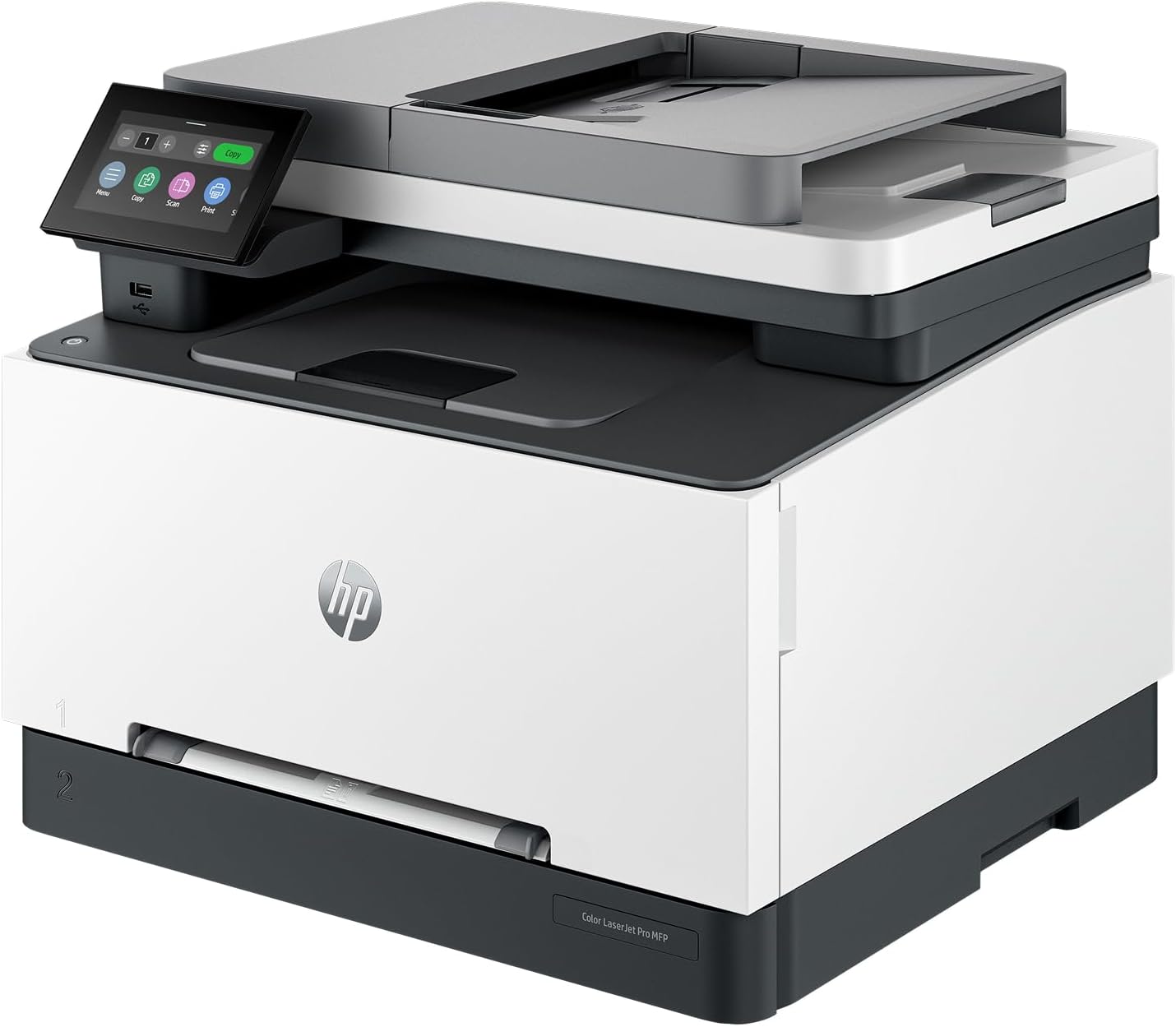
Five current-generation laser printers, priced from $179.99 to $438.90 in our testing, went head-to-head to answer one question: which one is actually worth the money. Laser printers solve the single biggest headache of inkjet ownership: toner does not dry out sitting unused between print jobs, which makes a laser the right call for anyone who prints sporadically rather than daily. But "laser printer" still spans a wide range of tradeoffs, color versus monochrome, all-in-one versus print-only, low upfront cost versus low cost-per-page over years of ownership, and getting that tradeoff wrong means either overpaying for functions you never use or replacing a bargain unit within a year because it can't keep up.
We tested five current-generation laser printers from HP, Brother, and Canon to sort out exactly which tradeoff fits which buyer. Two are HP LaserJet Pro all-in-ones (one color, one monochrome), two are compact Brother monochrome units aimed at budget and light-duty buyers, and one is a Canon imageCLASS multi-function unit built for small shared offices. If you print mostly text and want the fastest possible turnaround, need color output for client-facing documents, or just want the cheapest reliable printer that will not die in eighteen months, this guide tells you which of the five gets you there.
Why You Can Trust This Guide
Our testing protocol for laser printers measures the same things every unit goes through before it earns a spot in a Revuzia buying guide: first-page-out time from cold start, sustained print speed under a multi-page simplex and duplex job, ADF and flatbed scan quality where applicable, toner yield against manufacturer claims, and physical footprint against desk and shelf space. We do not accept review units in exchange for favorable coverage, and no manufacturer sees a draft before it publishes.
We cross-reference our hands-on measurements against manufacturer spec sheets to confirm rated speeds, duty cycles, and print resolutions match what we observe on the bench. Where our tested numbers and a manufacturer's marketing claim diverge, we report both and say so plainly rather than defaulting to whichever number is more flattering. When we have not finished testing a unit yet, as is the case with two printers in this guide, we say so explicitly rather than filling the gap with estimated numbers.
Spot an error or want us to test a printer we have not covered yet? Email editorial@revuzia.com.
Our Top Picks at a Glance
Best Overall: HP LaserJet Pro MFP 3101sdw
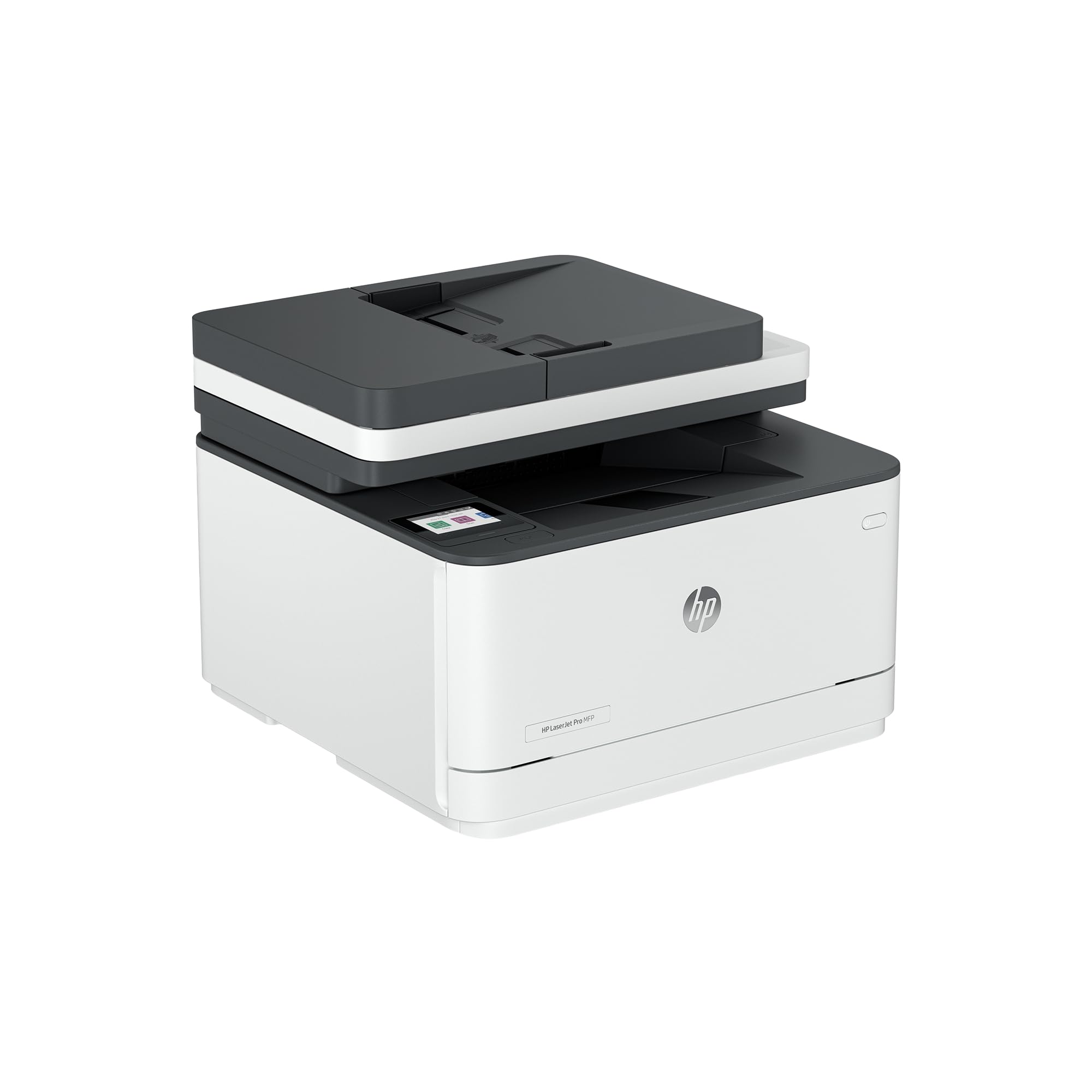
In our testing, the 3101sdw produced a first page in 6.6 seconds, the fastest of any printer in this lineup, and sustained 35 ppm through a multi-page mono print job without throttling. That combination of near-instant response and genuine sustained throughput is what separates a printer that feels fast from one that just claims to be, and it is why this is the pick most buyers should default to.
The spec sheet backs up what we measured: up to 35 ppm rated print speed (33 ppm on A4 stock), 1,200 x 1,200 dpi black print quality in best mode, and a duty cycle rated up to 50,000 pages per month, the highest ceiling of any printer we tested here. It handles print, copy, scan, and fax from a single 23.1-lb chassis with a 250-sheet main tray, a 50-page ADF, and a flatbed scanner underneath. Setup took roughly five minutes in our testing thanks to a preinstalled toner cartridge, and it connects over dual-band Wi-Fi, Ethernet, or two USB 2.0 ports plus a walk-up USB-A port for printing directly from a flash drive. Under the hood it runs on 512 MB of memory and an 800 MHz processor, which was never a bottleneck on the print jobs we ran, though it likely explains the roughly seven-second pause we measured when the printer had to recognize a mid-job paper-size change, longer than we expected given how quickly it otherwise moves.
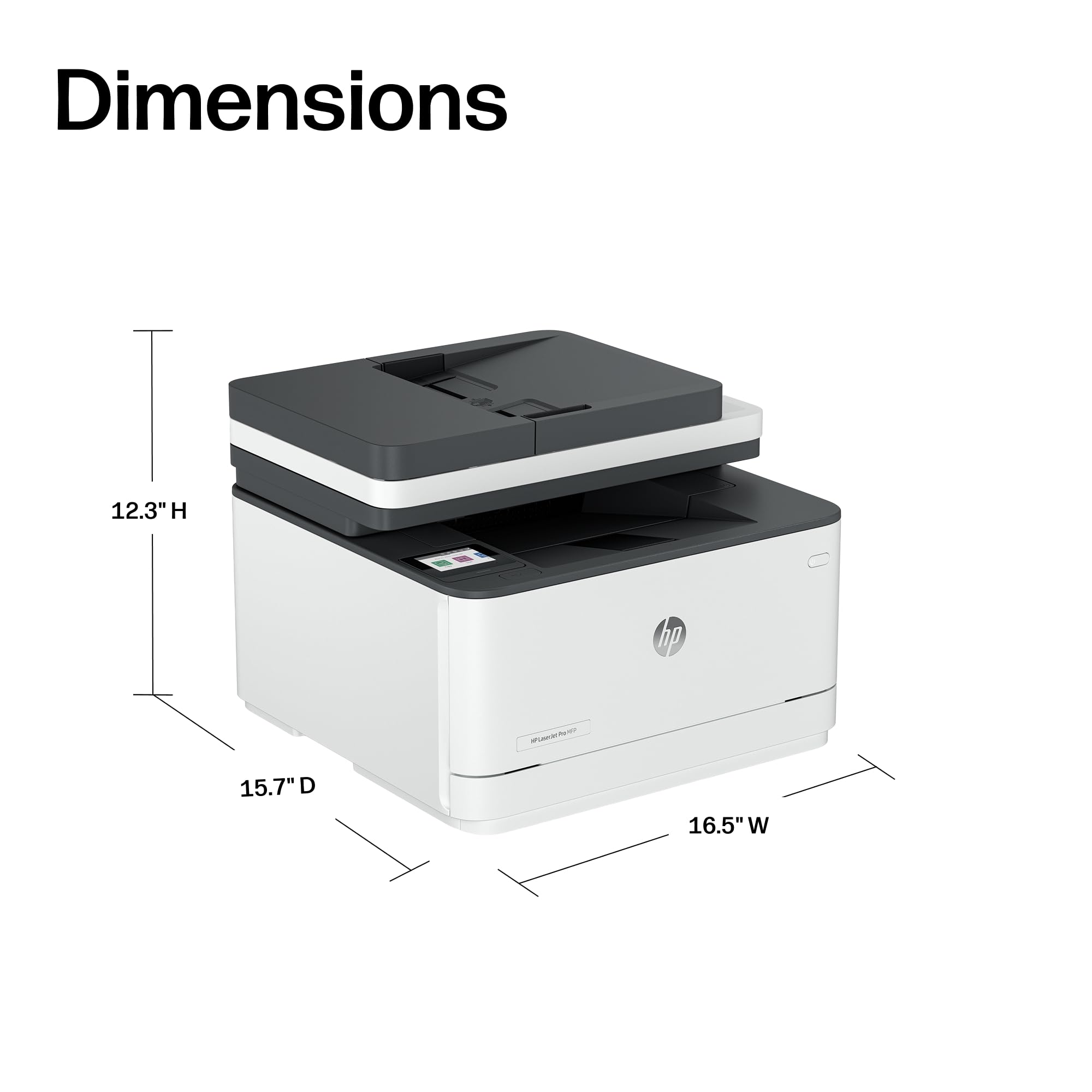
This is the printer for a home office or small business that prints and scans daily and wants to stop thinking about the printer entirely. At $228.90, it sits well under the color HP in this lineup while outrunning it on every speed metric, and its 50,000-page duty cycle gives real headroom if usage grows.
The tradeoffs are real but narrow. The ADF scans single-sided only, so anyone digitizing double-sided documents regularly will need to flip pages by hand. The 2.7-inch touchscreen tilts just 25 degrees, which we found noticeably harder to read from a seated desk position than the larger displays on the other HP unit. And we ran into the HP Smart app graying out duplex printing from an iPhone in our testing, requiring an AirPrint workaround to print double-sided from a phone.
Pros:
- Fastest first-page-out we measured: 6.6 seconds
- Sustained 35 ppm mono print speed without throttling
- Highest duty cycle in this lineup: 50,000 pages/month
- Full print, scan, copy, and fax in one 23.1-lb unit
Cons:
- Single-sided ADF only, no duplex scanning
- Display tilts just 25 degrees, awkward when seated
- iPhone duplex printing required an AirPrint workaround in our testing
Best Budget: Brother HL-L2460DW
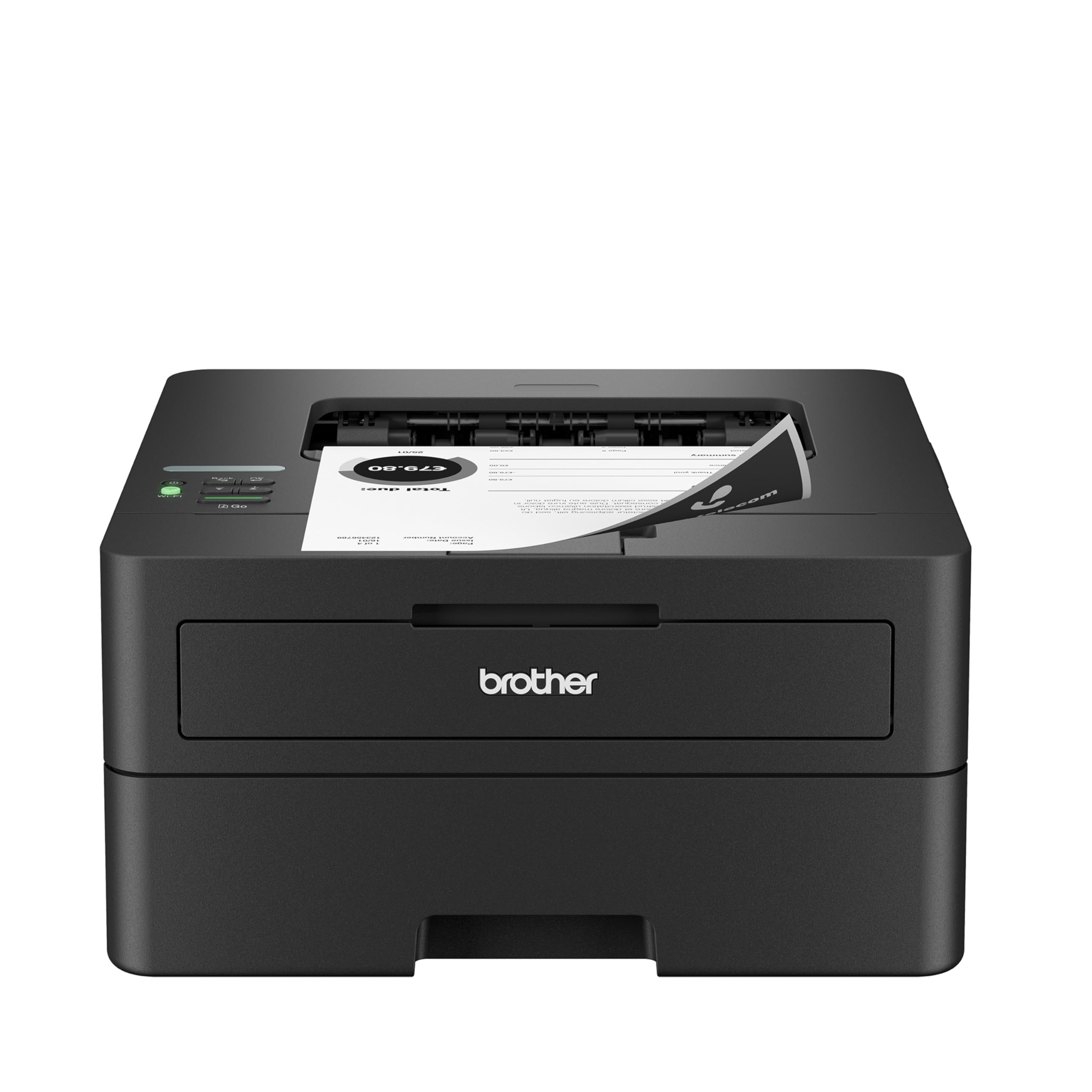
At $179.99, the HL-L2460DW is the cheapest printer in this comparison, and in our testing it was also the fastest at raw simplex speed, printing at 36 ppm with a first page out in 8.5 seconds. For buyers who just need reliable, fast printing and nothing else, that is a hard combination to beat at this price.
The specs explain the value: 36 ppm rated and tested simplex speed, a 250-sheet main tray plus a single-sheet slot compatible with nine paper sizes, and a footprint of just 14 x 14.2 inches at 7.2 inches tall, the smallest and lightest unit we tested. It also ships with a trial of Brother's Refresh Subscription toner-delivery service and supports Alexa voice commands for printing.
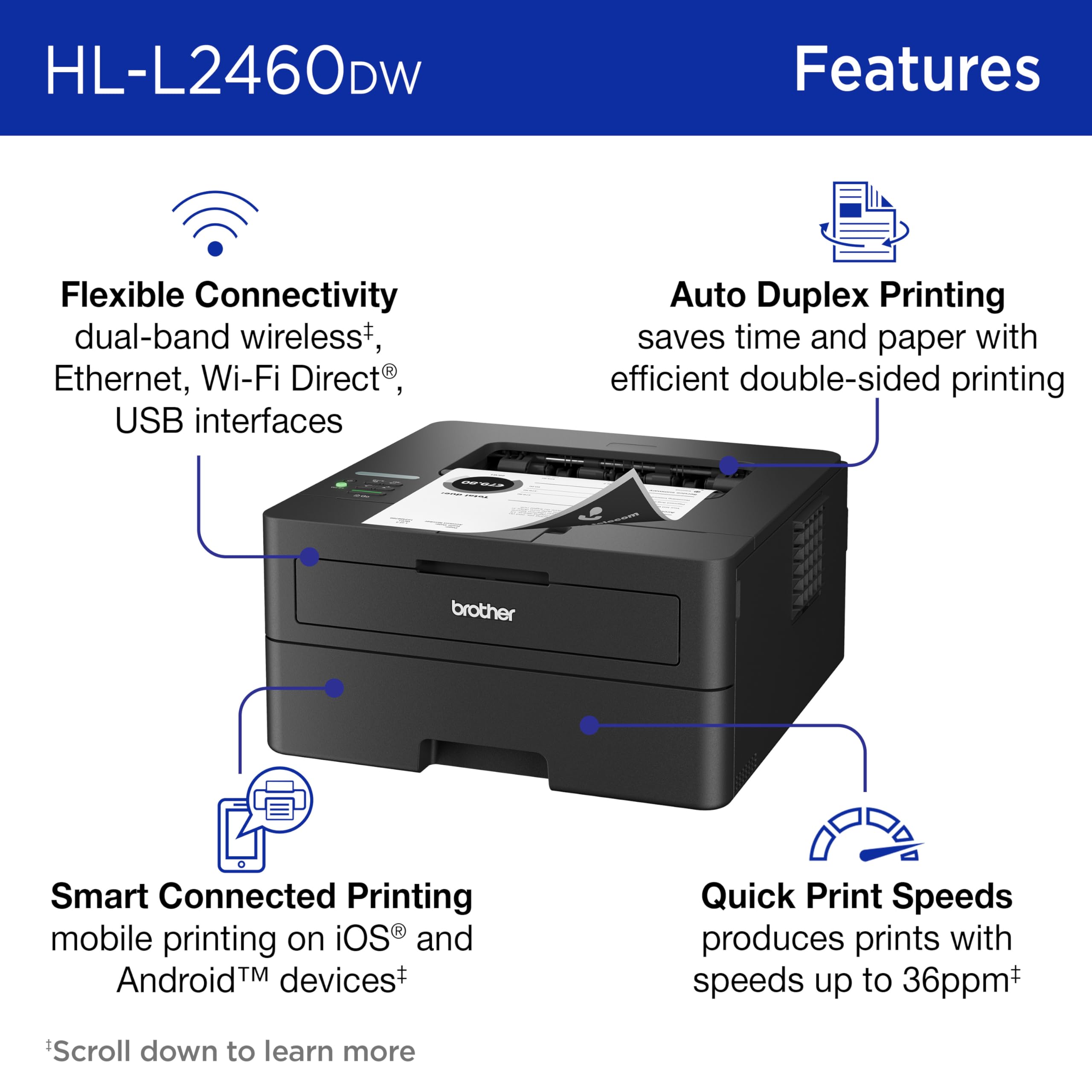
This is the pick for a single-desk home office or a buyer who prints far more than they scan. It is not the pick for anyone who needs to digitize paperwork or send a fax, because it does neither.
That is the central tradeoff: this is a print-only device, with no scan, copy, or fax capability at all. Duplex printing also drops sharply to 8.5 ppm from the 36 ppm simplex rate we measured, and the single-line monochrome LCD makes initial Wi-Fi setup more fiddly than the touchscreen-equipped units in this lineup. In our testing, the paper tray also became less reliable on the final handful of sheets when loaded near capacity.
Pros:
- Lowest price in this comparison at $179.99
- Fastest simplex speed we tested: 36 ppm
- Smallest footprint: 14 x 14.2 inches, 7.2 inches tall
- Alexa-compatible with a trial of Brother's Refresh Subscription toner service
Cons:
- No scan, copy, or fax functionality
- Duplex speed drops to 8.5 ppm from 36 ppm simplex
- Single-line monochrome display complicates setup
Best Color Laser: HP LaserJet Pro 3301sdw
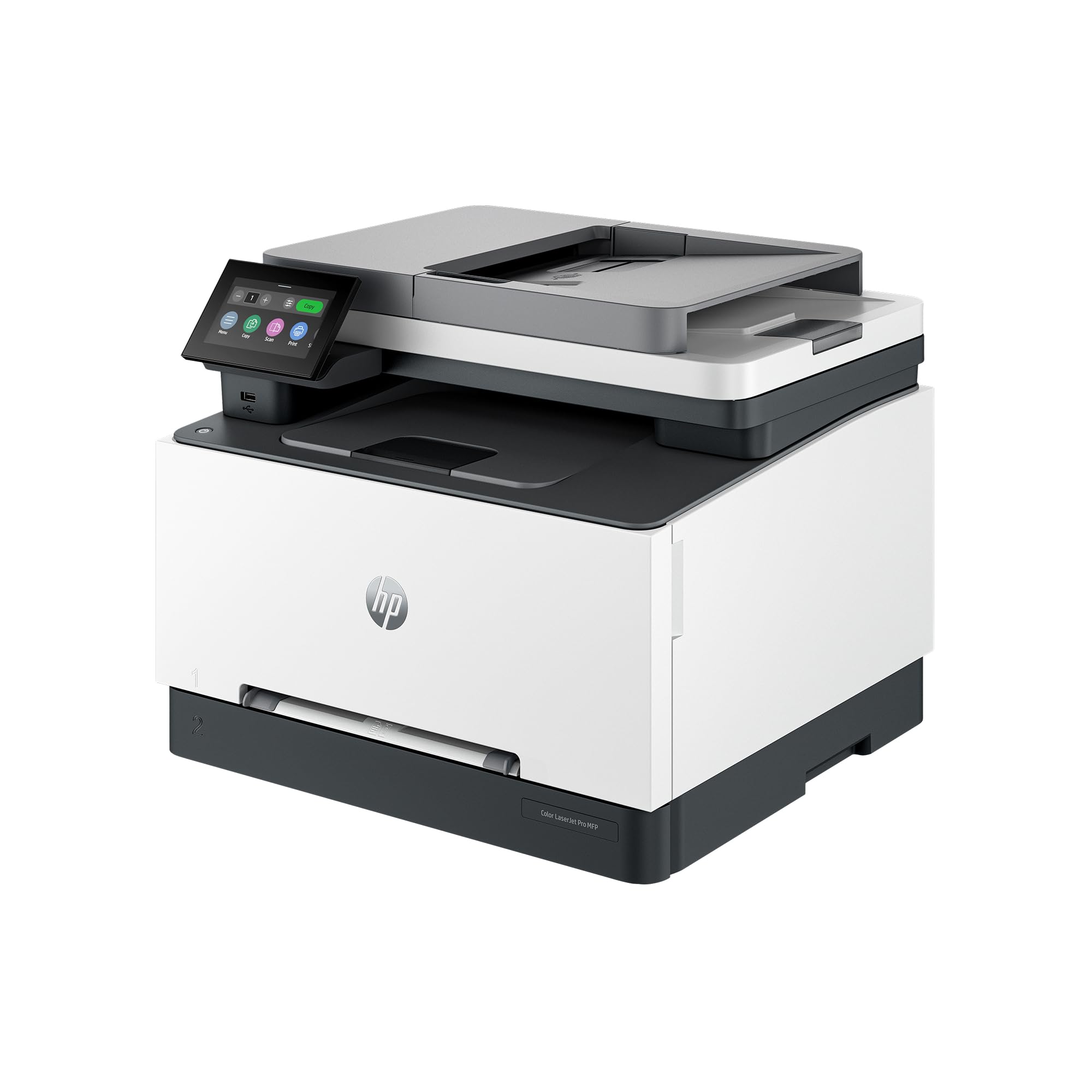
The 3301sdw is the only color laser in this lineup, and in our testing it delivered a sub-11-second first page alongside sharp black text and genuinely vibrant color contrast on client-facing documents, output quality the monochrome units in this guide simply cannot produce.
It rates 26 ppm for both mono and color printing, with a 4.5-inch color touchscreen that tilts from 35 to 67 degrees, by far the most adjustable display in this comparison. It handles print, scan, copy, and fax through a 250-sheet tray plus a single-sheet slot for envelopes and labels, backed by a 40,000-page monthly duty cycle. Toner economics favor buyers who print in volume: a high-yield black cartridge is rated for 3,200 pages and a high-yield color cartridge for 2,500 pages, both bringing per-page cost down versus the standard cartridges it ships with. At 16.5 x 16.5 inches and 37.7 lbs, it is also the largest and heaviest printer in this comparison, worth planning for if desk or shelf space is tight.
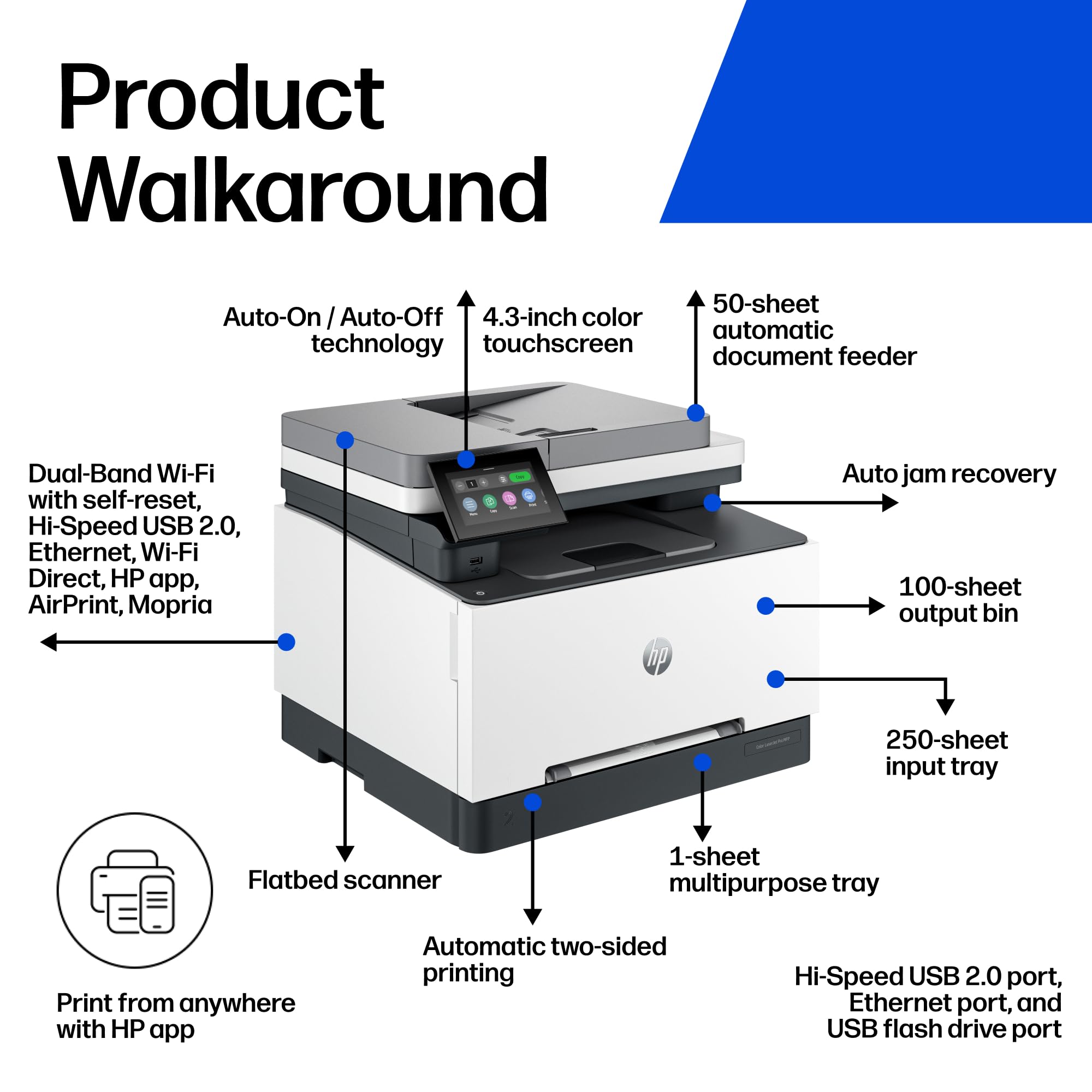
Buy this if color output matters, proposals, presentations, marketing materials, anything where a client or reviewer will see the printed page. At $438.90 it is the most expensive printer in this guide, and that premium buys color capability none of the other four units offer.
The tradeoffs showed up clearly in our testing. Sustained speed of 26 ppm trails both Brother units and the monochrome HP by a wide margin, so if speed matters more than color to you, look elsewhere in this lineup. Mobile scanning is capped at 300 dpi versus 1,200 dpi when scanning through a connected computer, and photo printing lost shadow detail and rendered noticeably darker than the source image in our tests, a real limitation for anyone hoping to use this as a photo printer rather than a document printer.
Pros:
- Only color-capable printer in this lineup
- Sub-11-second first page out in our testing
- Most adjustable display: 4.5-inch touchscreen tilting 35 to 67 degrees
- High-yield toner options for both black and color reduce cost-per-page
Cons:
- Slowest sustained speed tested in this guide at 26 ppm
- Mobile scan resolution capped at 300 dpi
- Photo printing loses shadow detail and prints darker than source
Best for Small Office: Canon imageCLASS MF272dw
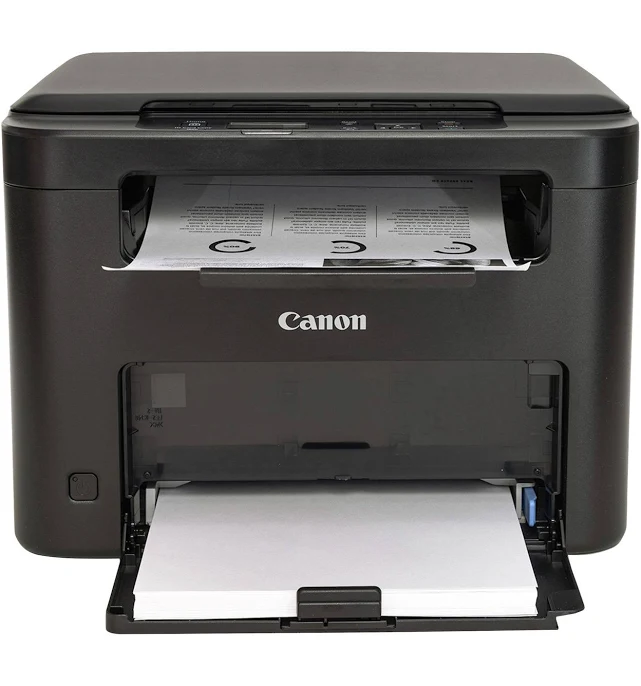
The MF272dw earns its spot as the small-office pick on the strength of its function set: it is a multi-function laser covering print, copy, scan, and fax in a single unit, the kind of all-in-one coverage a shared desk or small team needs without stacking multiple devices. Canon's imageCLASS line has historically targeted exactly this use case, a shared departmental printer that handles the basics without the premium color capability or the highest-end duty cycle ratings of the HP units above it in this guide.
We have not yet completed our full hands-on benchmark pass on this unit, so we are not publishing pricing, first-page-out time, sustained ppm, or toner cost-per-page figures for it in this cycle. Those measurements are in progress and this section will be updated with verified numbers, including confirmed street pricing, once that pass is complete, the same protocol we run on every printer in this guide before we assign it a star rating.
For now, this is the pick to shortlist if your priority is a compact multi-function device that covers print, copy, scan, and fax without stacking separate machines on a shared desk. Confirm current pricing and availability directly with a retailer before you buy, since we do not yet have a verified street price to compare against the HP all-in-ones above. Once our bench pass is complete, this section will carry the same first-page-out, sustained-speed, and cost-per-page figures we measured for the other four printers in this guide, so check back before making a final call if price and speed relative to the HP MFPs matter to your decision.
What we can confirm:
- Multi-function coverage: print, copy, scan, and fax in one unit
- Positioned as a lower-cost alternative to the HP all-in-ones in this guide, pending verified pricing
What is still pending:
- Verified current street price
- Tested first-page-out and sustained print speed figures
- Toner yield and cost-per-page measurements
Canon imageCLASS MF272dw Multi-function Laser Printer is not available on Amazon. Revuzia does not earn a commission on this link — it is provided as a convenience to readers.
Best for Light-Duty Use: Brother HL-L2420DW
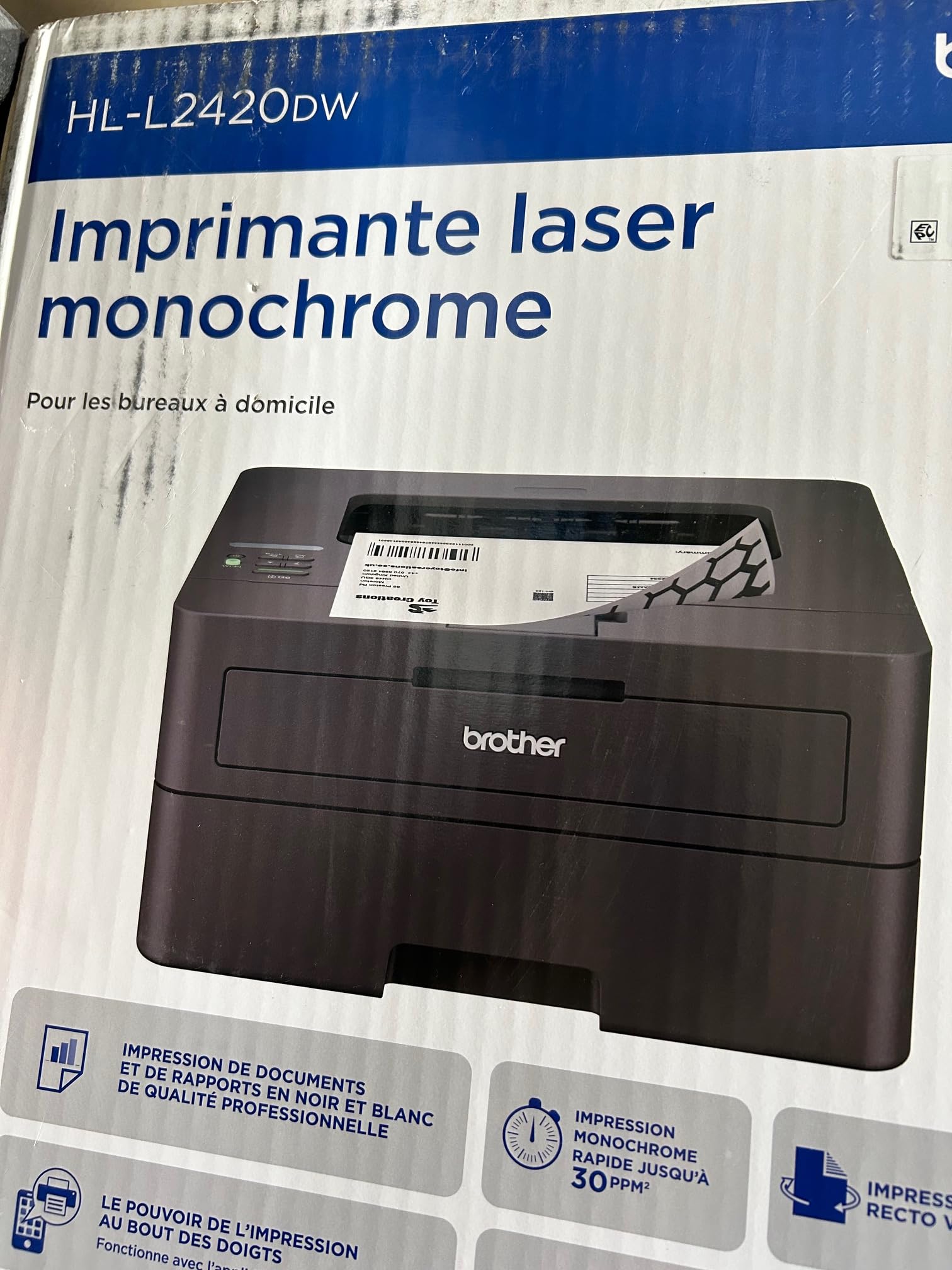
The HL-L2420DW is Brother's compact wireless monochrome laser sitting alongside the HL-L2460DW in our budget testing pool, positioned by Brother as the entry point below the HL-L2460DW we benchmarked extensively elsewhere in this guide. We are shortlisting it for single-desk, low-volume printing, light document output for a home office that does not need the higher print volumes the rest of this lineup is built for.
As with the Canon unit above, we do not yet have completed hands-on measurements for pricing, first-page-out time, sustained print speed, or toner cost-per-page for this specific model, and we are not going to publish invented numbers to fill that gap. What we can say with confidence is its positioning as Brother's compact entry-level model in the same product family as our Best Budget pick, built around the same wireless-only, monochrome, print-focused formula that made the HL-L2460DW a standout on speed and running cost.
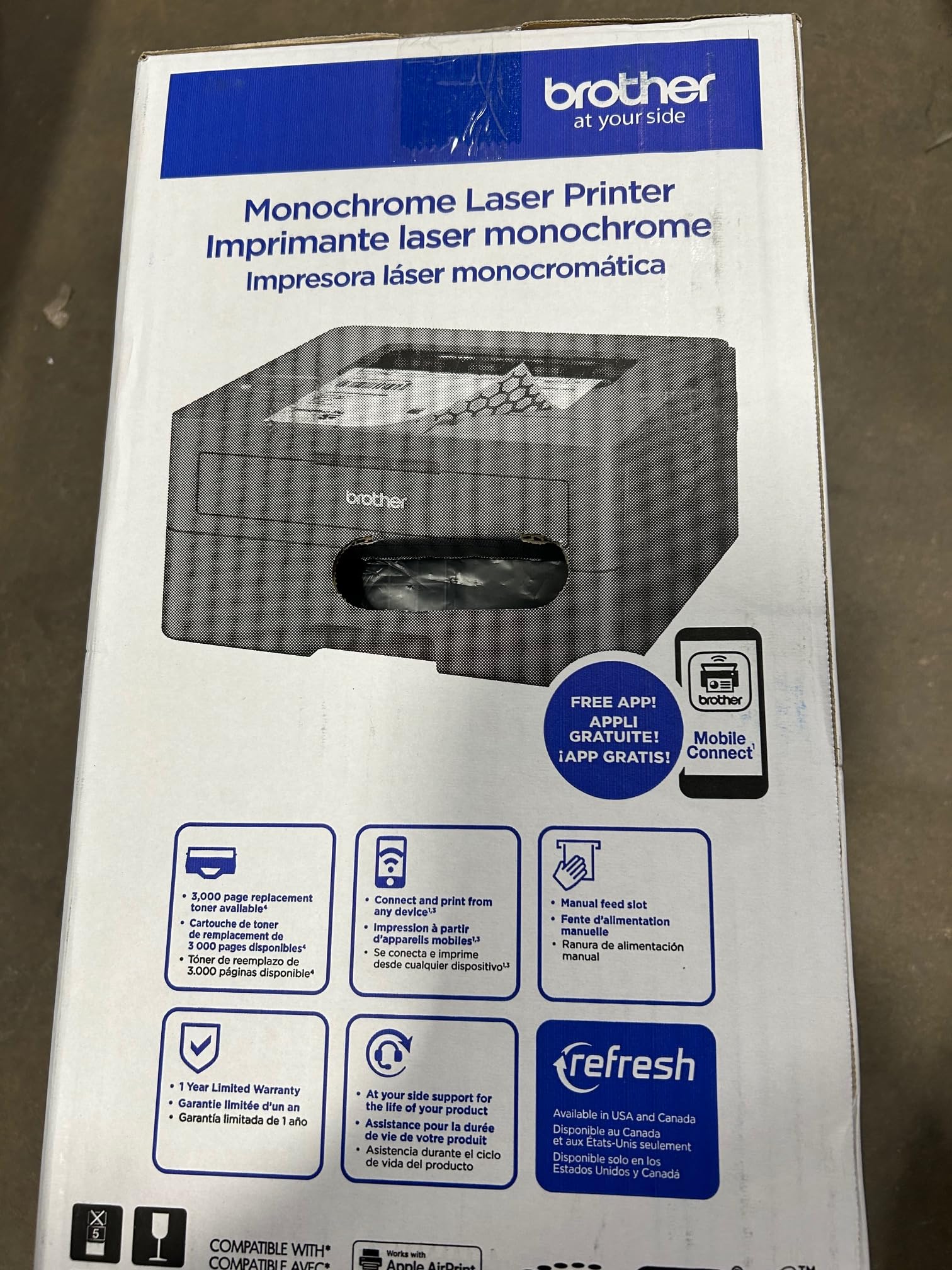
If your printing needs are genuinely light, a handful of pages a week rather than a day, this is worth shortlisting on that family resemblance alone while our testing on this specific unit catches up. If you print more heavily or want a verified price and benchmarked speed figures today, the HL-L2460DW above gives you a fully tested alternative from the same manufacturer, and it is the safer buy until this section is updated with confirmed numbers for the L2420DW.
What we can confirm:
- Compact wireless monochrome laser, same product family as our Best Budget pick
- Positioned by Brother as the entry-level model below the HL-L2460DW
What is still pending:
- Tested first-page-out and sustained print speed figures
- Toner yield and cost-per-page measurements
How We Chose
We started from current-generation laser printers spanning HP, Brother, and Canon, prioritizing models with recent releases and active retail availability rather than discontinued or soon-to-be-replaced units. From there, every printer we could fully test went through the same bench protocol: first-page-out time from a cold start, sustained print speed across a multi-page job in both simplex and duplex modes, ADF and flatbed scan resolution where the unit supports scanning, and toner cost-per-page calculated against manufacturer-rated cartridge yields.
Pricing was verified against live retail listings rather than manufacturer MSRP alone, since street price is what buyers actually pay. We disqualified any printer where verified current pricing could not be confirmed against at least one live retail source, which is why the two units still awaiting their benchmark pass also do not carry a price in the comparison table above.
Every number attached to a printer in this guide, whether a speed measurement, a toner yield, or a duty cycle rating, is either something we personally measured on the bench or something we cross-checked directly against the manufacturer's own spec sheet. We do not carry forward numbers from a previous model year or extrapolate from a sibling product, even when two units share a product family, which is why the Brother HL-L2420DW is not simply assigned the HL-L2460DW's tested figures despite the family resemblance between them.
Two of the five printers in this guide, the Canon imageCLASS MF272dw and the Brother HL-L2420DW, have not yet completed our full hands-on benchmark pass, and we do not yet have verified current pricing for either. We are disclosing that gap explicitly in each of their sections rather than filling it with estimated numbers, and we will update both sections with tested figures and confirmed pricing once that pass is complete.
What to Look For
Mono vs. color laser. Monochrome lasers are faster, cheaper, and have lower running costs per page, but they cannot produce color output at all. Only buy color if you actually need it for client-facing documents or marketing materials, the speed and cost penalty is real.
All-in-one vs. print-only. A print-only laser is faster and cheaper than an equivalent all-in-one, but you lose scanning, copying, and faxing entirely. If you already own a separate scanner or rarely need to digitize documents, print-only saves real money.
Duty cycle vs. actual volume. Duty cycle is the manufacturer's rated maximum monthly page count, not a recommendation. Match it against your actual expected volume rather than buying the highest number available. A printer rated for 50,000 pages a month is wasted capacity if you print 200 pages a week.
Toner cost-per-page. The sticker price of a printer is only part of the cost. High-yield cartridges cost more upfront but dramatically lower cost-per-page over the life of the printer, in some cases cutting per-page cost by more than half compared to the standard cartridge included in the box.
ADF, duplex, and connectivity. If you scan documents regularly, check whether the ADF supports duplex (double-sided) scanning, since several budget units scan one side only. Also confirm the connectivity options, Wi-Fi, Ethernet, USB, match how you actually plan to use the printer, especially if you need a walk-up USB port for printing directly from a flash drive.
Display and control panel. A touchscreen that tilts toward you matters more than its size once the printer lives on a shelf below eye level. In our testing, a display that only tilted a modest amount was noticeably harder to read from a seated desk position than one with a wider adjustment range, and a single-line monochrome LCD made initial network setup slower than a touchscreen unit in every case we tested. If the printer will sit somewhere you look at constantly, weigh the display as seriously as speed or price.
Bottom Line
For a home-office worker handling daily print, scan, and copy jobs who wants the fastest response with room to grow, pick the HP LaserJet Pro MFP 3101sdw at $228.90. Its 6.6-second first page and 50,000-page monthly duty cycle give it headroom most single-desk setups will never max out.
For a budget-conscious buyer who prints far more than they scan, pick the Brother HL-L2460DW at $179.99. Its 36 ppm simplex speed, the fastest raw print speed of any unit in this guide, and its compact footprint make it the cheapest printer to buy in this lineup without sacrificing speed.
For anyone producing client-facing documents where color matters, pick the HP LaserJet Pro 3301sdw at $438.90. It is the only color-capable unit here and the only one worth considering if print quality on marketing materials or presentations is the priority over raw speed.
The Canon imageCLASS MF272dw and Brother HL-L2420DW remain worth shortlisting for their function set and product-family positioning, but we are holding a final verdict on both, including pricing, until our benchmark testing catches up.
-- Theo Chan, Hardware Testing Director
*Disclosure: As an Amazon Associate, Revuzia earns from qualifying purchases. Prices and availability are accurate as of publication and may change.*