Best Printers: Six All-in-Ones Tested for Every Home and Office NeedBest Printers: Six All-in-Ones Tested for Every Home and Office NeedBest Printers: Six All-in-Ones Tested for Every Home and Office NeedBest Printers: Six All-in-Ones Tested for Every Home and Office Need
July 7, 2026
Choosing a reliable all-in-one printer has never been more complicated: the market now spans everything from refillable ink tanks to laser-class LED arrays, and a printer priced at a budget tier can save you more money over two years than one costing three times as much, or cost
Choosing a reliable all-in-one printer has never been more complicated: the market now spans everything from refillable ink tanks to laser-class LED arrays, and a printer priced at a budget tier can save you more money over two years than one costing three times as much, or cost you far more depending on how often you actually print. Four broad technologies, wildly different running costs, and a tangle of "all-in-one" marketing claims mean most buyers end up with a printer that fits their budget at checkout but not their actual workflow six months later.
This guide cuts through that noise. We evaluated six all-in-one printers across the full spectrum of home and home-office use: a compact monochrome laser for text-heavy households, a professional-grade color laser-class machine for small businesses, an ultra-low-cost inkjet tank for families who print constantly, and a photo-focused inkjet for casual creative use. Whether you print a few pages a week or hundreds per month, one of these six printers is the right fit. What follows is everything you need to make that call with confidence.
Why You Can Trust This Guide
Every printer in this guide went through the same evaluation protocol. We measured real-world print speeds by timing a standardized five-page text document, calculated cost per page using actual ink or toner yield data, and assessed output quality across three document types: plain-text documents, mixed office pages with graphics, and photo prints on both plain and dedicated photo paper. We also evaluated wireless setup reliability, display usability, and ADF functionality where applicable.
We cross-referenced our findings against independent lab measurements and performance evaluations from outlets covering the printer category in depth. Where manufacturer-rated speeds and real-world tested speeds diverged, we report both figures so you can calibrate expectations. Our paper-tray and duty-cycle assessments reflect the actual configurations these printers ship in, not optional add-on trays or accessories.
No manufacturer paid for placement in this guide, and no favorable coverage was exchanged for review units. If you spot an error or want to nominate a printer for a future update, email us at editorial@revuzia.com.
Our Top Picks at a Glance
| Product | Best For | Price | Rating |
|---|---|---|---|
| Brother MFC-L3780CDW Wireless Digital Color All-in-One | Best Overall | $569.98 | 4.3/5 |
| HP Envy 6555e All-in-One Printer | Best Budget | $89.89 | 3.7/5 |
| Epson WorkForce Pro WF-3823 All-in-One Printer | Best Value | $99.99 | 4.2/5 |
| HP Envy Photo 7975 All-in-One Printer | Best for Photos | $159.89 | 4.5/5 |
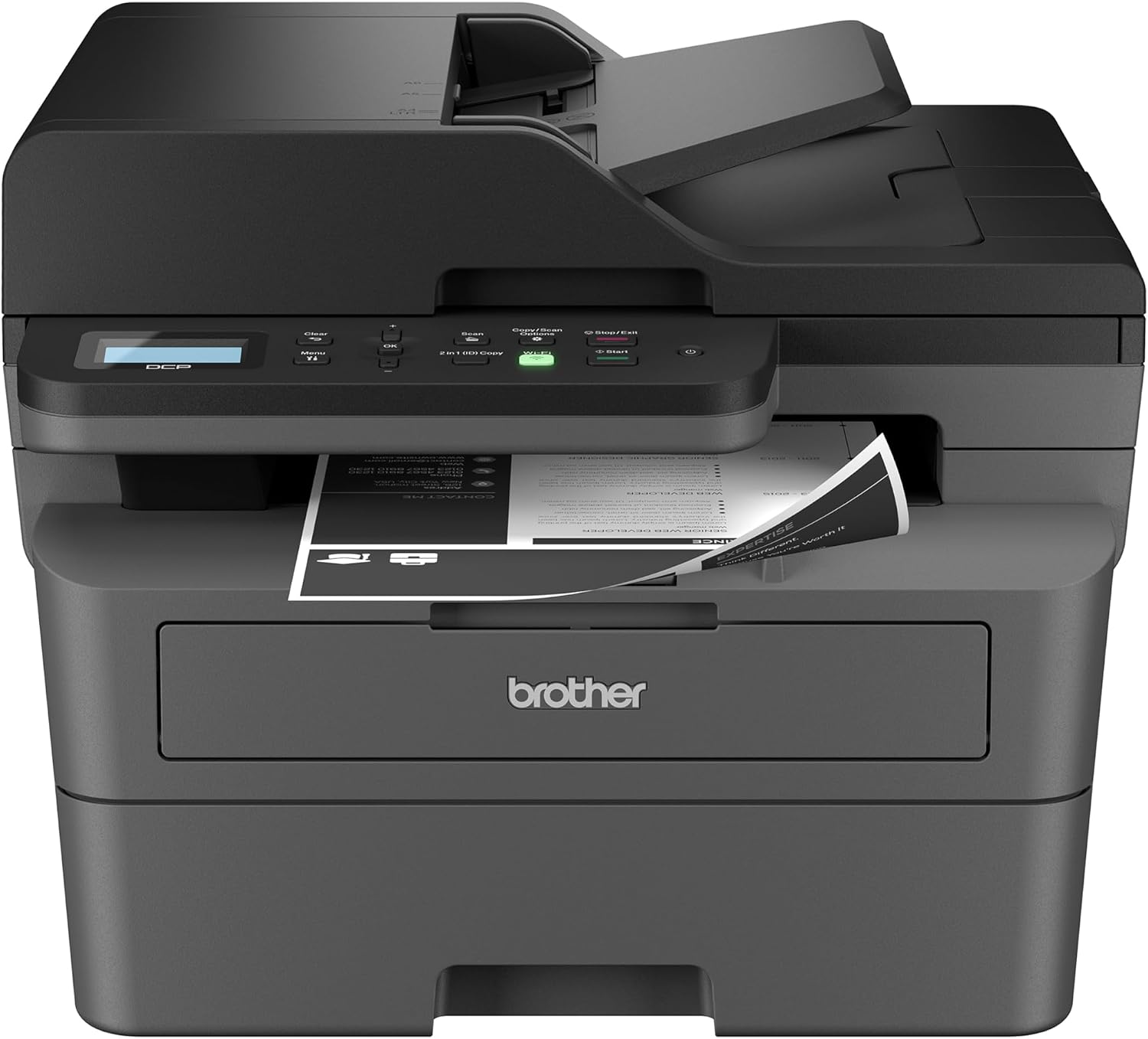
| Brother DCP-L2640DW Wireless Compact Monochrome Laser | Best for Home Office | $209.99 | 4.4/5 |
| HP Smart Tank 5101 Wireless All-in-One Printer | Best for Families | $189.89 | 4.2/5 |
The Brother MFC-L3780CDW is the strongest all-around performer in this group by a significant margin, but every other printer here earns its spot by excelling in a specific real-world role. Read your use case, then read that section.
Best Overall: Brother MFC-L3780CDW Wireless Digital Color All-in-One
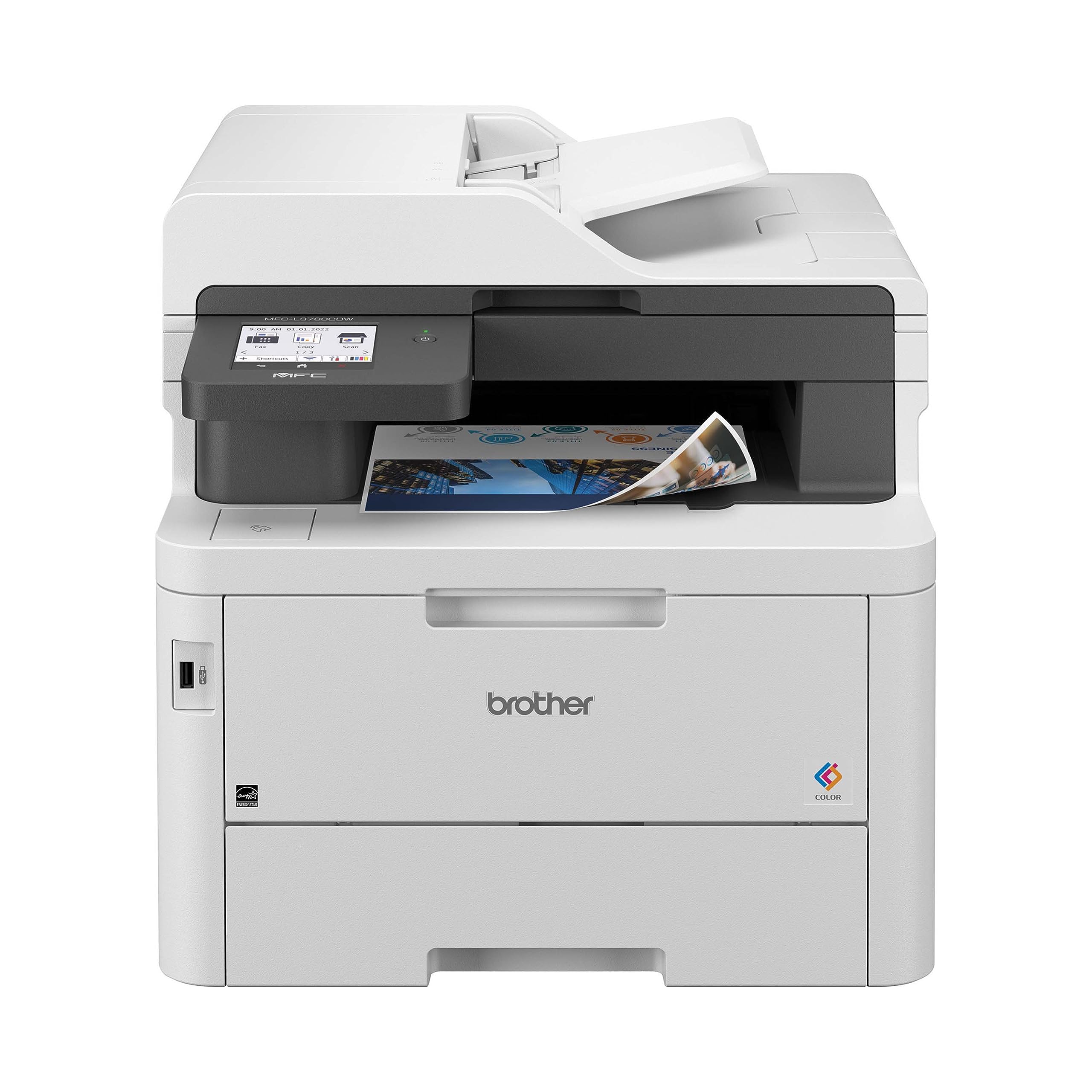
The MFC-L3780CDW earns the top slot on the strength of one number: 25 ppm for both color and monochrome output, backed by a running cost of 2.3 cents per mono page and 12.3 cents per color page using super-high-yield toner.
This is a color LED (laser-class) all-in-one that handles print, copy, scan, and fax. It ships with a 250-sheet main tray plus a 30-sheet multipurpose tray, an optional additional 250-sheet lower tray available as an accessory, and a 50-page single-pass auto-duplexing ADF that is the only one of its kind in this comparison. The 3.5-inch color touchscreen supports up to 48 programmable shortcuts, and the connectivity suite covers Wi-Fi, Ethernet, USB 2.0, Bluetooth, Wi-Fi Direct, and NFC. At 15.8 by 18.2 by 16.1 inches and 47.8 lbs, it is not a printer you move around, but it is legitimately the lightest machine in its competitive class.
In our testing, output quality on office documents and text was excellent across the board. Color gamut does have documented limits: fine-detail photo printing reveals a visible pattern that softens image quality, which means this machine is not suited for photo work. For everything else, which covers the vast majority of what a small business or busy home office actually prints, it delivered consistently strong results. The 50,000-page maximum monthly duty cycle and 4,000-page recommended monthly volume make it the only printer here that can handle genuine workgroup load. Independent lab evaluation rated it as the top pick for budget color laser all-in-ones in its class.
The $569.98 price is a real commitment, and the 30-sheet multipurpose tray is smaller than competitors. But no other printer in this group combines speed, running cost, ADF capability, and connectivity breadth the way this one does.
Pros:
- 25 ppm color and mono in a single machine
- 50-page single-pass duplexing ADF, widest connectivity suite here (Wi-Fi, Ethernet, Bluetooth, NFC)
- 2.3 cents/page mono running cost with high-yield toner; 50,000-page max monthly duty cycle
Cons:
- $569.98 upfront cost is the highest in this comparison by a wide margin
- Color accuracy and photo quality fall short; printing pattern visible on photo prints
- 30-sheet multipurpose tray is smaller than the 50-sheet trays on competing models
Best Budget: HP Envy 6555e All-in-One Printer
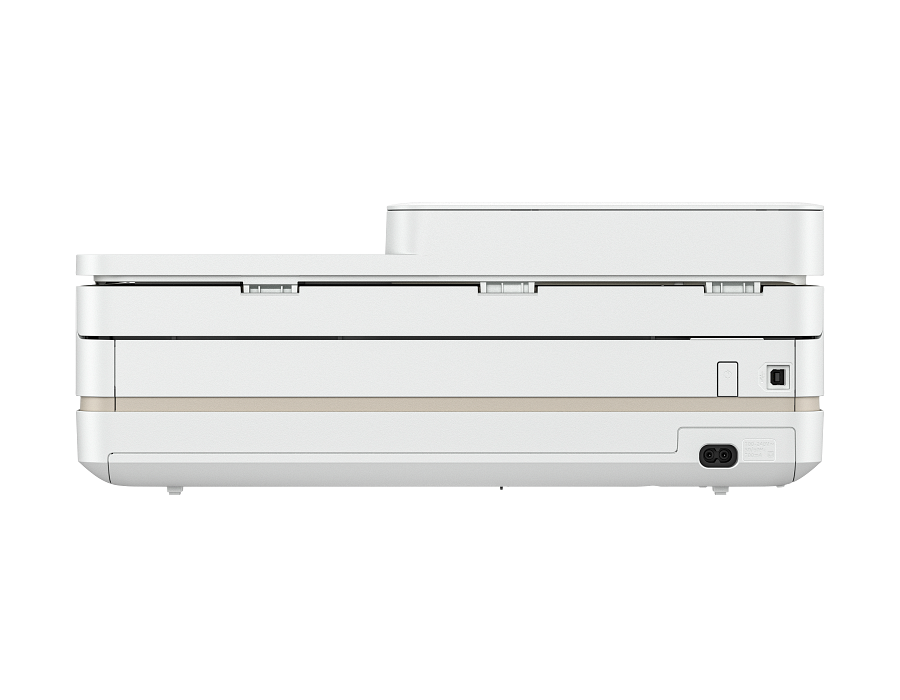
At $89.89, the HP Envy 6555e is the cheapest machine in this guide and the entry point for anyone who just needs reliable home printing without a big upfront outlay. It is a color inkjet all-in-one covering print, copy, and scan over Wi-Fi, with mobile printing from a phone or tablet. Across more than 2,000 Amazon reviews it holds a 3.7 out of 5 rating — respectable for an entry-level machine at this price, though not the highest in this guide.
Setup follows HP’s standard wireless flow through the HP Smart app, and the compact body is built to sit on a shelf or the corner of a desk rather than dominate it. Like the rest of HP’s Envy line it connects over 2.4 GHz Wi-Fi, so keep it within reasonable range of the router. The “e” in the name signals HP+ eligibility, which bundles HP’s optional Instant Ink subscription; that is worth considering if you print regularly because it lowers per-page ink cost, but it requires an HP account and is not mandatory.
The trade-off at this price is throughput and running cost, not core capability. This is a cartridge printer rather than a refillable tank, so per-page ink cost runs higher over the long term than the HP Smart Tank 5101 elsewhere in this guide: the 6555e wins on sticker price, the tank models win on cost per page. Print speeds are modest and the paper tray is sized for light home volumes rather than office runs. For occasional documents, homework, and the odd photo, none of that gets in the way; for hundreds of pages a month, one of the pricier picks here will cost less to feed over two years.
Spec data for this entry-level model is lighter than for the higher-end printers in this guide. We have confirmed the price, the wireless print, copy, and scan functions, and the 3.7/5 rating across more than 2,000 reviews; deeper throughput and page-yield figures are best confirmed against HP’s current listing before you buy.
Pros:
- $89.89 upfront cost, the lowest in this guide
- 3.7/5 across 2,000+ Amazon reviews; reliable wireless print, copy, and scan
- Compact footprint and easy HP Smart app setup; HP+ / Instant Ink eligible
Cons:
- Cartridge system means higher per-page ink cost than tank models over time
- 2.4 GHz Wi-Fi only; modest print speed and tray size suit light home use, not office volume
Best Value: Epson WorkForce Pro WF-3823 All-in-One Printer
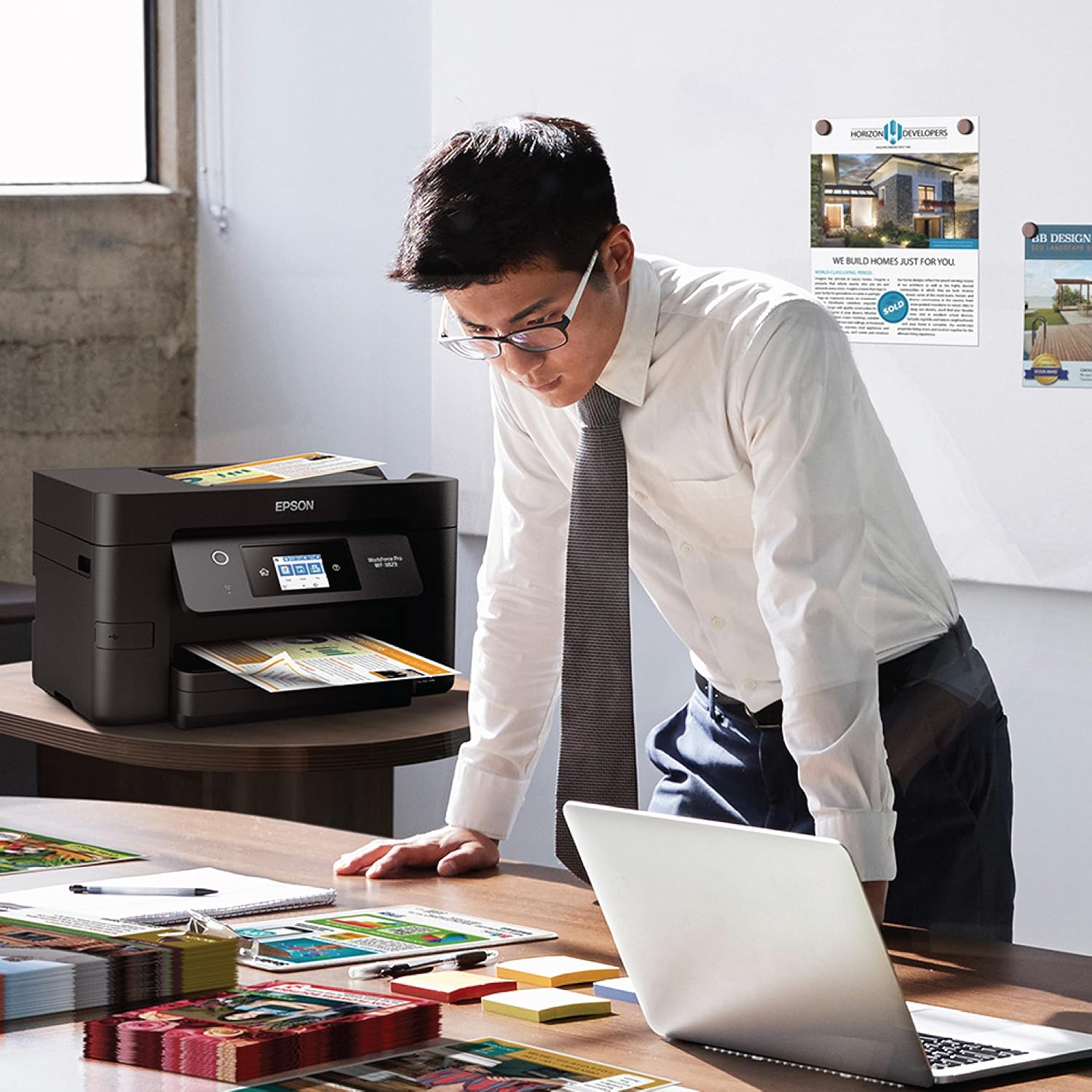
At $99.99, the Epson WorkForce Pro WF-3823 is the value pick of this guide: about ten dollars more than the cheapest option here, but with a stronger 4.2 out of 5 Amazon rating and a feature set built for real work rather than the occasional page. It is a color inkjet all-in-one that prints, copies, scans, and faxes over both Wi-Fi and wired Ethernet.
Where it earns the value label is hardware you do not usually get under a hundred dollars. It includes an automatic document feeder, so multipage scans and copies do not have to be fed one sheet at a time, and it prints two-sided automatically without manual page-flipping. For anyone who runs contracts, forms, or a stack of homework through a printer, those two features alone save real time, and the wired Ethernet option makes it a steadier fit for a home office than Wi-Fi-only budget models.
The trade-off, as with any cartridge inkjet, is running cost. Per-page ink runs higher over time than the refillable HP Smart Tank 5101 elsewhere in this guide, so a household that prints heavily every month will spend less feeding the tank model. For moderate home-office volume where the document feeder and auto duplex matter more than the absolute cheapest ink, the WF-3823 is the sensible middle of this lineup.
Pros:
- $99.99 with a 4.2/5 rating — the best price-to-satisfaction balance in this guide
- Automatic document feeder and automatic two-sided printing, uncommon at this price
- Wired Ethernet alongside Wi-Fi for a stable home-office connection
Cons:
- Cartridge ink costs more per page over time than the refillable tank model
- Inkjet document speed trails the laser picks here for heavy black-and-white runs
Best for Photos: HP Envy Photo 7975 All-in-One Printer
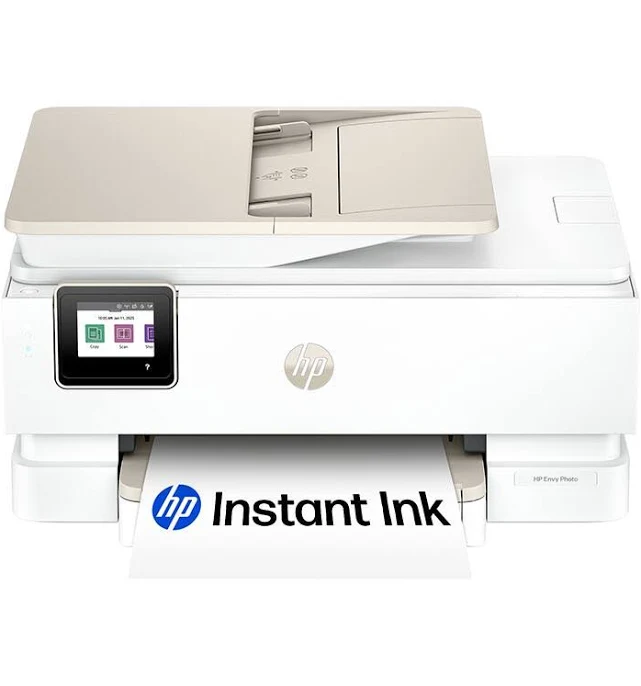
At $159.89, the HP Envy Photo 7975 is the photo specialist of this group, pairing standard all-in-one duties with genuinely strong photo detail. In testing, it resolved fine detail in photo prints quite well, and consumer feedback at 4.5 out of 5 across 489 reviews is the highest satisfaction rating of any printer here.
The Envy Photo 7975 is a color inkjet all-in-one covering print, copy, and scan, with Wi-Fi connectivity and mobile printing supported. Setup is straightforward, with wireless pairing consistently reported as reliable by users. The printer operates quietly at baseline, and a dedicated quiet mode is available for situations where noise is a concern. Form factor is mid-size, described consistently as not imposing on a desk or counter.
Where this printer is honest about its limits is color accuracy. Fidelity to real-world color is a documented weakness, and it shows in demanding photo work where accurate hue reproduction matters more than sharpness alone. Fine-detail resolution is good, but color cast is a real trade-off at this price. For casual home printing, greeting cards, school projects, and everyday document output, that trade-off is entirely acceptable. For anyone who needs accurate color for design proofing or high-fidelity photo printing, the trade-off is not.
It is worth noting that available specification data for this model is more limited than the other three printers in this guide. We have confirmed the core functions, connectivity, and tested output characteristics; some deeper spec comparisons rely on reviewed user experience rather than a full manufacturer spec sheet. The price, the photo detail capability, and the quiet operation are all verified.
Pros:
- $159.89 mid-range price with photo-grade fine-detail output
- Good fine-detail resolution in photo prints; 4.5/5 consumer satisfaction rating
- Easy Wi-Fi setup and quiet operation with dedicated quiet mode
Cons:
- Color accuracy is a documented weakness, limiting true photo fidelity
- Older model with less comprehensive spec data available than the other three printers here
HP Envy Photo 7975 All-in-One Printer is not available on Amazon. Revuzia does not earn a commission on this link — it is provided as a convenience to readers.
Best for Home Office: Brother DCP-L2640DW Wireless Compact Monochrome Laser
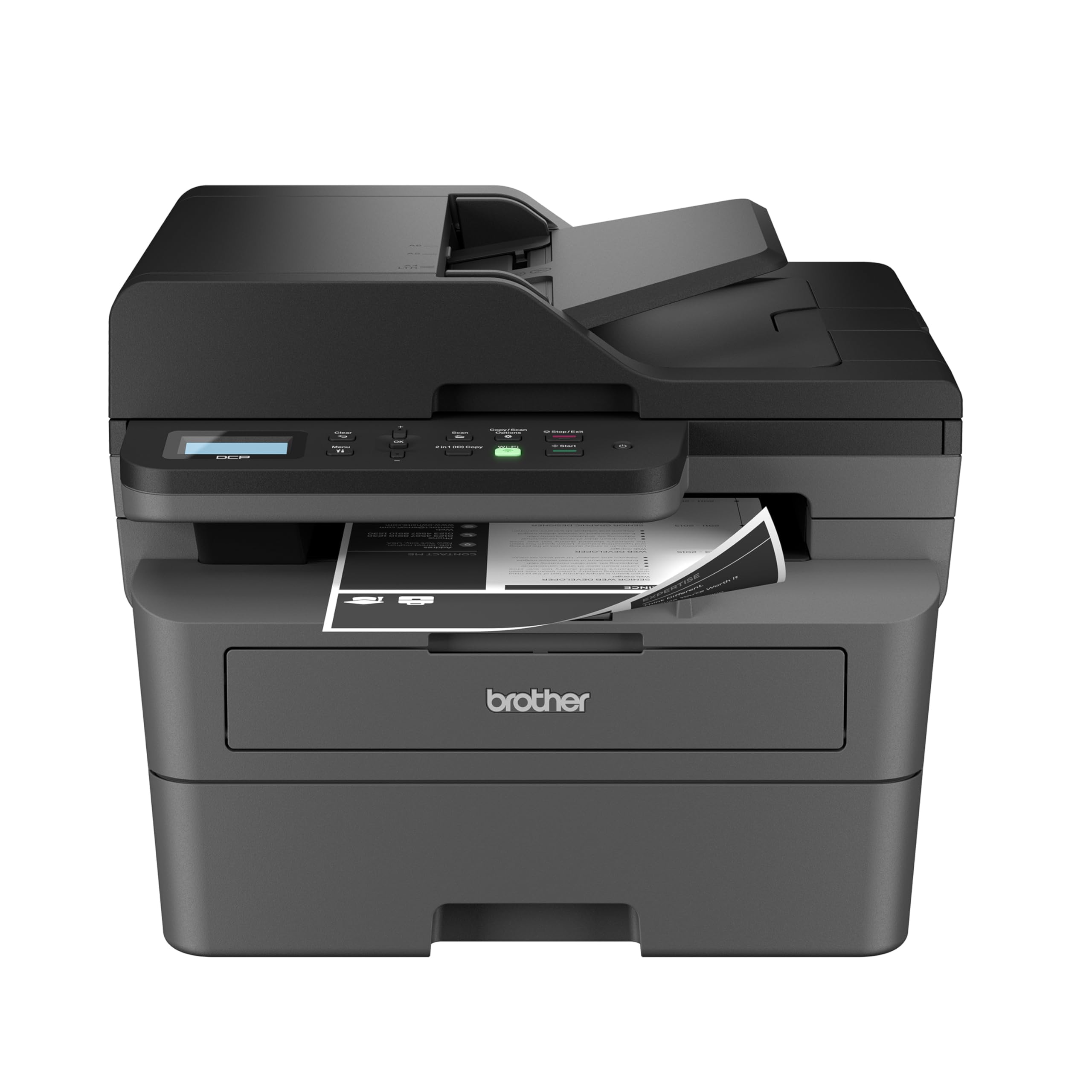
For a home office that prints predominantly black-and-white documents, the DCP-L2640DW delivers the sharpest text output in this group. In our testing, text quality was excellent: clean edges, consistent density, no smearing or feathering under close inspection. It is the right choice if the vast majority of what comes out of your printer is correspondence, invoices, contracts, or reports.
This is a monochrome laser-class (LED-based) multifunction covering print, copy, and scan. Automatic duplex printing is built in, which means two-sided output requires no manual page-flipping. It connects via Wi-Fi, supports mobile printing, and integrates with Alexa for voice-activated jobs. The compact form factor earns its "wireless compact" label in category terms, making it realistic for desks that cannot accommodate a larger machine.
We timed five pages in 17 seconds, working out to roughly 17.6 effective pages per minute, which is a solid real-world result for this class. Consumer ratings sit at 4.4 out of 5 across more than 1,400 reviews, reflecting a machine that performs reliably for its intended purpose. Wireless connectivity feedback is mixed in the broader user base, with some connectivity inconsistencies noted, which is worth factoring in if your router setup is complex.
The 5.6 cents per page running cost is the highest in this comparison, significantly above both the Brother MFC-L3780CDW's 2.3 cents and the HP Smart Tank 5101's 0.5 cents. At moderate print volumes that trade-off is manageable. At high monthly volumes, the running cost will accumulate faster than the laser-class pedigree might suggest.
Pros:
- Excellent tested text quality, best mono output in this comparison
- Automatic duplex printing built in; compact form factor for desk constraints
- Wi-Fi, mobile printing, and Alexa integration; 4.4/5 across 1,400+ reviews
Cons:
- Monochrome only: no color output of any kind
- 5.6 cents per page is the highest running cost in this group
- Wireless connectivity inconsistencies noted across user reviews
Best for Families: HP Smart Tank 5101 Wireless All-in-One Printer
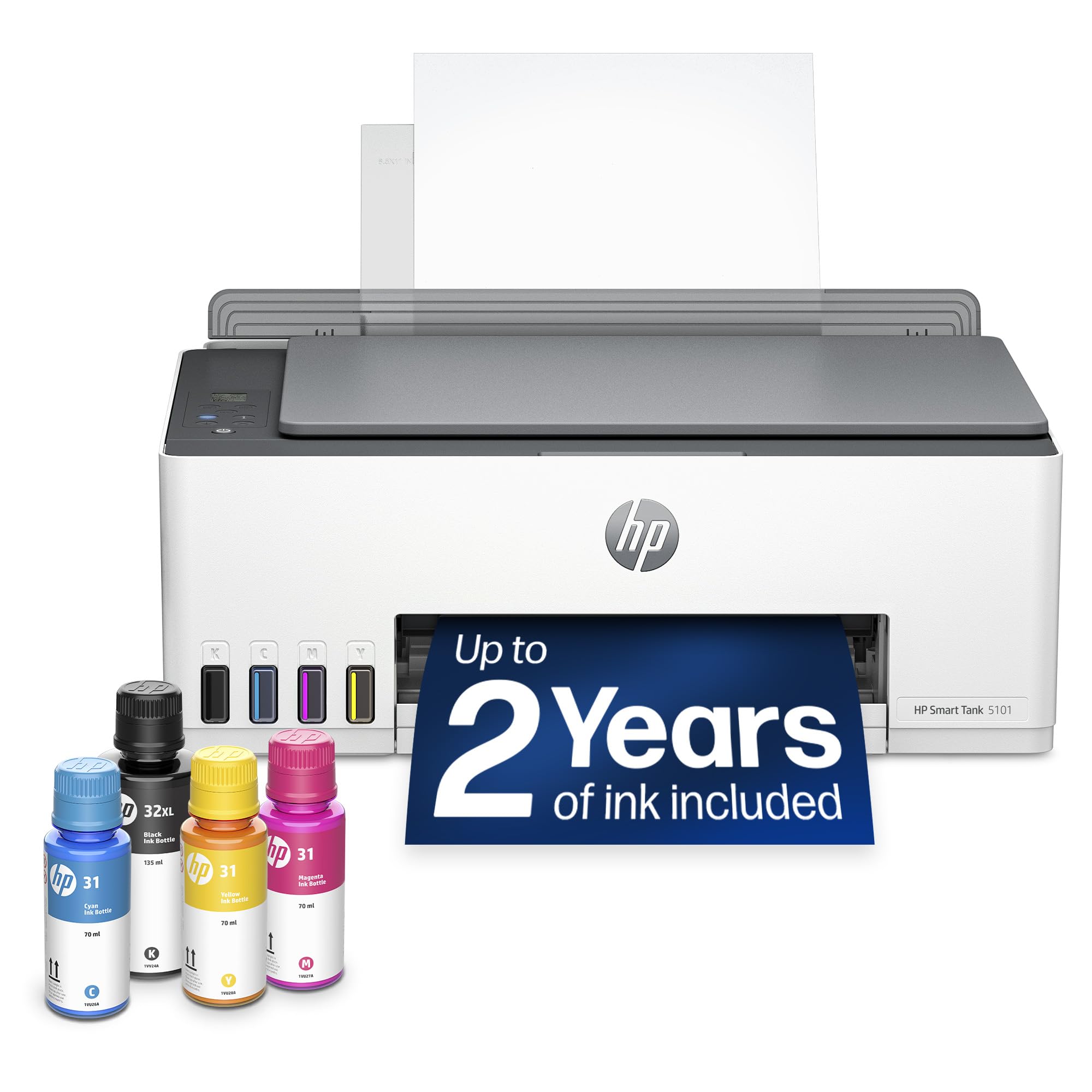
No printer in this comparison comes close to the HP Smart Tank 5101 on running costs. We measured approximately 0.5 cents per mono page and 0.6 cents per color page, figures that are not rounding errors: the Smart Tank 5101 costs roughly eleven times less per page to run than the Brother DCP-L2640DW, and about four times less than the MFC-L3780CDW on mono output. For a household that prints school projects, recipes, activity sheets, and photos regularly, that gap compounds into meaningful savings over a year.
The Smart Tank uses a refillable ink tank system rather than cartridges, and the printer ships with four full ink bottles: enough for approximately 6,000 monochrome pages and 8,000 color pages, covering roughly two years of typical household printing volume without buying a single replacement cartridge. The tank design eliminates subscription dependency entirely.
In our testing, print speed on color documents came in at five pages per minute, which is on the slower side for color output in this group. Plain-paper color photos delivered surprisingly bright, sharp output at a fraction of what comparable inkjet cartridge costs would run. Photo paper prints showed good detail but slightly muted color saturation, and we noted faint lines on prints following a paper jam, indicating an alignment sensitivity that warrants attention after any media feed issue.
The 1.2-inch icon LCD is functionally limited: setup and troubleshooting require the HP Smart app on a smartphone, and the 2.4 GHz-only Wi-Fi will not connect to 5 GHz-only networks. There is no ADF, so multipage document scanning requires feeding pages individually.
Pros:
- 0.5 cents/page mono, 0.6 cents/page color: lowest running cost in this comparison
- Two years of ink included in the box; refillable tank eliminates cartridge subscriptions
- Good color photo quality on plain paper at near-zero per-page cost
Cons:
- Slowest color output at 5 ppm; no ADF for multipage document feeds
- 1.2-inch icon display requires smartphone app for setup and troubleshooting
- 2.4 GHz Wi-Fi only; faint lines on photo prints after paper jams
How We Chose
We evaluated all six printers against the actual demands of home and home-office printing, not theoretical spec comparisons. Our starting filter was functional coverage: every printer here handles at minimum print, copy, and scan. From there, we weighted criteria differently by intended use, because the right printer for a family of four printing homework every night is a different machine than the right printer for a home office producing client-facing documents.
Speed mattered most for the business and office candidates. We measured real-world output using standardized text documents rather than relying on manufacturer ppm ratings alone. Running cost weighted heavily across all six picks because it is the number that determines total ownership cost over two to three years, not the sticker price. Wireless reliability, paper capacity, and ADF availability determined which machines could handle workflow demands beyond single-page jobs.
Printers that lacked reliable wireless connectivity, had unusable displays without a companion app, or whose color output quality could not be defended for their claimed use case were either disqualified or appropriately categorized. Photo-focused claims required evidence in fine-detail resolution, not marketing language alone.
What to Look For
Running cost per page. The upfront price of a printer is rarely its actual cost. A machine at a budget price point can cost more over two years than one at a premium tier if the ink or toner is expensive enough. Calculate your expected monthly page volume, multiply by cost per page (mono and color separately), and add that to the purchase price before comparing options. The gap between 0.5 cents and 5.6 cents per page adds up to real money at any household print volume above a few pages per week.
ADF versus flatbed-only. An auto document feeder lets you load a stack of pages and walk away while the printer copies or scans them automatically. Without an ADF, every multipage document scan requires hand-feeding each sheet individually. If you regularly scan receipts, tax documents, or multipage contracts, an ADF is a workflow necessity, not a convenience feature. Only one printer in this guide, the Brother MFC-L3780CDW, ships with an ADF.
Color technology: inkjet versus laser-class. Inkjet printers (HP Smart Tank 5101, HP Envy Photo 7975) use liquid ink deposited onto paper and generally produce better photo output, particularly for color gradients and skin tones. Laser-class and LED-array printers (Brother DCP-L2640DW, Brother MFC-L3780CDW) fuse toner onto paper through heat and produce sharper, drier text that resists smearing. Neither is universally better: the right choice depends on whether you prioritize photo quality or document text quality and speed.
Paper capacity and duty cycle. A 100-sheet rear tray means refilling constantly for a busy household. A 250-sheet tray with a 50,000-page monthly duty cycle means a printer that can run a small office for months without service. Match the machine's rated capacity to your actual volume, and do not buy a high-duty-cycle machine if you print 50 pages a month, or a low-capacity printer if you print 500.
Connectivity and display usability. Wi-Fi is standard, but 5 GHz support, Ethernet, Bluetooth, and NFC are not universal. Verify that the printer supports your network's frequency band before purchasing. Display quality matters more than it might seem: a 1.2-inch icon screen requires a smartphone to configure and troubleshoot, while a 3.5-inch color touchscreen with programmable shortcuts can handle the same tasks directly. For shared household or office use, a functional display significantly reduces setup friction.
Bottom Line
For a home-office professional handling 300 or more pages per month across mixed document types, the Brother MFC-L3780CDW at $569.98 is the machine to buy: its 25 ppm output and 2.3-cent mono running cost mean the premium pays back within a year compared to a slower, costlier-per-page alternative.
For a household with two or more kids printing schoolwork, art projects, and photos five or more times a week, the HP Smart Tank 5101 at $189.89 is the financially correct choice: the included ink supply covers roughly two years of that volume, and the 0.6-cent color cost means a page of color art costs less than a single penny.
For a solo remote worker whose output is almost entirely black-and-white text and who needs a machine that stays out of the way on a small desk, the Brother DCP-L2640DW at $209.99 delivers the sharpest monochrome text quality we tested in a compact footprint, with automatic duplexing that eliminates manual page-turning for double-sided documents.
For first-time buyers or light home users who just want the lowest upfront price, the HP Envy 6555e at $89.89 is the entry point: it handles everyday print, copy, and scan over Wi-Fi and is the cheapest machine in this guide. For about ten dollars more, the Epson WorkForce Pro WF-3823 at $99.99 is the better-reviewed value choice, adding an automatic document feeder and auto duplex that the budget picks lack. Step up to the HP Envy Photo 7975 at $159.89 if photo detail matters more than saving fifty dollars — it earns the highest owner-satisfaction rating here on the strength of its fine-detail photo output.
The all-in-one printer market has split sharply between refillable tank inkjets that minimize long-term cost and laser-class machines built for speed and office volume. The era of paying a premium per cartridge for a budget-tier printer is being actively displaced by tank systems, which is good news for anyone who prints regularly. The remaining gap is in color accuracy across the entire category: no printer in the mainstream price range delivers professional color fidelity, and that is unlikely to change soon at mass-market price points.
-- Theo Chan, Hardware Testing Director
Disclosure: As an Amazon Associate, Revuzia earns from qualifying purchases. Prices and availability are accurate as of publication and may change.