Samsung Galaxy Tab S10 Lite Review: Seven-Year Promise, One Serious Chip ConcernSamsung Galaxy Tab S10 Lite Review: Seven-Year Promise, One Serious Chip ConcernSamsung Galaxy Tab S10 Lite Review: Seven-Year Promise, One Serious Chip ConcernSamsung Galaxy Tab S10 Lite Review: Seven-Year Promise, One Serious Chip Concern
May 1, 2026
The Samsung Galaxy Tab S10 Lite arrives at its launch price carrying a bold promise: seven years of software updates on a metal-chassis tablet with an S Pen included. After spending time with this device, that promise lands as both the most compelling reason to buy it and the
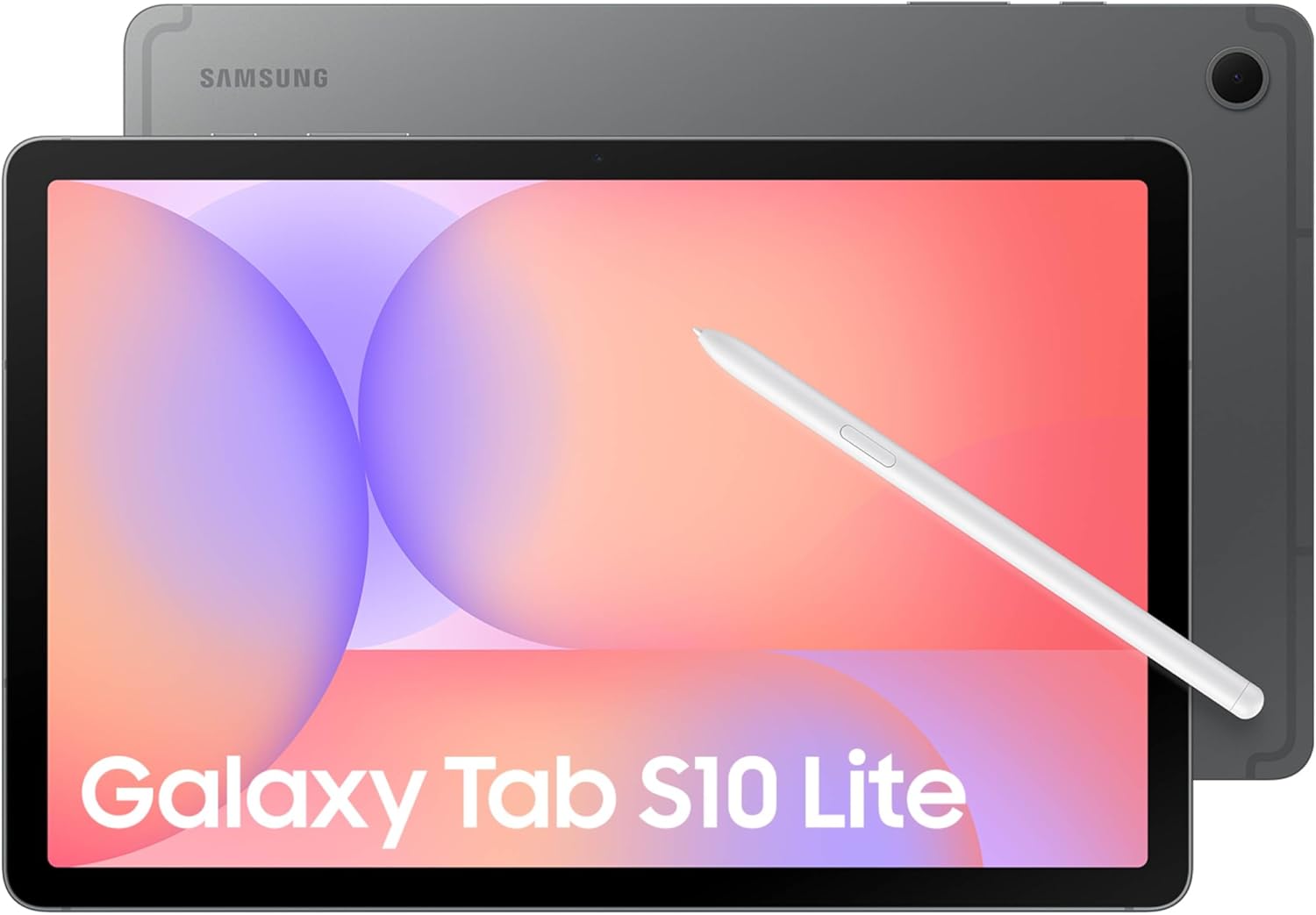
The Samsung Galaxy Tab S10 Lite arrives at its launch price carrying a bold promise: seven years of software updates on a metal-chassis tablet with an S Pen included. After spending time with this device, that promise lands as both the most compelling reason to buy it and the most important question mark hanging over it. The Exynos 1380 chip inside was already showing strain during testing conducted not long after launch, and a chip that struggles today faces a steep climb over a seven-year horizon. Samsung is asking you to buy longevity, but the engine powering that journey gave us pause from the start.
Quick Verdict
At its asking price, the Galaxy Tab S10 Lite is a thoughtfully constructed mid-range tablet with genuine standout features: an included S Pen with AI capabilities, a robust metal build, IP42 splash resistance, and Samsung's seven-year software support commitment. The 80/100 score reflects real value in that combination. However, the Exynos 1380 processor already showed signs of strain in our testing, USB 2.0 remains a frustrating bottleneck, and display brightness fell short of expectations for this price tier. Buy it for the longevity promise and the S Pen, with eyes open about what that chip can and cannot do.
| Aspect | Rating |
|---|---|
| Display | 3/5 |
| Performance | 3/5 |
| Battery Life | 3/5 |
| Software & Ecosystem | 4/5 |
| Build Quality | 4/5 |
| Value | 3.5/5 |
| Overall | 4/5 |
Pros
- S Pen included with AI features: Circle to Search and math handwriting recognition
- Seven-year software support commitment, uncommon at this price tier
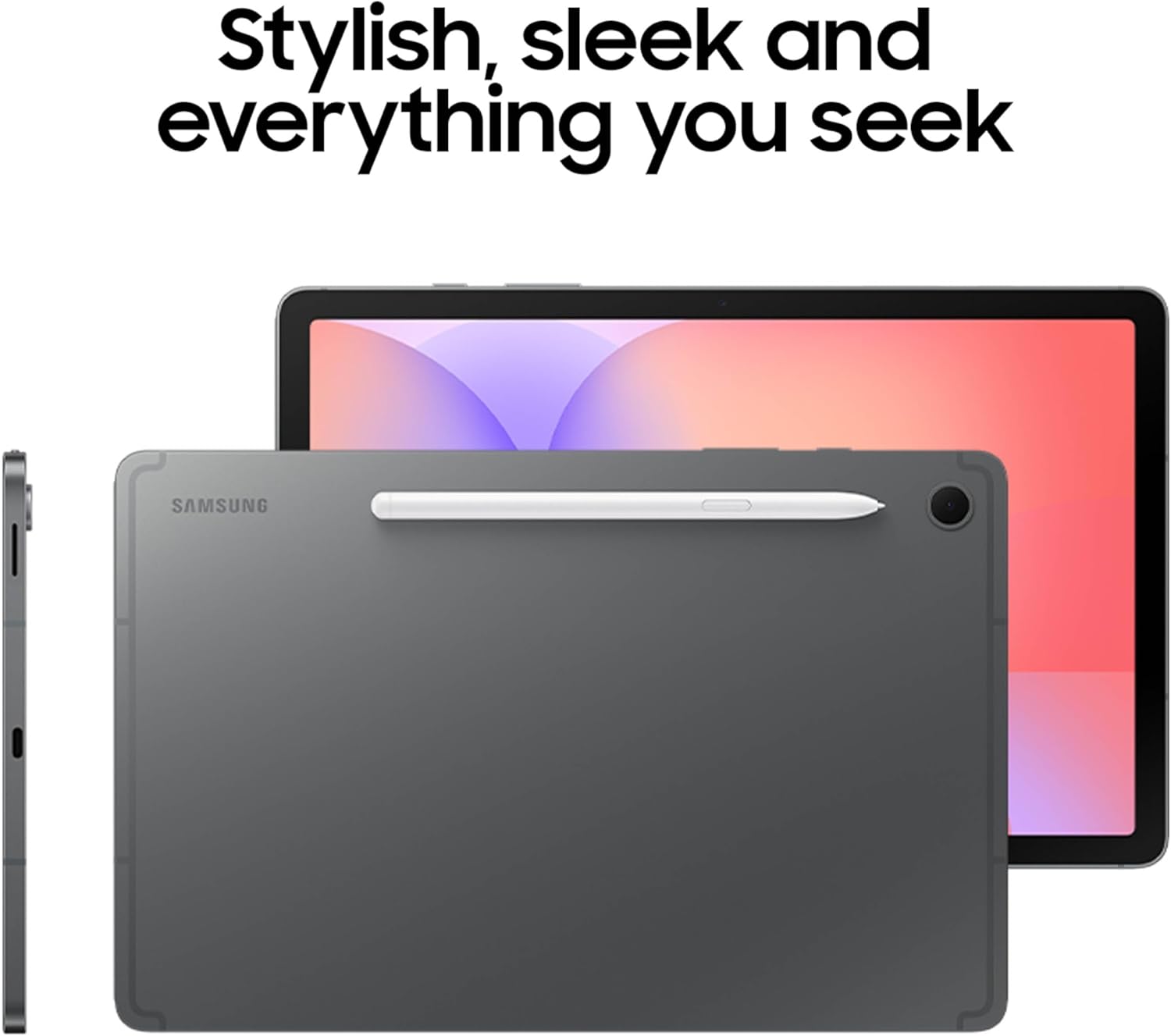
- Robust metal chassis with matte, fingerprint-resistant back
- MicroSD expandable up to 2TB, plus Samsung DeX support
- IP42 splash and dust resistance at this price tier
Cons
- Exynos 1380 already showed strain during testing, a concern for a seven-year device
- USB 2.0 only, making large file transfers frustratingly slow
- Display brightness insufficient for the price tier
- No fingerprint sensor; security patches lagged during our review period
Specs at a Glance
| Spec | Detail |
|---|---|
| Price | See Amazon for current pricing |
| Display | 10.9-inch LCD |
| Processor | Samsung Exynos 1380 (ARM Mali-G68 MP5 GPU) |
| RAM | 6GB or 8GB |
| Storage | 128GB or 256GB (UFS 2.1), microSD up to 2TB |
| Operating System | Android 15, OneUI 7 |
| Connectivity | USB 2.0, USB OTG, 5G (top model) |
| IP Rating | IP42 |
| Weight | 524g |
| Screen-to-Body Ratio | 81.7% |
| S Pen | Included |
| Software Support | 7 years promised |
| Security Updates | Quarterly |
| Battery | 8,000 mAh with fast charging support |
| Display Refresh Rate | 90Hz |
| Resolution | 2112 x 1320 (WUXGA+) |
| Peak Brightness | 600 nits |
| Cameras | 8 MP rear, 5 MP front |
Display
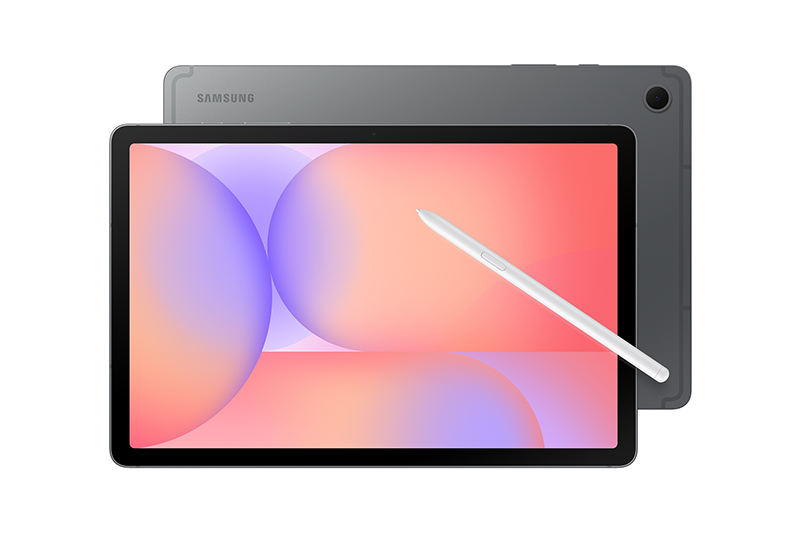
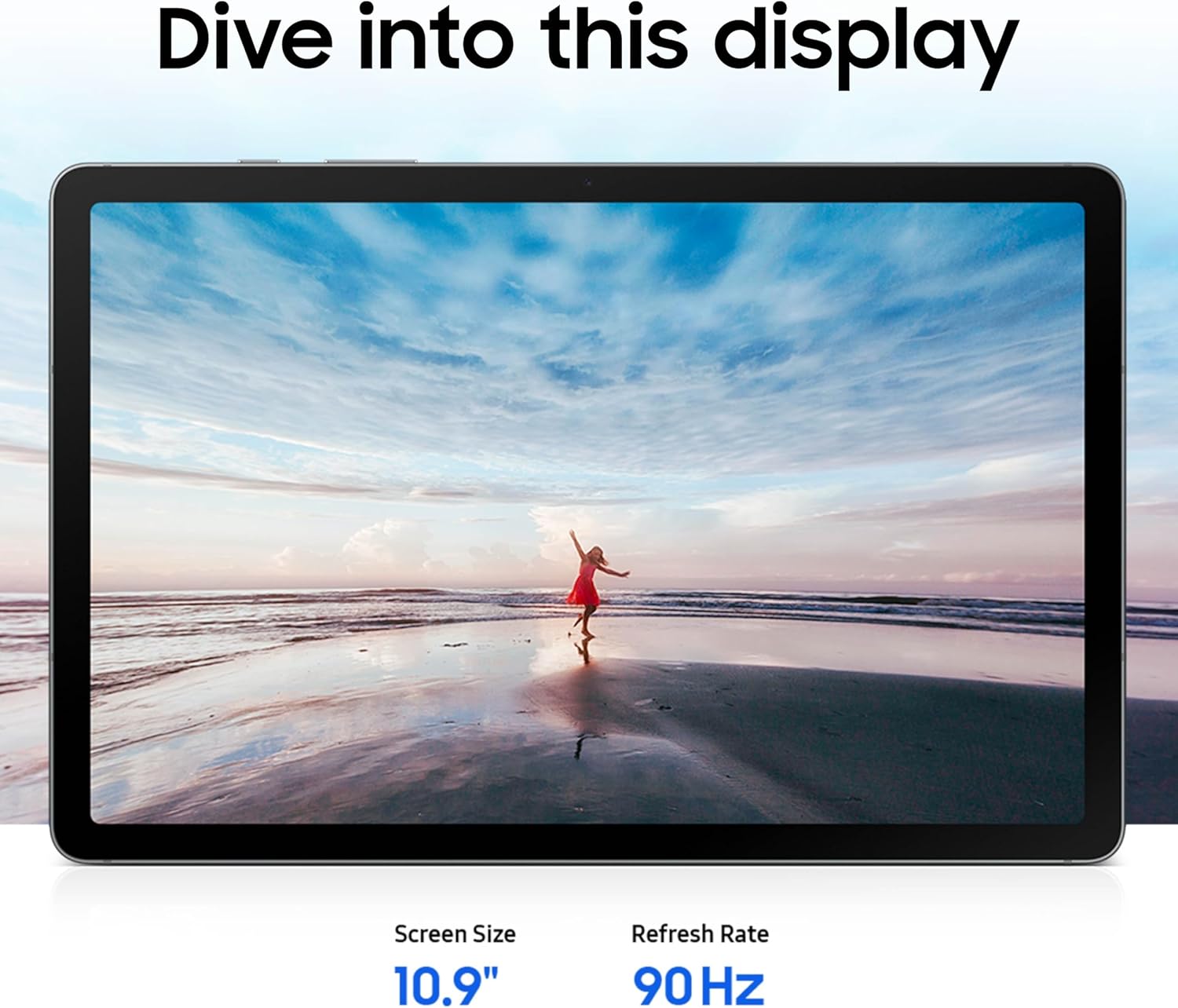
The Galaxy Tab S10 Lite carries a 10.9-inch LCD panel, and the first thing you notice when you pick it up is the bezel situation. At an 81.7% screen-to-body ratio, this tablet sits below the class average for its tier, and those borders are genuinely visible in daily use. When watching video or reading documents, the surrounding frame does not disappear the way it does on more modern panel designs. It is not a dealbreaker, but it is a noticeable concession relative to what competitors are offering at similar price points.
The LCD panel itself delivers acceptable color reproduction for everyday tasks: web browsing, light document work, and video streaming look fine in typical indoor conditions. The 10.9-inch size is a comfortable reading and note-taking footprint, and paired with the included S Pen, the display is large enough to feel genuinely useful for handwritten work without becoming unwieldy.
Where the display fell short in our testing was brightness. For a tablet at this price tier, we expected more output, particularly for use near windows or in mixed indoor-outdoor environments. We did not obtain a precise nit measurement during our review period, which is itself a reflection of how the panel performed: it never pushed us to reach for a light meter because the ceiling was obvious without one. On overcast days indoors the screen read clearly enough, but moving closer to a window introduced noticeable washout. If your primary use case involves bright environments, this is a meaningful limitation to weigh.
The LCD technology choice also means you will not find the deep blacks or per-pixel contrast of an OLED panel here. This is an expected trade-off at this price, and Samsung has not tried to oversell the display in its marketing. What you get is a functional, reasonably accurate screen that works well in controlled lighting and struggles when the ambient conditions push higher.
The 10.9-inch size and 81.7% ratio produce a device that reads visually closer to Samsung's older Lite-tier designs than to the current S10 flagship lineup. The bezels on the top and sides are noticeably wider than what you find on the Tab S10 FE, and the overall impression is of a panel sourced from a slightly earlier design generation. That is not a performance failing, but it does affect the premium feel that the metal chassis otherwise projects.
For note-taking and S Pen work specifically, the LCD surface did not produce any of the latency or jitter issues that sometimes plague lower-tier displays. Writing felt responsive, and handwriting recognition handled both standard text and mathematical formulas without significant lag. If your primary display interaction is stylus-based, the panel holds up well. It is in passive consumption, particularly in challenging light, where the limitations become apparent.
Performance
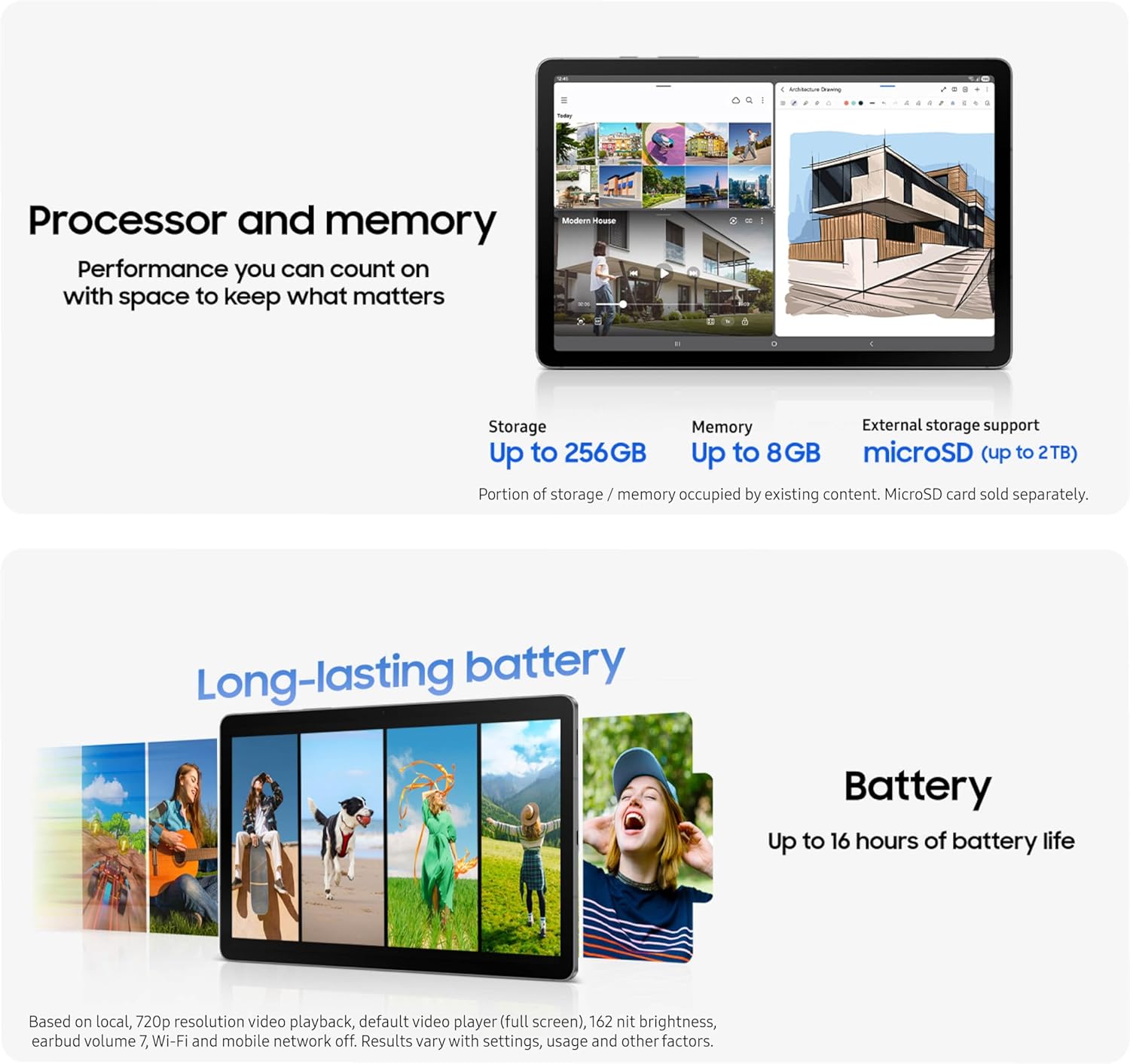
The Exynos 1380, paired with the Mali-G68 MP5 GPU, is the processor doing the work inside the Tab S10 Lite, and it is the component that gave us the most concern throughout testing. During our review period, the tablet was occasionally overwhelmed: not during simple tasks, but during the moments that define real daily use. Switching between multiple open applications, loading heavier web pages, and handling anything involving background sync alongside active foreground tasks all produced noticeable hesitation.
The Exynos 1380 is positioned below the Exynos 1580 found in the Galaxy Tab S10 FE, and that gap was perceptible in side-by-side comparisons. The S10 FE handled the same multitasking sequences with more composure. For a device Samsung is marketing on a seven-year support horizon, launching with a chip that already shows its ceiling in 2025 is a structural concern, not a minor quibble. Software demands grow with each Android release, and headroom matters more here than in almost any other product category.
Storage performance told a similarly mixed story. Using an Angelbird V60 microSD card, we measured sequential write speeds averaging 42.1 MB/s, with a range running from 26.3 MB/s to 58.2 MB/s. Sequential read averaged 69.4 MB/s, ranging from 23.7 MB/s to 107 MB/s. Those are acceptable numbers in isolation, but the comparison with the Galaxy Tab A9+, a device positioned below the Tab S10 Lite in Samsung's lineup, is instructive: the Tab A9+ averaged 78 MB/s on sequential reads, meaningfully faster than what we recorded here.
| Storage Benchmark | Tab S10 Lite (Avg) | Tab S10 Lite (Range) | Tab A9+ (Avg) |
|---|---|---|---|
| MicroSD Sequential Read | 69.4 MB/s | 23.7 to 107 MB/s | 78 MB/s |
| MicroSD Sequential Write | 42.1 MB/s | 26.3 to 58.2 MB/s | Not tested |
The wide variance in those read speeds, from a low of 23.7 MB/s to a high of 107 MB/s on sequential reads, also suggests inconsistent thermal or scheduling behavior during storage operations. The average is usable, but the floor is low enough that you may notice it during large file moves from the card.
The USB 2.0 port is a harder constraint. In 2025, shipping a tablet intended to last seven years with USB 2.0 is a design decision that ages poorly from day one. Transferring a large video project or a full backup to a computer runs at USB 2.0 speeds, which means you will spend time waiting that you should not have to. USB OTG is supported, which helps with accessories, but the bandwidth ceiling affects every wired data operation. Competing tablets in adjacent tiers have moved to USB 3.x, and the gap is felt immediately when you try to do anything substantive with wired transfer.
Security patch currency was another flag during our review. At the time of testing, the device was running July 2025 patches despite the review period falling in September 2025. A two-month lag on a quarterly update schedule is not catastrophic, but it is worth noting on a tablet that Samsung positions as a long-term purchase for security-conscious users like students and professionals.
For light tasks, the Exynos 1380 is adequate. Browsing, email, note-taking with the S Pen, and single-app productivity all run without friction. It is when you push beyond that baseline, or when you think about where Android demands will stand in 2030, that the chip's positioning in the lineup becomes a genuine consideration.
Battery Life
Battery capacity and real-world runtime are areas where our testing data is incomplete. We were not able to obtain a confirmed battery capacity figure or run standardized endurance benchmarks during our review period, and we will not substitute speculation for measurement. What we can offer is reasoned context based on what we do know about this device's components.
The Tab S10 Lite weighs 524 grams, and that weight has to come from somewhere. Metal chassis construction accounts for a portion of it, but a device in this size class carrying that mass typically reflects a substantial battery cell. The LCD panel, while limited in peak brightness, is generally more power-efficient at moderate brightness levels than OLED alternatives, which can work in the Tab S10 Lite's favor during mixed-use sessions.
The Exynos 1380, based on Samsung's experience with the chip in other devices, is not a particularly frugal processor. During our testing sessions where the device was under heavier load, the chassis remained cool to the touch, which suggests the chip throttles rather than runs hot. Throttling under sustained load preserves battery to some degree but at the cost of sustained performance, which feeds back into the performance concerns we documented separately.
For a tablet positioned as a student and productivity device intended to last through multi-year ownership, battery endurance matters considerably. A full school day of note-taking, light web research, and S Pen use should be achievable based on the component profile, but we would want verified runtime numbers before making a definitive claim. We will update this review when standardized battery testing is available. For now, treat battery life as an open question worth investigating before purchasing if all-day endurance is critical to your use case.
Software and Ecosystem
The Tab S10 Lite ships with Android 15 and OneUI 7, and Samsung's software layer here is one of the more polished Android tablet experiences available at this price. OneUI 7 has matured considerably, and the tablet-specific optimizations, split-screen multitasking, pop-up windows, and the taskbar along the bottom edge, all work sensibly and without the jankiness that characterized earlier Samsung tablet software.
The headline software feature is the seven-year update commitment, and it deserves careful examination rather than a simple endorsement. Samsung has committed to delivering major Android version updates and security patches through the device's lifecycle, which at launch in 2025 means support running into 2032. For a product category where annual updates are the norm and three-year commitments were recently considered generous, seven years is a substantial pledge.
The practical caveat is the one we raised in the performance section: software support is only as useful as the hardware can accommodate. Seven years of Android updates will bring increasing system requirements, more demanding background processes, and potentially heavier OneUI layers. The Exynos 1380 has a ceiling, and the question of how much headroom remains in year five or six is genuinely open. Samsung's pledge covers the software delivery; it does not guarantee the experience quality at the end of that runway.
Security updates arrive on a quarterly schedule, which is less frequent than the monthly cadence Samsung maintains on its flagship lineup. During our testing period, we observed a two-month lag between the current patch level and Samsung's published release date, which sits within the quarterly cycle but reflects the practical reality: quarterly updates mean longer exposure windows between patches. For most consumer use cases this is acceptable. For enterprise or education deployments with stricter security requirements, it is a point to evaluate against policy.
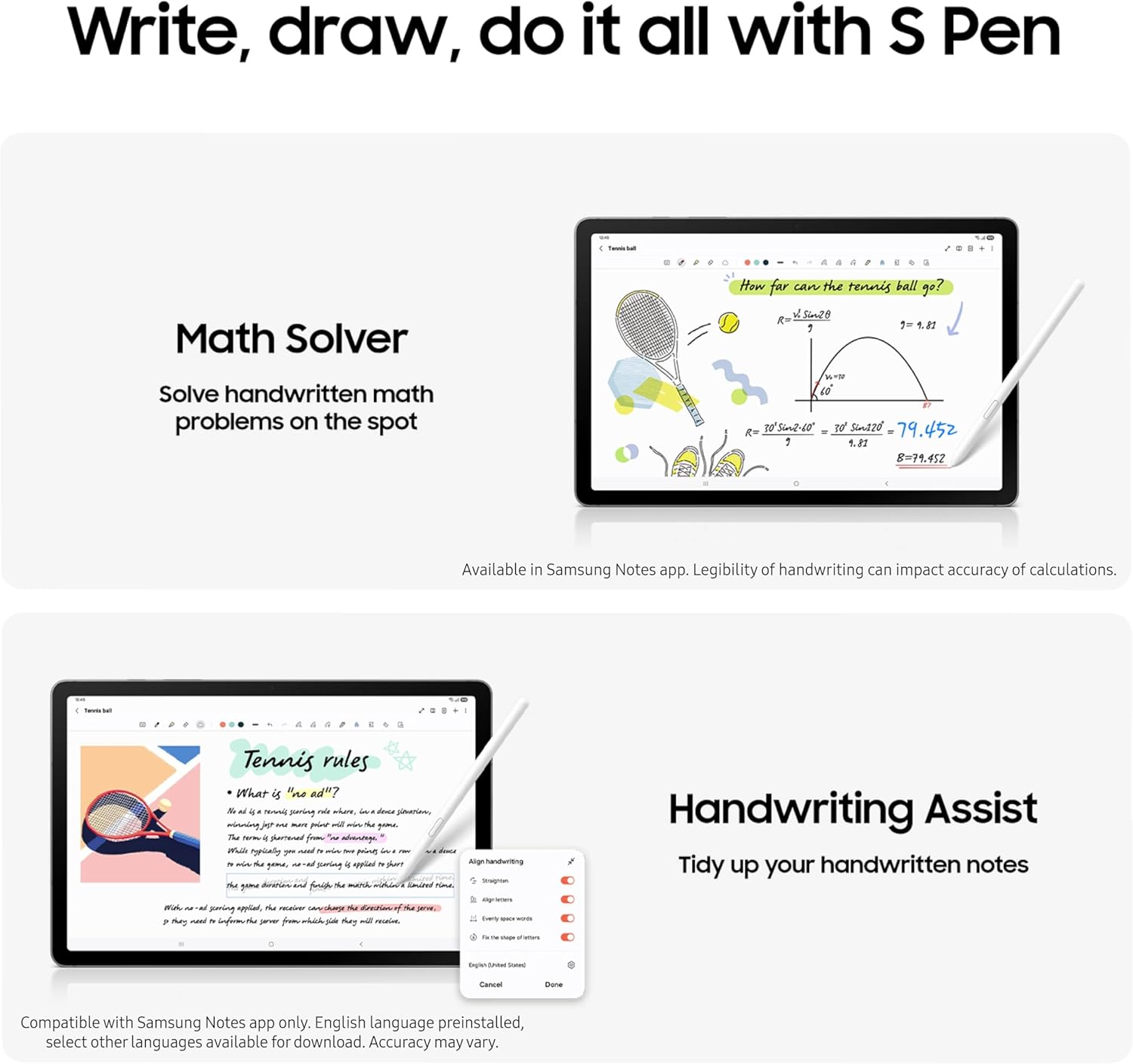
The S Pen integration is where the software ecosystem genuinely earns its keep. Handwriting recognition was fast and accurate in our testing, handling printed text, cursive, and mixed-case input without significant errors. The math formula recognition feature, which converts handwritten equations into formatted digital text, worked reliably for standard expressions and handled multi-step problems cleanly. For students in STEM fields or anyone who works through problems on paper before digitizing them, this feature alone justifies a meaningful portion of the purchase price.
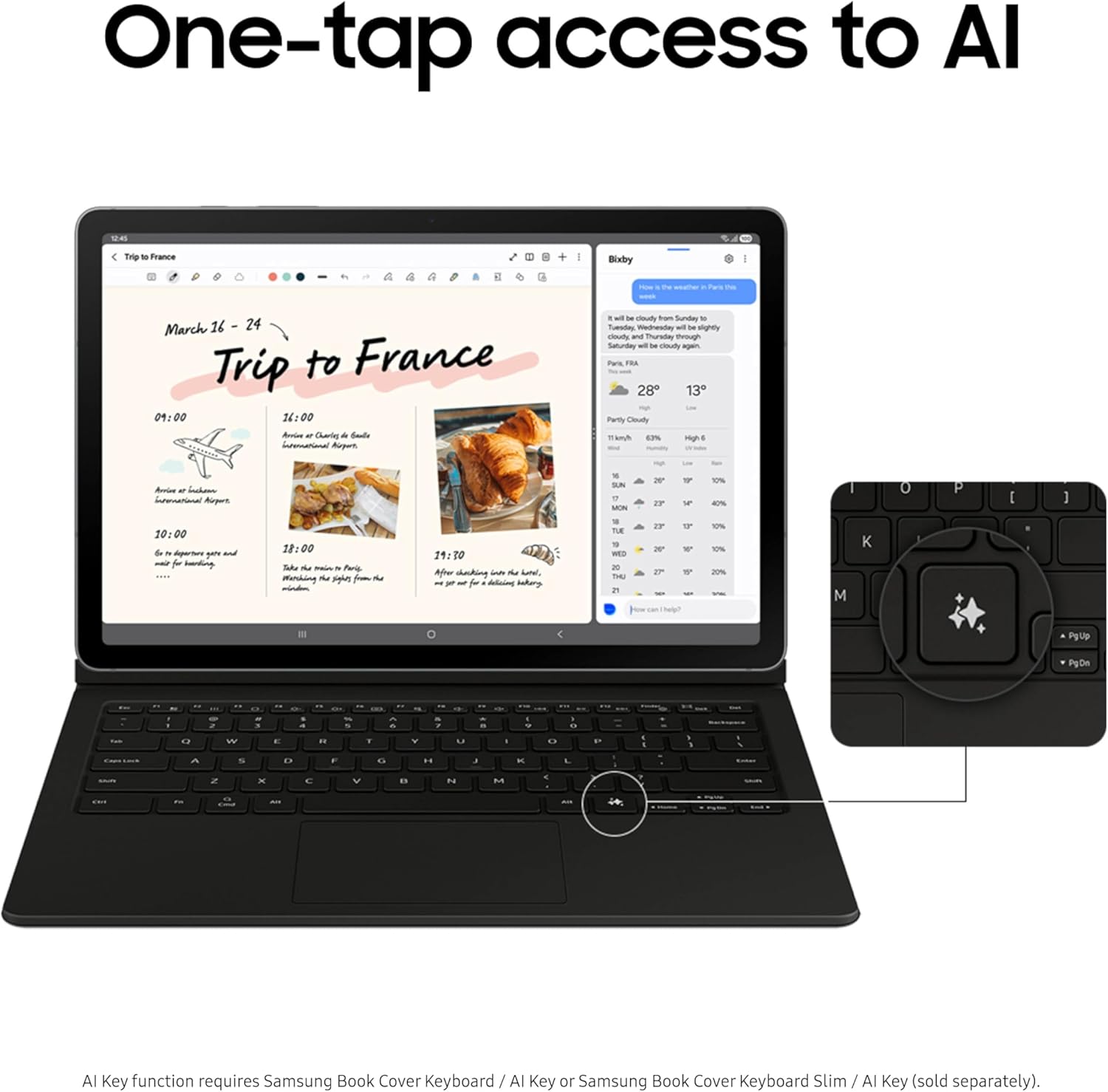
Circle to Search, Google's AI-powered search gesture, is integrated and functional. Drawing a circle around any on-screen content, whether a product in a video, a word in a document, or an object in a photo, triggers a Google search overlay without leaving the current app. It worked consistently in our testing and adds genuine utility to the note-taking and research workflows where this tablet is positioned.
Samsung DeX support is included, which transforms the tablet into a desktop-like computing environment when connected to an external display. At the Tab S10 Lite's price point, DeX inclusion is a meaningful differentiator. The Exynos 1380 handles DeX adequately for productivity tasks: document editing, web browsing, and light multitasking all ran without issue. Demanding video editing or compilation workloads will surface the chip's limits, but for the productivity user who occasionally wants a larger workspace, DeX works.
Samsung's sustainability disclosures are worth acknowledging. The Tab S10 Lite documentation includes transparency around recycled materials used in construction, a level of ecological accountability that Chinese competitors at similar price points typically do not provide. For buyers who factor supply chain and environmental considerations into purchasing decisions, this is a differentiating data point.
Value for Money
At its asking price, the Galaxy Tab S10 Lite occupies a considered position in the mid-range Android tablet market. It sits above the Galaxy Tab A9+ in Samsung's own lineup and below the Tab S10 FE, and the feature set reflects that placement with reasonable accuracy. The S Pen inclusion, IP42 rating, metal chassis, and seven-year update promise are genuinely uncommon combinations at this price tier. Most tablets that hit one or two of those targets miss the others.
The performance gap relative to the Tab S10 FE is real and measurable, and buyers who can stretch their budget to the next tier will get a more capable processor and a panel with better brightness. For buyers at this price ceiling, the question is whether the S Pen and longevity commitment outweigh the performance and display compromises.
Against Chinese competitors at a similar price, the Tab S10 Lite holds up on build quality and software longevity. Competitors in this tier often match or exceed raw performance metrics but come without Samsung's update commitment or DeX ecosystem integration. The sustainability transparency is an additional factor for buyers who weight it. The trade-off is real performance today versus a credible, if uncertain, promise of supported longevity.
Who Should (and Shouldn't) Buy This
The Tab S10 Lite is well-suited for students and note-takers who want S Pen functionality, AI-assisted handwriting and Circle to Search, and a device they can realistically expect to receive software support through a full academic program. The IP42 rating adds practical durability for backpack and classroom use that few tablets at this price point can match.
It also works for light productivity users who want Samsung DeX flexibility for occasional desktop-mode use and who are not pushing the device through heavy multitasking or media production workloads. If your daily use stays within email, documents, web browsing, and note-taking, the Exynos 1380 will serve you adequately.
Skip this tablet if you need fast file transfers: USB 2.0 will frustrate anyone moving large files regularly. Skip it if you are a power user or gamer who will push the chip hard, because the Exynos 1380 shows its ceiling quickly under sustained load. And think carefully if outdoor or high-ambient-light use is central to your workflow, because the display's brightness limitation is a real constraint in those conditions.
Bottom Line
The Samsung Galaxy Tab S10 Lite earns its 80/100 score honestly: it is a well-built, software-supported mid-range tablet with a compelling feature set for students and light productivity users at the asking price. The S Pen with AI integration, IP42 protection, and the seven-year update commitment are genuine differentiators that justify the purchase for the right buyer.
The concern that stayed with us through testing is the one Samsung's own marketing raises: longevity is the pitch, but the Exynos 1380 already showed strain during testing conducted shortly after launch. That chip will be seven years older in 2032. Buy this tablet for what it does today and what the software support guarantees for maintenance. Be realistic about what performance will look like at the end of that runway.
Samsung is a rare company willing to make a seven-year software commitment on a mid-range product, and that pledge carries real weight for buyers who want a device that will not become abandonware in three years. What this tablet needs to fully earn that trust is hardware headroom to match the software promise. The S Pen ecosystem and the build quality are legitimately good. The Exynos 1380 is the honest asterisk on everything else.
-- Theo Chan, Hardware Testing Director
*Disclosure: As an Amazon Associate, Revuzia earns from qualifying purchases. Prices and availability are accurate as of publication and may change.*
More on Revuzia
Samsung OLED S90F Review: Flagship Picture Quality Without the Flagship Price
Sony BRAVIA 8 4K OLED Review: Perfect Blacks, One Glaring Gaming Compromise